
In this guide, you'll learn:
- What Bonsai 2 27B is and how it differs from an ordinary 4-bit GGUF of Qwen 3.8 27B
- What hardware you need to run it
- Why Ollama, LM Studio and Atomic Chat cannot load these files, and how to run Bonsai 2 27B locally with Prism ML's llama.cpp fork
If you want the original weights and our own GGUF builds of them, see our guide to running Qwen 3.8 27B locally. This article is only about Bonsai 2 27B.
What is Bonsai 2 27B?
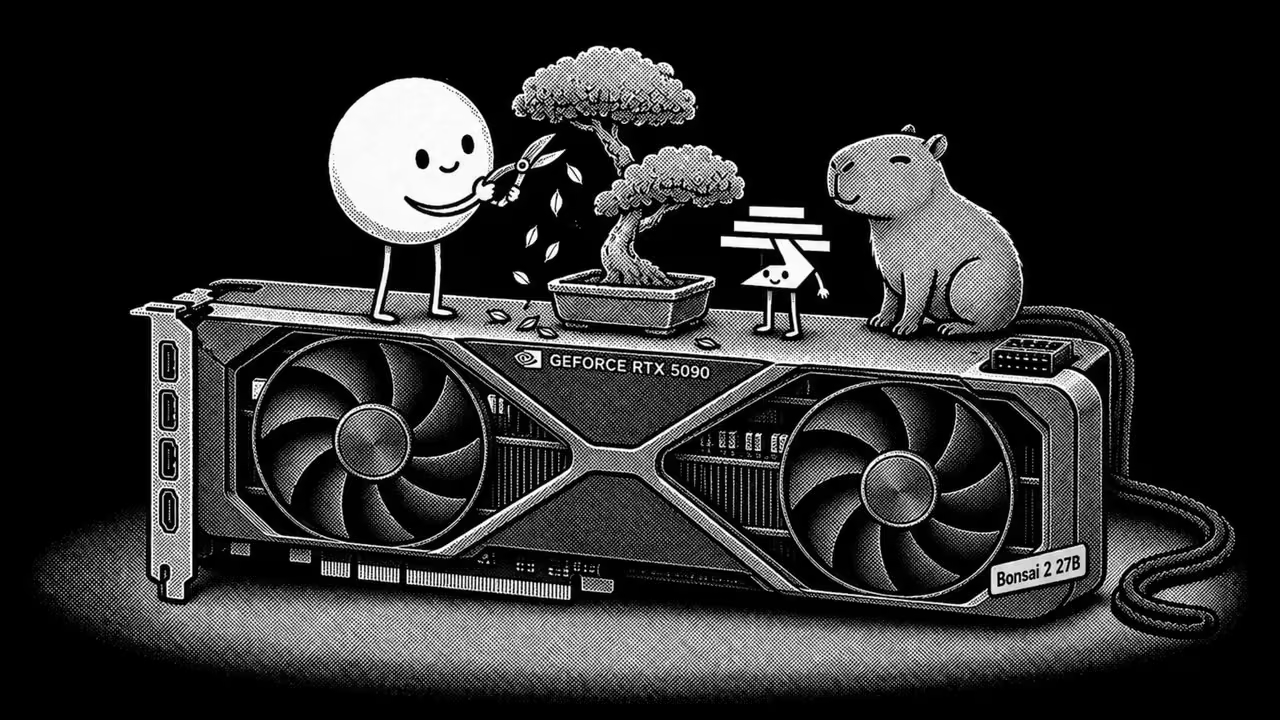
Bonsai 2 27B is an open-weight ternary language model that Prism ML released on September 17, 2026 under the Apache 2.0 license. It is Qwen 3.8 27B compressed to 1.72 bits per weight, and Prism ML says the architecture is unchanged. Prism ML did the compression itself and published the packed files as the release, so the 5.95 GB download is the lab's own build.
Bonsai 2 27B main specs:
| Specification | Bonsai 2 27B |
|---|---|
| Base model | Qwen3.8-27B, architecture unchanged |
| Parameters | 27.36B total, over a 64-block language backbone and a 27-block vision tower |
| Architecture | Hybrid attention (about 75% linear, 25% full), SwiGLU MLP, RoPE, RMSNorm |
| Context window | 262,144 tokens, inherited from the base model |
| Weight format | Ternary g128 across embeddings, attention projections, MLP projections and the LM head: weights of -1, 0 or +1, one shared FP16 scale per group of 128, and a small high-precision tail |
| Bits per weight | 1.72 for the model as a whole; 1.75 packed as PTQ1_0, 2.13 packed as PQ2_0 |
| Deployed size | 5.95 GB (PTQ1_0) or 7.21 GB (PQ2_0) |
| Modalities | Text and image input, with the vision tower in a separate mmproj file |
| Reasoning | Thinking on by default at xhigh reasoning effort |
| Multi-Token Prediction | Not included |
| Release date | September 17, 2026 |
| License | Apache 2.0 |
The same weights at FP16 run to about 54 GB, so the packed file is about 9x smaller at the same 27B parameter count. The file is the size of a 9B model at 4-bit, the class we cover in our guide to small language models. Multi-Token Prediction is absent from the release, so nothing in the file drives speculative decoding on its own.
Three values per weight comes to log2(3), about 1.585 bits in theory. The FP16 scale that each group of 128 weights carries, and the small high-precision tail, take the real figure to 1.72. This is the same ternary family as BitNet b1.58, except that BitNet trains ternary from scratch while Bonsai 2 compresses weights that were already trained.
The weights are also stored in a rotated basis. Each matrix is transformed by a Hadamard rotation before the ternary values are assigned. The rotation is folded into the stored weights offline, so it costs no extra bits. A runtime that does not apply the matching transform to activations reads the weights in the wrong basis. That is why Bonsai 2 needs a runtime built for the format: stock llama.cpp refuses the two packed files outright, and it loads Prism ML's older Q2_0 pack with no warning and returns garbage.
This release ships as two packings of the same weights, PTQ1_0 at 5.95 GB and PQ2_0 at 7.21 GB, with the vision tower in a separate file. Three Prism ML models carry the Bonsai name, and they're easy to confuse:
- Bonsai 2 27B is this guide: the September release on the Qwen3.8-27B base, in the two packings above, and it needs Prism ML's llama.cpp fork.
- Ternary Bonsai 27B is the July release on the Qwen3.6-27B base, a separate repository with its own files.
- Bonsai 27B is the 1-bit July companion, and it is the only one that loads in Atomic Chat today.
There is also an MLX pack for Apple Silicon in a separate repository, prism-ml/Ternary-Bonsai-2-27B-mlx-2bit, an 8.6 GB download. The pack declares the model type prism_hadamard_qwen35, which mlx-lm does not load. mlx-vlm merged support for it on September 17, 2026 in pull request #2293, and that merge is newer than the v0.7.1 release, so the MLX route takes a build from main. The python snippet the pack documents fails on the loader shipped inside the repository, which accepts schema_version 1 while the pack declares schema_version 2.
Bonsai 2 27B benchmarks
Prism ML's launch numbers, from the model card, compare Bonsai 2 27B with three builds of its base model, all evaluated with EvalScope and vLLM on an NVIDIA H100 in thinking mode:
| Benchmark | Bonsai 2 27B | Qwen3.8-27B FP16 | Qwen3.8-27B UD-Q4_K_XL | Qwen3.8-27B IQ2_XXS |
|---|---|---|---|---|
MMLU-Redux Academic knowledge | 89.09 | 91.46 | 93.35 | 88.93 |
MuSR Multistep reasoning | 70.63 | 79.63 | 73.01 | 66.99 |
GSM8K Grade-school math | 96.66 | 97.19 | 96.66 | 89.90 |
MATH-500 Competition math | 98.80 | 99.80 | 99.40 | 84.60 |
AIME25 Competition math | 95.00 | 96.67 | 92.91 | 66.67 |
AIME26 Competition math | 95.83 | 94.58 | 93.00 | 57.50 |
HumanEval+ Code generation | 95.12 | 93.29 | 95.73 | 91.46 |
MBPP+ Python problems | 83.07 | 83.86 | 83.86 | 78.89 |
LiveCodeBench Competitive coding | 90.07 | 90.05 | 87.96 | 56.40 |
IFEval Instruction following | 91.31 | 91.50 | 88.83 | 84.03 |
IFBench Instruction following | 74.00 | 71.00 | 65.65 | 53.76 |
BFCL v3 Tool calling | 74.92 | 76.74 | 75.05 | 70.28 |
MMMU-Pro Multimodal reasoning | 75.49 | 81.73 | 81.73 | 65.19 |
OCR Bench v2 Document OCR | 56.88 | 60.99 | 65.45 | 61.70 |
Average (14) All benchmarks | 84.78 | 86.32 | 85.18 | 72.59 |
Bonsai 2 27B holds 98.2% of the full-precision average at 5.95 GB against 54 GB for the FP16 reference, and image input adds the 0.63 GB vision pack. Prism ML ran that table itself, and no reproduction from outside the lab has been published. The lab's whitepaper reaches the same 98.2% from a different pair of numbers, 83.9 against 85.4 over 20 benchmarks, and this guide follows the card.
Here's the same class of local models, each scored by its own vendor:
| Benchmark | Bonsai 2 27B | Qwen3.8-27B | Qwen3.5-9B | Gemma 4 E4B | LFM2.5-8B-A1B |
|---|---|---|---|---|---|
Params | 27B ternary | 27B dense | 9B dense | 4.5B effective | 8.3B MoE (A1.5B) |
Download size | 5.95 GB | 17.12 GB | 5.63 GB | 5.34 GB | 5.16 GB |
LiveCodeBench Competitive coding | 90.07 | 90.3 | 65.6 | 52.0 | - |
MMMU-Pro Multimodal reasoning | 75.49 | - | 70.1 | 52.6 | - |
IFEval Instruction following | 91.31 | - | 91.5 | - | 91.84 |
All scores in this second table come from each vendor's own model card, and every lab runs its own eval setup, so small gaps between columns don't mean much. A hyphen means the vendor didn't publish that number, and Google prints MMMU Pro as a percentage, which we stripped to keep one format in the row. Prism ML's card omits the LiveCodeBench version, and the lab's whitepaper names release_v6, the same release Qwen and Google report. Download sizes are Prism ML's PTQ1_0 file for Bonsai 2 and our own 4-bit GGUF builds for the other four columns. That makes Bonsai 2 the only column scored at the precision it ships in: the rest are full-precision vendor numbers.
The average in the first table understates how the conventional 2-bit build fails. Prism ML's card reports that the 2-bit build falls to 57.50 on AIME26 and 56.40 on LiveCodeBench while still scoring 88.93 on MMLU-Redux. Bonsai 2 scores 95.83 and 90.07 on the same two benchmarks. Both depend on long chains of reasoning, so a 2-bit build can pass a short chat test and still be the wrong file for local coding.
The more useful reference for Bonsai 2 is the previous Bonsai. Ternary Bonsai 27B, the July release, is built on Qwen3.6-27B rather than on Qwen3.8-27B, and the Bonsai 2 card recomputes its average on these same 14 benchmarks, which puts it at 80.98 against 84.78. Part of that gap comes from the base model. Its FP16 reference moves from 85.07 on the previous card's 15 benchmarks to 86.32 on these 14. The card names the rotated basis as the mechanism behind the rest: the July release had no rotation, and it ternarized the recurrent state path and the normalization weights along with everything else. Bonsai 2 holds those 26.2M parameters above ternary, counted inside its advertised 1.72 bits per weight. Prism ML also reports intelligence density, its own size-adjusted score: 0.416 for the July release against 0.469 here. Both rows are computed on sizes smaller than the files the lab ships, 5.80 GB against a 5.95 GB file and 5.75 GB against 7.17 GB, so read the pair as a ranking rather than a measurement.
Bonsai 2 27B GGUF: PTQ1_0 or PQ2_0
Take PQ2_0 when you have 12 GB or more: it is the file in Prism ML's own quickstart, and the only one the card measures on Apple Silicon. Take PTQ1_0 on an 8 GB machine, and on the Ada-generation cards such as the RTX 4090, where it decodes at 91.1 tokens per second against 81.2 for PQ2_0.
Prism ML ships the quantization for Bonsai 2 itself. The lab publishes the model at 1.72 bits per weight, and there is no upstream full-precision release for anyone else to quantize. The choice here is between two packings of one low-bit model, both in the prism-ml GGUF repository.
Both packings hold the same ternary weights. Every weight is one of -1, 0 and +1, with one shared FP16 scale for each group of 128 weights. They differ in how those values sit on disk. PTQ1_0 packs the trits densely, which the card puts at 1.75 bits per weight. PQ2_0 gives each trit its own 2-bit slot at 2.13, which costs footprint and makes unpacking cheaper. The card's benchmark scores come from a vLLM run of the ternary weights rather than from either GGUF pack, so there is no per-packing quality number.
The repository holds five GGUF files, all sharing the prefix Ternary-Bonsai-2-27B:
| File | Bits per weight | Size | What it is for |
|---|---|---|---|
| PTQ1_0 | 1.75 | 5.95 GB | Decode on the Ada-generation cards and the L4, and the tightest memory budgets |
| PQ2_0 | 2.13 | 7.21 GB | Decode on H100, A100 and the Blackwell cards, plus prompt processing on every NVIDIA platform measured |
| mmproj-Q8_0 | 8-bit container | 0.63 GB | Image input, shared by both packings |
| mmproj-BF16 | BF16 | 0.93 GB | The vendor's BF16 reference copy of the vision tower |
| F16 | 16.0 | 53.81 GB | The largest file in the repository, and not one of the packings |
The same mmproj file pairs with either language-model packing, and a text-only run costs nothing as long as you do not pass it. The F16 file carries the same ten prism.hadamard metadata keys as the two packs, so it holds the weights in the rotated basis as well and is not a portable FP16 checkpoint.
The trade is bandwidth against arithmetic. PTQ1_0 moves 17% less weight data per step, and unpacking dense trits costs arithmetic. It wins on the Ada-generation cards and the L4, and loses on H100, A100 and the Blackwell cards, where batch-1 decode is limited by instruction throughput instead. Prompt processing is compute-bound. PQ2_0 leads it on every platform where the card measures both packings, which is every NVIDIA row in its table. PQ2_0 is also the pack that can crash while loading when llama.cpp repacks it for the CPU, which the troubleshooting section below covers.
A quant name only says which recipe the publisher requested, and it does not promise a bit width; our guide to what GGUF is and how quantization works covers where those labels come from. The card draws the comparison itself: a widely used 2-bit build of the same base model is really 2.8 bits per weight at 9.4 GB, against 1.72 here. Prism ML does not name the file it measured, and no public 9.4 GB IQ2_XXS build of Qwen3.8-27B is listed: unsloth's UD-IQ2_XXS is 7.27 GB, and Prism ML's own whitepaper puts its 2-bit reference at 2.2 bits per weight and 7.3 GB. A small share of the language model stays in higher precision, 0.0976% of it, counted inside the 1.72 bits per weight Prism ML advertises. Between these two files the weights are identical, so go by size and by the platform you run on.
Bonsai 2 27B hardware requirements
For Bonsai 2 27B, the system requirement to check is memory. It needs about 6 GB of VRAM or unified memory for PTQ1_0 and about 7.2 GB for PQ2_0, plus roughly 0.5 GB for every 8K of context and 0.63 GB more for image input. At 16 bits per weight the same weights would run to about 54 GB, so the packing is what brings the model onto a consumer card: the two packs are 5.95 and 7.21 GB. The table below shows the total usable RAM plus VRAM you need, or unified memory on Apple Silicon:
| Available memory | Recommended file | File size | Leaves room for |
|---|---|---|---|
| 8 GB | PTQ1_0 | 5.95 GB | Around 16K of context, or around 6K with the vision projector loaded |
| 12 GB | PQ2_0 | 7.21 GB | Around 56K of context |
| 16 GB | PQ2_0 | 7.21 GB | Around 118K of context |
| 24 GB | PQ2_0 | 7.21 GB | Around 240K of context |
| 32 GB or more | PQ2_0 | 7.21 GB | The full 262K context window |
Note: every row above reserves about 1 GB for compute buffers and the display. Image input needs a third file, the 0.63 GB vision projector, which comes off the context headroom in the last column.
How much memory does the context window add?
The figures above only cover the model weights. On top of that, the engine allocates a KV cache: the longer you chat, the more context the model holds in memory, and the more gigabytes that takes. The same goes for pasting big documents or codebases into the conversation.
Bonsai 2 keeps the attention layout of Qwen 3.8 27B. In a conventional dense transformer, all 64 layers would store attention data for every token. Here, 48 of the 64 layers use linear attention with a fixed-size state, and the 16 full-attention layers use just 4 KV heads. Prism ML's own KV cache documentation for the model, KV-CACHE.md in the Bonsai-demo repository, puts the attention cache at about 64 KiB per token, a quarter of what a standard transformer of this shape would store:
| Context length | Attention cache |
|---|---|
| 8K (typical chat) | ~0.5 GB |
| 32K (long document) | ~2 GB |
| 128K (large codebase) | ~8 GB |
| 262K (maximum native context) | ~16 GB |
The weights are 5.95 GB, so a 32K conversation holds about a third of the model file in attention cache. The full 262K window costs about 16 GB. That still fits beside the smaller pack on a 24 GB card.
What hardware can run Bonsai 2 27B?
- 8 GB GPUs (RTX 4060, RTX 5060): can run PTQ1_0 entirely in VRAM with room for about 16K of context. If you're looking for other models that fit an 8 GB card, see our roundup of the best local LLM for 8GB.
- 12 to 16 GB GPUs (RTX 4070, RTX 5070, RTX 5060 Ti 16 GB): can run PQ2_0 entirely in VRAM with 56K to 118K of context, and hold the vision projector alongside it for 0.63 GB of that headroom. If you're looking for other models that fit a 12 to 16 GB card, see our roundup of the best local LLM for 16GB.
- RTX 3090 (24 GB VRAM): can run PQ2_0 with room for about 240K of context. The model card has no 3090 row, and its own rule puts PQ2_0 ahead on decode for Ampere, so take PQ2_0 here.
- RTX 4090 (24 GB VRAM): can run PTQ1_0 at 91.1 tokens per second against 81.2 for PQ2_0, so take the smaller file here unless you are processing long prompts. Either pack leaves room for 240K of context or more.
- RTX 5090 (32 GB VRAM): can run PQ2_0 with the full 262K window, and generates at 129.9 tokens per second, the highest generation figure on the vendor's table.
- AMD GPUs (RX 6800 XT, RX 9070 XT): can run both packings through the ROCm build of Prism ML's fork, which the releases page ships as an Ubuntu x64 ROCm archive and a Windows x64 HIP/Radeon archive; a source build takes
-DGGML_HIP=ON. The Vulkan build is the one to avoid: a community report on the vendor repo has the packed tensors falling back to CPU, at 0.1 tokens per second on an MI50. We have not reproduced either result. - Apple Silicon (16 GB and up): can run PQ2_0 through Metal in Prism ML's llama.cpp fork. Count about 75 percent of unified memory as available, so a 16 GB Mac reads the 12 GB row and a 32 GB Mac reads the 24 GB row. The MLX pack is a separate 8.6 GB download that mainline mlx-lm cannot load, and the mlx-vlm support for it merged on September 17, 2026, after the v0.7.1 release, so that route takes a build from main. The GGUF packs are the path that works on a released runtime; see our GGUF vs MLX guide if you're choosing between formats, and our best local LLM for a 16GB Mac roundup for models built for that machine from the start.
- Phones: not today. Prism ML's card makes no phone claim for either Bonsai 2 packing, and our own mobile app ships the earlier 1-bit Bonsai at 3.80 GB instead.
Measured throughput
Prism ML measured both packings with llama-bench at batch size 1 and depth 0, with no vision tower loaded:
| Platform | PQ2_0 generation | PQ2_0 prompt | PTQ1_0 generation | PTQ1_0 prompt |
|---|---|---|---|---|
| RTX 5090 (32 GB) | 129.9 | 3893 | 120.5 | 1805 |
| RTX 4090 (24 GB) | 81.2 | 3124 | 91.1 | 1645 |
| L4 (24 GB, 72 W) | 29.8 | 777 | 32.1 | 467 |
| Laptop (Apple M5 Pro, Metal) | 28.1 | 387 | not measured | not measured |
The M5 Pro decodes at 27.5 W on the GPU rail and 34.1 W across CPU and GPU, against roughly 210 to 330 W of board power for the NVIDIA cards in the vendor's full table, and about 72 W for the L4.
The card carries a second Apple table, three laptops running PQ2_0:
| Platform | PQ2_0 generation | PQ2_0 prompt |
|---|---|---|
| Apple M5 Max (Metal) | 47.0 | 765 |
| Apple M5 Pro (Metal) | 28.7 | 393 |
| Apple M4 Pro (Metal) | 18.0 | 125 |
Prism ML flags that whole table as measured on the earlier pre-rotation build and pending re-measurement, and its whitepaper flags only the M4 Pro row. The M5 Pro appears in both tables, at 28.7 here and 28.1 on the current stack above, so read these three rows as the shape of the hardware rather than as release numbers.
How to run Bonsai 2 27B in Atomic Chat through your own llama-server
Atomic Chat is a free, open-source local AI app we built. It includes a Hugging Face model browser and a built-in chat, with no manual llama.cpp build required.
As of Atomic Chat 2.0.37 in September 2026, the bundled engine does not load Bonsai 2 27B on any platform. The app finds prism-ml/Ternary-Bonsai-2-27B-gguf through direct owner/repo lookup and downloads the file you pick, and nothing in that picker then loads. The tensor types in the two packed files, 142 and 143, are not in upstream llama.cpp at all. The F16 reference file in the same repository parses, because its tensors are ordinary F16, but it carries the same prism.hadamard metadata as the two packs and nothing in our engine applies that transform. If upstream adds the types and the activation transform, our engine manifest points the app at a new llama.cpp build, and the app pulls it without an app release.
The model still runs in the app today, on a route that goes around the bundled engine: you start Prism ML's llama-server yourself and connect Atomic Chat to it as a client. Version 2.0.37 ships a built-in provider whose whole purpose is a llama-server you run yourself.
Here's how to run Bonsai 2 27B with Atomic Chat as a client:
Step 1: Install Atomic Chat
Download Atomic Chat from atomic.chat and install the build for your platform:
- macOS: a universal .dmg (Intel and Apple Silicon), macOS 13.6 or later
- Windows: an .exe installer for x64
- Linux: a self-contained .AppImage for x86_64, which needs no root
On Linux, mark the AppImage executable with chmod +x and run it directly. If the app asks about FUSE on first launch, install it with sudo apt install fuse libfuse2 on Debian or Ubuntu, or sudo dnf install fuse fuse-libs on Fedora.
Step 2: Start llama-server on the model
Get Prism ML's fork, download one of the packs, and start the server on it. The llama.cpp section below has the archives, the build commands, and the full flag set; the app's own field text words the short form this way:
llama-server -m model.gguf --host 0.0.0.0 --port 8080
Leave it running. Any port works, and 8080 is only the value the app prefills.
Step 3: Open Cloud and pick llama.cpp server
Click Cloud in the left sidebar, which is where every provider the app reaches over HTTP lives, your own server included. In the Connection card, open the Select a provider dropdown: the list starts with a Self-hosted group, and the entry to take is llama.cpp server. That entry is the client one, not the bundled Llama.cpp engine that runs files for you.
Settings → Model Providers is the wrong door here. That submenu lists the local engines, and this provider's route in it redirects back to Cloud.
Step 4: Point it at your server
Base URL is already filled with http://localhost:8080/v1. Change the host or the port if your llama-server runs somewhere else, and keep the /v1 suffix: the app requests the model list at the base URL plus /models, so a proxy prefix or a trailing path returns nothing.
Leave API key empty. The row is rendered because the provider declares the setting, and the app prints the rule under it: "This endpoint runs on your machine and needs no API key." Fill it only when you started llama-server with --api-key.
Step 5: Load the model list
In the Models card, click Reload models. The app requests http://localhost:8080/v1/models and lists what the server advertises. If nothing appears, click the + button next to it, type the id llama-server answers to into the Model ID field of the Add New Model dialog, and click Add Model.
Step 6: Chat locally
Open a chat, pick the model in the picker at the top, and send. Selecting it starts the app's own local API server if it is not already running, so there is nothing else to switch on.
Requests do not go straight to port 8080. They travel from the chat through that local API server at http://127.0.0.1:1337/v1 and on to your llama-server, which is what the Connection card means when it says that every client configured against that address can use these models too.
What you get on this path, and what you do not
On this path Atomic Chat is the client and llama-server runs the model, so part of what the app normally does for a local model is now yours to do:
- You start and stop llama-server yourself. The app shows no Start or Stop button for this model and no memory-fit estimate, and Reload models finds nothing until the server is already up.
- The app's llama.cpp settings do not reach it. Context size, GPU layers, flash attention, and the cache types are arguments the app passes to its own engine, so on this path you set each one as a llama-server flag instead.
- Capabilities are not detected. A model you add by hand gets text completion only: tick Vision and Tools by hand in the model's edit dialog, and image input additionally needs llama-server started with --mmproj.
- The bundled engine still cannot read the packs. This route sidesteps our GGUF reader entirely, so nothing changes for the Llama.cpp and Llama.cpp TurboQuant providers.
- A server on another machine wants a key. The keyless rule covers loopback addresses, so for a LAN box start llama-server with --api-key and enter that key in the app.
- This is the desktop app. The iOS and Android builds have no such provider.
There is a button in the app for loading a different engine, and it is not part of this path. Settings → Model Providers → Llama.cpp has Install Backend from File on the Version & Backend row, which takes a tar.gz or zip archive laid out like an upstream llama.cpp release, with build/bin/llama-server inside. The app owns that folder and prunes it on its own engine updates, and we have not installed Prism ML's fork that way.
The Bonsai that runs on the bundled engine today is the previous release: Bonsai 27B, published in July on the older base at 1 bit. In the desktop app from atomic.chat it is a staff pick: open it there, or search prism-ml/Bonsai-27B-gguf and take Bonsai-27B-Q1_0.gguf from Download Options. Image input on desktop needs one extra file, the vision projector Bonsai-27B-mmproj-Q8_0.gguf from the same repository. On iOS and Android it is the Bonsai (27B) card in the model catalog, at 3.80 GB, and that entry carries the vision projector, so you can attach an image as soon as the model loads.
That file loads on the bundled engine because its Q1_0 pack is an upstream llama.cpp type, id 41.
How to run Bonsai 2 27B with Prism ML's llama.cpp fork
You might prefer to run the binaries yourself, rather than the demo's scripts, if you need:
- An OpenAI-compatible local endpoint with explicit flags
- Precise control over GPU offload
- A reproducible server configuration
These files need Prism ML's own llama.cpp fork. A stock build refuses PQ2_0 and PTQ1_0 outright, and the ternary kernels live in the PrismML-Eng llama.cpp fork, which is the only local GGUF path that works right now.
Prism ML's Bonsai-demo repository documents the tested setup for every backend, and its run scripts pick the flags for your hardware. Its quickstart is two commands, ./setup.sh and then ./scripts/start_llama_server.sh, with the chat at http://localhost:8080. That setup also installs Open WebUI and a code-interpreter environment, which add several gigabytes to the download; BONSAI_OPENWEBUI=0 and BONSAI_CODE_INTERPRETER=0 skip them. What the demo adds on top of the binaries is a per-chat reasoning-effort picker in its chat UI, at Off, Low 512 tokens, Medium 2048, High 8192 and Max unlimited, plus an MCP client.
Step 1: Get the binary
Prebuilt archives are on the fork's releases page, one per platform. Take them from tag prism-b10685-7dffb15. The release that releases/latest resolved to on launch day carries the CUDA runtime zips only, and the platform links in its body point at archives that do not exist, so following one returns a 404.
tar -xzf llama-prism-b10685-7dffb15-bin-<platform>.tar.gz -C bin --strip-components=1
The Windows and iOS builds ship as .zip, so unzip those instead. The current file layout needs prism-b10658 or newer, which rules the older prism-v5 archives out.
The other route is building the fork yourself. For NVIDIA CUDA:
git clone https://github.com/PrismML-Eng/llama.cpp && cd llama.cpp
cmake -B build -DGGML_CUDA=ON && cmake --build build -j
For Apple Silicon, Metal is enabled by default:
git clone https://github.com/PrismML-Eng/llama.cpp && cd llama.cpp
cmake -B build && cmake --build build -j
As of September 18, 2026 the fork is 90 commits ahead of upstream master and more than 420 behind it, so anything llama.cpp shipped in those commits is missing from this build.
Step 2: Download the model and run it
Pull one pack from the repository:
hf download prism-ml/Ternary-Bonsai-2-27B-gguf Ternary-Bonsai-2-27B-PQ2_0.gguf --local-dir .
The following command runs PQ2_0 from the current directory, offloads all layers to the GPU, applies Prism's recommended sampling, and sets a 32K context:
./bin/llama-cli -m Ternary-Bonsai-2-27B-PQ2_0.gguf \
    -ngl 99 -fa on -c 32768 \
    --temp 1.0 --top-p 0.95 --top-k 20 \
    -p "Explain quantum computing in simple terms." -n 256
The binary is ./bin/llama-cli from an extracted release archive, or ./build/bin/llama-cli if you built the fork yourself.
Replace the file name with Ternary-Bonsai-2-27B-PTQ1_0.gguf on any machine where the larger pack does not fit: it holds the same weights. The model thinks by default, and --reasoning-budget caps how far the thinking runs; the demo passes 2048 to llama-server, which also takes OpenAI-style tool calls over the API.
Step 3: Expose a local OpenAI-compatible API
Replace llama-cli with llama-server:
./bin/llama-server -m Ternary-Bonsai-2-27B-PQ2_0.gguf \
    --alias bonsai-2-27b \
    -ngl 99 -fa on -c 32768 \
    --temp 1.0 --top-p 0.95 --top-k 20 \
    --host 127.0.0.1 --port 8080
Test it with:
curl http://127.0.0.1:8080/v1/chat/completions \
  -H "Content-Type: application/json" \
  -d '{ "model": "bonsai-2-27b", "messages": [ { "role": "user", "content": "Explain what a ternary weight is." } ] }'
Bind the server to 127.0.0.1 unless other machines on your network need access.
Running vision through the fork
Image input needs one extra file, the vision projector, which is shared by both packings. Download Ternary-Bonsai-2-27B-mmproj-Q8_0.gguf from the repository once and pass it alongside whichever pack you picked:
./bin/llama-server -m Ternary-Bonsai-2-27B-PQ2_0.gguf \
    --mmproj Ternary-Bonsai-2-27B-mmproj-Q8_0.gguf \
    --alias bonsai-2-27b \
    -ngl 99 -fa on -c 32768 \
    --host 127.0.0.1 --port 8080
The Q8_0 file adds 0.63 GB and loads only when an image arrives. The demo's run scripts pass it for you. Setting BONSAI_MMPROJ_CPU=1 keeps the projector and its buffers in system RAM, which the demo measures as about 0.9 GiB of VRAM freed, at the cost of a slower image prompt.
Running it with Ollama or LM Studio
Neither app can load these files today. Both run stock llama.cpp underneath, and upstream carries neither of the two new types. ollama create fails with a tensor size overflow, because Ollama's GGUF parser returns a type size of 0 for types 142 and 143, and the Ollama library has no Bonsai 2 entry at all. LM Studio ships stock llama.cpp builds, so it rejects the two packs for the same reason.
Prism ML's own pull request #27779, open since August 27, is the only Bonsai 2 row in the demo's upstream-status table, and it adds F16 input to the CPU FWHT rather than the two tensor types. Prism ML calls it the first of a series, with backend kernels and the wider transform widths to follow. The community pull request #29077, filed against issue #29058, adds both types, but it carries no reviews and a maintainer has asked for the work to be left to Prism ML. Its CPU kernel is a reference implementation with no GPU kernels in it. The author measures that at about 0.4 tokens per second for the 27B on 16 threads, against about 135 on an RTX 5090 with the fork's kernels. The same applies to Ollama and LM Studio: both bundle their own llama.cpp, so wait for their updates rather than pointing an old version at the files.
Troubleshooting
The model loads but the output is gibberish
The file loads with no warning, then the text that comes back is garbage. That is a runtime with no Hadamard activation path reading the weights in the wrong basis. Stock llama.cpp does this with the older Q2_0 pack. Prism ML keeps that band in a separate repository for the same reason, under the name Ternary-Bonsai-2-27B-Q2_0-prism-fork-required.gguf. The F16 file in the main repository sits in the rotated basis too. Take a binary from the fork's releases page and run PTQ1_0 or PQ2_0 with it.
llama.cpp says the tensor type is unknown
PQ2_0 is ggml tensor type 142 and PTQ1_0 is type 143, both sitting past the upstream type list, which stops at 42 with GGML_TYPE_COUNT at 43. A stock build refuses the file while it is still reading the tensor headers:
gguf_init_from_reader: tensor 'output.weight' has invalid ggml type 142. should be in [0, 42)
gguf_init_from_reader: failed to read tensor info
That text comes from a build predating the Q2_0 merge, and a newer build prints a higher upper bound while still refusing both types. Upstream has not merged either type: the open pull request that adds them, #29077, carries no reviews. Use the fork's binary here as well.
PQ2_0 crashes while loading
The file parses, then the process dies with exit 139 inside ggml_backend_cpu_repack_buffer_set_tensor, on output.weight. That is the CPU repack path, and -ngl 99 runs into it too. Prism ML tracks it as issue #180 on the fork, with LLAMA_ARG_REPACK=0 or --no-repack as the workaround: the model then loads, and the thread reports about 3 tokens per second on CPU with repack off. PTQ1_0 holds the same weights and the issue does not report it crashing.
Ollama will not import the file
The ollama create step fails on both packs with a tensor size overflow, because Ollama's GGUF parser has no size for types 142 and 143. Ollama tracks that in issue #18521, open with no comments on it. The official library has no Bonsai 2 entry to pull instead, and the user re-uploads on ollama.com fail the same way: the most downloaded one, tobestyledintro/Ternary-Bonsai-2-27B, says so in its own description. Serve the model with the fork's llama-server. Our Ollama vs llama.cpp guide covers what changes when you move off Ollama.
You run out of memory at long context
The weights fit, then a long conversation crashes the model. That is the KV cache growing past your headroom. The flag -c 0 is the usual cause when you run the binary yourself. It reads the maximum from the file, 262,144 tokens for this model. The demo's own BONSAI_CTX=0 maps to a RAM-tiered default instead, though older revisions did pass -c 0. Set the context explicitly, 8,192 tokens for chat or 32,768 for code and document work, and increase it only when the workload requires it. Prism ML's KV-CACHE.md puts the attention cache at about 64 KiB per token, so every gigabyte you free adds about 16K of context. BONSAI_KV4=1 cuts that cache by roughly 3.5x.
The GGUF you downloaded is not the real model
Unofficial Bonsai 2 repositories, unattributed re-uploads and abliterated forks among them, appeared on Hugging Face within a day of the release. Before downloading from an unfamiliar repo, check that the publisher is prism-ml or a quantizer you recognize, that the model card exists, and that the file list holds GGUF files of a plausible size. The publisher check does not separate two prism-ml repositories: the release is prism-ml/Ternary-Bonsai-2-27B-gguf, and prism-ml/Ternary-Bonsai-2-27B-gguf-dev is the lab's development repository. In the official repository PTQ1_0 is 5,946,648,928 bytes and PQ2_0 is 7,206,168,928 bytes. Hugging Face lists the SHA256 of every file. Check the size and the hash against what you are about to download. A ternary 27B cannot weigh 400 MB.
Frequently asked questions
How much VRAM does Bonsai 2 27B need?
About 6 GB for the smaller packing. PTQ1_0 is 5.95 GB and PQ2_0 is 7.21 GB, so a 12 GB card holds the larger file with around 56K of context, and a 24 GB card takes it to about 240K. Image input adds the 0.63 GB vision pack on top of the weights. Prism ML's KV-CACHE.md puts the attention cache at about 64 KiB per token, so 8K of context costs about 0.5 GB on top of the file.
Can I run Bonsai 2 27B on 8GB of VRAM?
Yes. PTQ1_0 is 5.95 GB, so it fits an 8 GB card entirely in VRAM with room for about 16K of context, or about 6K with the vision pack loaded alongside it. PQ2_0 at 7.21 GB leaves almost nothing for context on the same card. For other models sized for that hardware, see our roundup of the best local LLM for 8GB.
Does Bonsai 2 27B work with Ollama or LM Studio?
No, neither app loads these files today. Ollama's GGUF parser returns a type size of 0 for tensor types 142 and 143, so ollama create fails on both packings, and the official library has no Bonsai 2 entry to pull instead. LM Studio ships stock llama.cpp builds, which reject the same two types. Prism ML's own llama.cpp fork is the only local GGUF path right now. If you want the difference between the app and the engine it runs on, see our Ollama vs llama.cpp guide.
Will Prism ML's llama.cpp fork be merged into upstream llama.cpp?
Not yet, and two separate pull requests have to land. Prism ML's own #27779 adds F16 input to the CPU FWHT and not the tensor types. The community #29077 adds both types, carries no reviews, and a maintainer has asked for the work to be left to Prism ML; its CPU kernel is a reference implementation at about 0.4 tokens per second for the 27B. Until then a stock binary stops at the tensor types, and the rotated basis is the second problem: a runtime with no matching transform for activations loads what it can parse and returns gibberish.
Which Bonsai 2 27B file should I download?
Take PQ2_0 when the memory is there. It costs 1.26 GB more, 7.21 GB against 5.95 GB, and it processes prompts faster on every platform where the card measures both packings. Take PTQ1_0 on an 8 GB card, and on any machine where 5.95 GB fits and 7.21 GB does not. PTQ1_0 generates at 91.1 tokens per second on an RTX 4090 against 81.2 for PQ2_0, while on the RTX 5090 PQ2_0 leads at 129.9 against 120.5. Both files hold the same ternary weights. The card reports one set of benchmark scores for both.
Can you run Bonsai 2 27B on a Mac?
Yes, through the Metal build of Prism ML's llama.cpp fork. The lab measured PQ2_0 on an Apple M5 Pro laptop at 28.1 tokens per second of generation and 387 for prompt processing, at 27.5 W on the GPU rail. macOS caps GPU memory at about 75 percent of unified memory, so a 16 GB Mac gives the model about 12 GB: enough for PQ2_0 with around 56K of context. The MLX pack is a separate 8.6 GB download that mainline mlx-lm cannot load, and the mlx-vlm support that landed on September 17, 2026 is newer than its v0.7.1 release, so that route takes a build from main. For models sized for that machine from the start, see our best local LLM for a 16GB Mac roundup.
Does Bonsai 2 27B work on an AMD card or through Vulkan?
On ROCm, yes. The fork's releases page ships an Ubuntu x64 ROCm archive and a Windows x64 HIP/Radeon archive, and a source build takes -DGGML_HIP=ON. Vulkan is the backend to avoid: a community report on the vendor repository has the packed tensors falling back to CPU, at 0.1 tokens per second on an MI50. We have not reproduced either result.
How is Bonsai 2 different from the July Bonsai 27B release?
The difference is the base model and the packing. Ternary Bonsai 27B is built on Qwen3.6-27B, and the Bonsai 2 card puts the older model at 80.98 on the same 14-benchmark suite, against 84.78 for Bonsai 2, with intelligence density at 0.416 against 0.469. Its smallest language-model file is 7.17 GB, against 5.95 GB here. The Bonsai you can run in Atomic Chat today is neither of those. It is the 1-bit Bonsai 27B, Bonsai-27B-Q1_0.gguf from the separate prism-ml/Bonsai-27B-gguf repository, and the file is 3.80 GB. That one loads on a stock llama.cpp build, because Q1_0 landed upstream in April 2026 and the pack carries no Hadamard rotation for the runtime to apply.
Is Bonsai 2 27B as good as the full-size Qwen 3.8 27B?
Not quite. The 14-benchmark average is 84.78 against 86.32 for the FP16 weights, or 98.2%. Coding and instruction following come out slightly ahead, 89.42 against 89.07 and 82.66 against 81.25. Knowledge and reasoning drops to 79.86 from 85.55, and vision to 66.19 from 71.36. For the original weights and our own GGUF builds of them, see our guide to running Qwen 3.8 27B locally.
Is the 98.2% claim trustworthy?
It is Prism ML's own measurement, and no reproduction from outside the lab has been published. The retention figure holds up better than the averages under it: the card divides 84.78 by 86.32 across 14 benchmarks, the whitepaper divides 83.9 by 85.4 across 20, and both come out at 98.2%. The two suites are not subsets of each other. Every Bonsai 2 number in this guide comes from the card.
Does Bonsai 2 27B support vision locally?
Yes. The 0.46B vision tower ships as a separate 0.63 GB file, Ternary-Bonsai-2-27B-mmproj-Q8_0.gguf, and the engine loads it only when an image arrives. Vision is one of the two categories that lose the most against the FP16 weights: MMMU-Pro reads 75.49 against 81.73, and OCR Bench v2 reads 56.88 against 60.99. The MLX pack carries the tower too, 0.92 GB of it unrotated in FP16. Mainline mlx-lm cannot load that pack, and the mlx-vlm merge that added it, which its contributor verified against the real weights with image input, landed after the v0.7.1 release. On a released runtime, image input on a Mac goes through the GGUF files.
Does tool calling work in Bonsai 2 27B?
The card scores it at 74.92 on BFCL v3, against 76.74 for the FP16 weights, and the fork's llama-server takes OpenAI-style tool calls over the API. The reports are less settled than the score: one thread on the vendor's Hugging Face repository says tool calling does not work at all, and it is open with no answer from the lab. We have not reproduced it.
Can I turn off thinking mode?
Yes. Thinking runs at xhigh reasoning effort by default, and the card points to medium for shorter answers. The chat template accepts enable_thinking set to false and then closes the thinking block immediately. Prism ML's demo serves with thinking on and puts an Off position and four reasoning budgets on the lightbulb in its chat UI. The card lists its own sampling values for non-thinking use: temperature 0.7, top_p 0.80, top_k 20 and presence_penalty 1.5.
Is there an uncensored or abliterated Bonsai 2 27B?
Not from Prism ML. Abliterated repacks appeared on Hugging Face within a day of the release, from accounts with no connection to the lab, and we have not tested any of them. They are a different file from the release by construction, so the size and hash checks above cannot tell you what you downloaded. Our guide to abliterated models covers how that edit is made and what it costs.
Is Bonsai 2 27B free for commercial use?
Yes. Bonsai 2 27B ships under the Apache 2.0 license: commercial use, modification, and redistribution are all allowed. Qwen 3.8 27B, the base model, is Apache 2.0 as well. The NOTICE.txt file in the repository asks for the line "Created using Bonsai by Prism ML" when you deploy or redistribute publicly, and it words that as a request, not a condition of the license.
Bottom line
To run Bonsai 2 locally you need two things: the right file, and the fork that loads it. If your machine has 8 GB of VRAM, or 16 GB of unified memory on a Mac, Bonsai 2 27B puts Qwen 3.8 27B in a 5.95 GB file: download PTQ1_0 on an 8 GB card for about 16K of context, or PQ2_0 at 7.21 GB from 12 GB up for about 56K. Start the context at 8,192 tokens and raise it as the work demands. On an RTX 4090, take PTQ1_0 instead: it generates at 91.1 tokens per second against 81.2, and it loses only on long prompts. Both packings need Prism ML's llama.cpp fork. The vendor's Bonsai-demo repository sets that up in two commands. If you want other Qwen builds that load on a stock llama.cpp binary, see our roundup of Qwen models you can run locally.
Key takeaways:
- Bonsai 2 27B is Qwen 3.8 27B compressed to ternary weights by Prism ML, with the architecture left unchanged.
- PTQ1_0 packs the model into 5.95 GB at 1.75 bits per weight, and PQ2_0 into 7.21 GB at 2.13 bits.
- Across the 14 benchmarks on the card, Bonsai 2 holds 98.2% of the FP16 average. That is 84.78 against 86.32.
- Mainline llama.cpp has not merged tensor types 142 and 143, so Ollama and LM Studio reject these files as well.
- Long context costs memory on top of the file: about 0.5 GB at 8K and 2 GB at 32K.