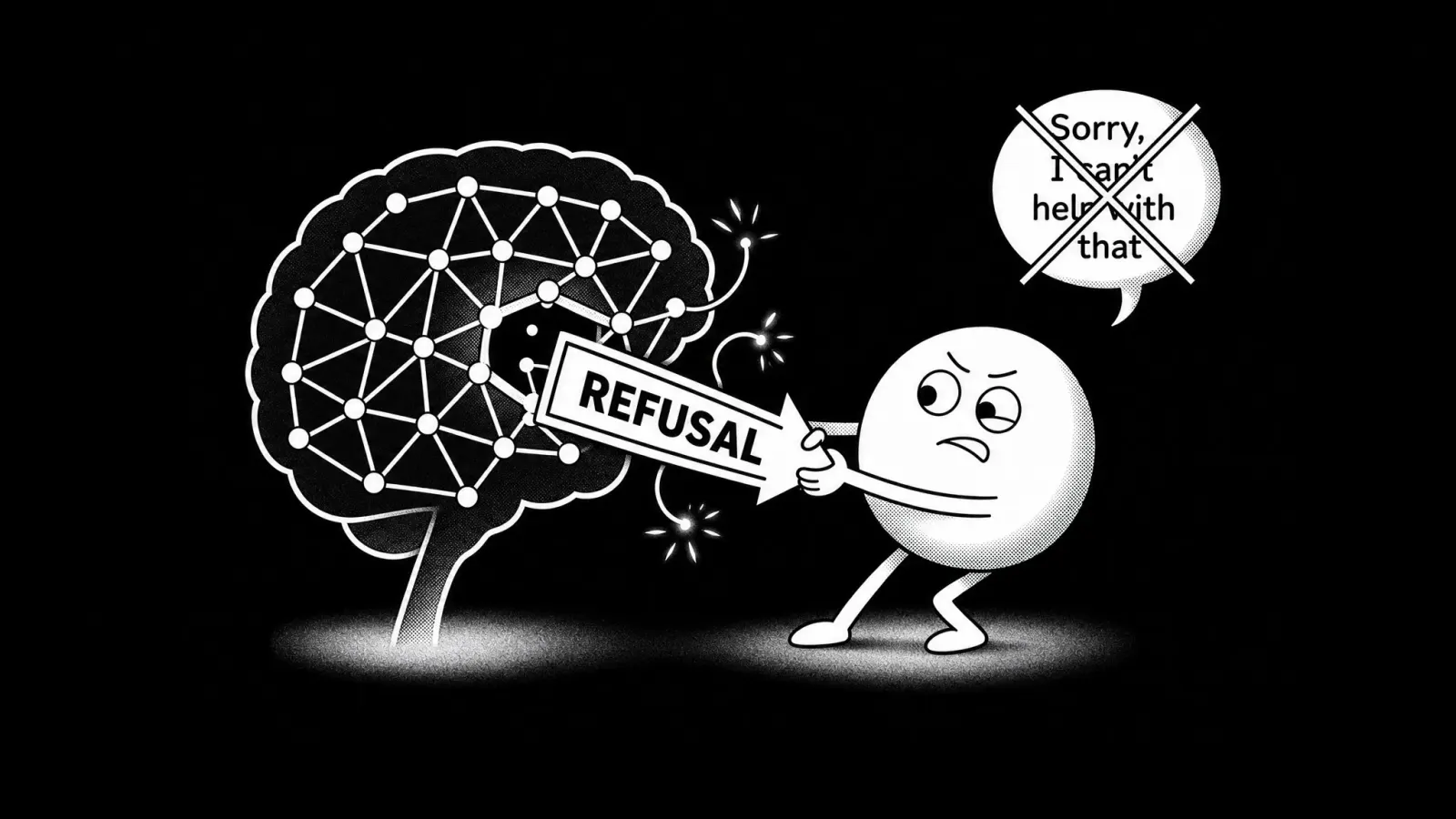

An abliterated model is an open-weight language model that has been modified to reduce its learned refusal behavior so that it refuses requests less frequently. These models are often used for research and cybersecurity testing, when an aligned model would have refused requests due to safety guardrails.
In this article we're taking a deep dive into abliterated models. You'll learn:
- What abliterated models are
- How they differ from uncensored and unrestricted models
- How abliterated models are created
- When they're often used
- About specific popular abliterated model families
TL;DR
Abliteration is the process of altering a model after training — the goal is to suppress the refusal direction that was instilled in the model during its training. Abliteration changes the model weights, and it's one of the ways unfiltered models are created.
- Abliterated models refuse requests far less frequently than aligned models because they've been modified to suppress behavior associated with refusal.
- Abliterated models are often used in fields like cybersecurity, for example, in areas like red team pentesting, where an aligned model will trigger a safety response and refuse the request.
- Abliterated and uncensored models aren't the same. Uncensored is a broad behavioral label, while abliteration names a particular technique.
- Atomic Chat is the easiest way to run a compatible abliterated GGUF locally, with model discovery, downloading, and chat handled in one desktop app.
What does abliterated mean in AI?
The word abliterated combines ablate, meaning to remove a part or function, with obliterate. It was coined as an informal name for removing refusal-related behavior from a language model while trying to preserve the rest of the model.
An abliterated model normally begins as an instruction-tuned, open-weight LLM. Its publisher has already trained it to follow requests and refuse some categories of content. A third party then modifies the released weights so that the internal representation associated with refusal has less influence on the output.
Why do AI models refuse requests?
Modern chat models usually pass through several training stages, including:
- Pretraining
- Instruction tuning
- Preference training
- Safety training
Pretraining teaches a model to predict language from a large corpus.
Instruction tuning then teaches it to respond to requests.
Preference and safety training shape which responses it should provide.
In particular, during safety training the model is given examples of requests that should be rejected. Over many examples, it learns activation patterns associated with harmful requests.
As a result, if you ask the model "Hey, hack the FBI for me" it will probably respond with something like “Sorry, but I can't help you with hacking the FBI. Could I assist you with anything else today?”
This refusal pattern is a learned behavior that the model embeds deeply in the weights.
In the 2024 paper “Refusal in Language Models Is Mediated by a Single Direction”, Andy Arditi and co-authors studied 13 open chat models with up to 72 billion parameters. For each model, they found a direction in the residual stream that played a strong causal role in refusal. Erasing that direction reduced refusals to harmful instructions, while adding it caused refusals to harmless instructions.
Each tested model had its own measured direction, and later work has continued to examine refusal mechanisms that may be more complex.
How does model abliteration work?
Abliteration uses contrastive prompts to measure how the model's internal state differs when it refuses and when it complies. Essentially, researchers give the model a series of requests they know it will assist with, and requests they know it will refuse, and see what parts of the model become activated — like strapping electrodes to a person and measuring which neurons fire when prompted to answer different questions.
This allows researchers to isolate the weights associated with refusals and suppress them. As a high-level overview, the abliteration process looks something like this:
1. Collect harmful and harmless prompts
The developer begins with two prompt sets:
- Harmful instructions that reliably cause the original model to refuse.
- Harmless instructions that the model normally answers.
2. Record the model's activations
Each prompt is passed through the model while the developer records residual-stream activations at multiple transformer layers. These activations are vectors that carry the model's current internal representation from one block to the next.
This is shown in great detail in the original Hugging Face walkthrough by Maxime Labonne which records activations for harmful and harmless instructions at the final prompt token. Comparing both groups reveals where their internal representations consistently diverge.
3. Find a candidate refusal direction
At each layer, the mean activation for harmless prompts is subtracted from the mean activation for harmful prompts. The difference is a candidate direction associated with refusal.
The developer then tests candidate directions. A useful refusal direction should satisfy two causal checks:
- Removing it should reduce refusal on prompts the model previously rejected.
- Adding it should make the model more likely to refuse harmless prompts.
These tests help distinguish a refusal mechanism from a vector that merely correlates with the subject matter in the prompt set.
4. Remove the direction from the weights
Once a direction has been selected, the model's weight matrices can be orthogonalized against it.
In plain language, the edit removes the component of each chosen matrix that points along the refusal direction. The modified network becomes less able to represent that direction as information moves through the affected layers.
During abliteration, researchers usually don't modify the architecture, parameter count, or the tokenizer behavior — by only changing weights within existing matrices, the goal is to keep the performance and style consistent, although this isn't always guaranteed (more on this later).
Finally, the edited weights can then be saved as a new model and quantized into formats such as GGUF to run in local LLM apps.
5. Evaluate the modified model
After completing the abliteration process, researchers then evaluate the result. They run refusal tests to measure whether the target behavior decreased, as well as run the model through the standard set of performance benchmarks to make sure the edit hasn't affected the overall capabilities the developer wanted to keep.
These tests usually include:
- Refusal rate on held-out harmful prompts.
- Response quality on harmless prompts.
- Instruction-following performance.
- Reasoning and knowledge benchmarks used for the original model.
- Repetition, incoherence, and excessive agreement in open-ended conversations.
Labonne's original experiment found that abliteration reduced performance on some benchmarks, then recovered much of the loss with additional preference training. That result is a useful warning: editing a narrow behavioral direction can still affect capabilities outside the target test.
Abliterated vs. uncensored vs. jailbroken models
Uncensored is a broad and loosely defined behavioral label that groups models that, one way or another, accept requests that normally would have been refused — this umbrella term includes abliterated models. When we say abliterated, we're talking about a specific model-level editing technique. Jailbreaking a model is different from abliteration in the sense that it relies on a prompt-based bypass.
| Method | How it works | Changes weights | Required input | Persists across chats |
|---|---|---|---|---|
| Abliteration | Removes a measured refusal direction | Yes | Contrastive prompts | Yes |
| Uncensored fine-tune | Continues training on data with fewer refusals | Yes | Fine-tuning dataset | Yes |
| LoRA fine-tune | Adds a trained adapter that changes behavior | Adapter only | Fine-tuning dataset | While adapter is loaded |
| Model merge | Combines weights from multiple releases | Yes | Existing model weights | Yes |
| Jailbreak prompt | Tries to override safety through instructions or formatting | No | Prompt only | Usually no |
Besides abliteration, there are other ways to make a model unfiltered or make it behave as if it were unfiltered:
Uncensored fine-tunes
An uncensored fine-tune learns from a dataset designed to reward direct answers and reduce refusals. The training data can also change writing style, domain knowledge, instruction following, and personality. Dolphin and some Hermes releases are commonly discussed alongside abliterated models, even when their model cards describe a different training recipe.
Jailbroken models
A jailbreak leaves the model weights untouched. It's a prompt-based technique that pushes an aligned model past its refusal behavior — essentially, it forces the model to glitch and ignore its default safety behavior. The DAN jailbreak is a popular example that allowed users to use ChatGPT as an uncensored model before it was patched. These methods are often quickly patched and aren't as common in 2026, because safety training has become much stronger than it was a couple of years ago.
Base models
A pretrained base model is a model that hasn't undergone instruction and safety tuning. As a result, it may refuse fewer prompts. But tuning isn't only used for safety — it's also used to improve the quality of model responses, which is why base models can underperform relative to fine-tuned variants.
Why do people use abliterated models?
We create abliterated models because they allow us to control when a model should decline a request or accept it, letting us use models in areas where we otherwise couldn't if we relied on hosted AI providers. For example:
- Alignment research compares constrained and modified behavior. Researchers can test which internal representations contribute to refusal and whether a safety intervention survives model editing.
- Authorized security work contains language that filters may overblock. Red teams and defensive researchers often discuss exploits, malware behavior, or vulnerable code in a legitimate context.
- Creative writing can involve sensitive fictional material. Writers may want a model that follows narrative instructions without repeatedly interrupting the scene with generic warnings.
- Synthetic-data projects need consistent completion behavior. A refusal can contaminate a dataset when the target task is lawful but overlaps with a safety classifier's broad categories.
- Local inference keeps prompts on the operator's device. This can be useful for confidential material, provided the surrounding application doesn't send telemetry or call external services.
Advantages of abliterated models
Abliteration reduces false refusals. A model can answer benign requests that contain words or topics its aligned version treats too broadly.
The method is lighter than full fine-tuning. Measuring activations and editing weights can require less data and compute than training the model on a large replacement dataset.
The original instruction tuning is largely retained. The procedure begins with an instruct model that already knows how to respond conversationally and follow formatting requests.
The modified weights can run locally. Community publishers often release GGUF quantizations that work in desktop runtimes without sending prompts to a hosted API.
Abliteration is useful for interpretability research. The intervention tests whether a measured representation has a causal role, which provides more evidence than observing a correlation between prompts and outputs.
Limitations and risks of abliterated models
Abliteration doesn't guarantee a completely uncensored model. The Nous Research llm-abliteration implementation notes that results depend on the refusal patterns represented in the measurement datasets. A model can retain other ways of avoiding or weakening an answer.
Capability loss is possible. Weight editing may reduce benchmark performance, make responses less coherent, or increase repetition. A stronger intervention can remove more refusals while causing more off-target changes.
The model may become overly agreeable. Refusal and caution overlap with behaviors such as expressing uncertainty or challenging a faulty premise. Weakening one representation can change how confidently the model supports a user's assumptions.
Existing knowledge can become easier to elicit. Abliteration doesn't need to add a new harmful capability to increase risk; lowering refusal rates can make capabilities already present in the base model more accessible.
Examples of abliterated models
These five abliterated checkpoints cover major open-model families and range from an 8B text model to 27B and 32B multimodal or reasoning models. Each is available as full weights and as a local-friendly GGUF conversion.
| Model | Parameters | Base model | Inputs | Context | License |
|---|---|---|---|---|---|
| Llama 3.1 8B Abliterated | 8B | Llama 3.1 8B Instruct | Text | 128K | Llama 3.1 |
| Qwen3 14B Abliterated | 14.8B | Qwen3 14B | Text | 32K native | Apache 2.0 |
| Gemma 3 27B Abliterated | 27B | Gemma 3 27B IT | Text and images | 128K | Gemma |
| Mistral Small 3.2 Abliterated | 24B | Mistral Small 3.2 Instruct | Text and images | 128K | Apache 2.0 |
| DeepSeek R1 Distill Abliterated | 32.8B | DeepSeek R1 Distill Qwen 32B | Text | 128K | MIT |
Meta-Llama-3.1-8B-Instruct-abliterated
Meta-Llama-3.1-8B-Instruct-abliterated is Maxime Labonne's refusal-removed version of Meta Llama 3.1 8B Instruct, created with FailSpy's original abliteration technique.
The modification preserves the base model's Llama chat template, 128K context window, grouped-query attention, and multilingual text generation.
| Spec | Detail |
|---|---|
| Publisher | Maxime Labonne |
| Base model | Meta Llama 3.1 8B Instruct |
| Parameters | 8B |
| Architecture | Dense decoder-only transformer with GQA |
| Native context | 128K tokens |
| Inputs | Text |
| Supported languages | English, German, French, Italian, Portuguese, Hindi, Spanish, and Thai |
| Full-weight format | BF16 Safetensors |
| License | Llama 3.1 Community License |
The official GGUF conversion provides the following sizes:
| Quantization | File size |
|---|---|
| Q2_K | 3.18GB |
| Q4_K_M | 4.92GB |
| Q6_K | 6.6GB |
| Q8_0 | 8.54GB |
Qwen3-14B-abliterated
Qwen3-14B-abliterated is Maxime Labonne's experimental modification of the dense Qwen3 14B model.
The recipe derives a refusal direction from the difference between harmful and harmless residual-stream activations. It then orthogonalizes selected projection weights with layer-dependent strength. The evaluation combines phrase matching with the Minos classifier so that indirect refusals do not pass as accepted responses. For inference, the release recommends temperature=0.6, top_k=20, top_p=0.95, and min_p=0.
For a newer and larger model from the same family, see our guide to running Qwen 3.8 27B uncensored locally.
| Spec | Detail |
|---|---|
| Publisher | Maxime Labonne |
| Base model | Qwen3 14B |
| Parameters | 14.8B |
| Architecture | Dense decoder-only transformer |
| Native context | 32,768 tokens |
| Modes | Thinking and non-thinking |
| Abliteration | Layer-weighted orthogonalization of selected projection modules |
| Refusal evaluation | Phrase matching plus NousResearch/Minos-v1 |
| Recommended sampling | Temperature 0.6; top-k 20; top-p 0.95; min-p 0 |
| Full-weight format | F32 Safetensors |
| License | Apache 2.0 |
Bartowski's GGUF conversion spans the following quants:
| Quantization | File size |
|---|---|
| IQ2_S | 4.96GB |
| Q3_K_M | 7.32GB |
| Q4_K_M | 9GB |
| Q6_K_L | 12.5GB |
Gemma 3 27B IT Abliterated
Gemma 3 27B IT Abliterated is Maxime Labonne's multimodal modification of Google Gemma 3 27B IT. It retains text and image input, 62 language-model layers, and a 128K context window.
An independent multilingual evaluation measured how that behavioral change affected both unsafe prompts and ordinary capabilities. On English unsafe prompts, the abliterated model produced unsafe answers 15.5 times as often as the aligned checkpoint. Its P-MMEval score on benign multilingual tasks declined by 2.4 to 4.7 points in the three languages below.
| Evaluation | Gemma 3 27B IT | Abliterated | Change |
|---|---|---|---|
| Unsafe response rate, English | 5.40% | 83.81% | +78.41 pp |
| P-MMEval benign score, English | 75.6 | 73.2 | -2.4 |
| P-MMEval benign score, Chinese | 69.7 | 65.0 | -4.7 |
| P-MMEval benign score, French | 70.8 | 66.7 | -4.1 |
General information about the model:
| Spec | Detail |
|---|---|
| Publisher | Maxime Labonne |
| Base model | Google Gemma 3 27B IT |
| Parameters | 27B |
| Language-model layers | 62 |
| Native context | 128K tokens |
| Inputs | Text and images |
| Abliteration | Per-layer refusal directions with 1.5 weight |
| Reported acceptance | Above 90% |
| Recommended sampling | Temperature 1.0; top-k 64; top-p 0.95 |
| Full-weight format | BF16 Safetensors |
| License | Gemma License |
The official GGUF conversion includes six quantization levels:
| Quantization | File size |
|---|---|
| Q2_K | 10.5GB |
| Q4_K_M | 16.5GB |
| Q6_K | 22.2GB |
| Q8_0 | 28.7GB |
Mistral Small 3.2 24B Abliterated v2
Noctrex’s GGUF builds of Mistral Small 3.2 24B Abliterated v2 are quantizations of huihui-ai's modified version of Mistral Small 3.2 24B Instruct. The base model supports 24 languages, image input, function calling, and a 128K context window.
Huihui-ai applied abliteration only to the text transformer and left the vision component unchanged, using a task-specific ablation dataset. Its reference implementation loads the model with Mistral3ForConditionalGeneration and the official Mistral tokenizer, preserving the base model's multimodal and tool-calling interface.
| Spec | Detail |
|---|---|
| Publisher | huihui-ai |
| Base model | Mistral Small 3.2 24B Instruct |
| Parameters | 24B |
| Context | 128K tokens |
| Inputs | Text and images |
| Languages | 24 |
| Abliteration scope | Text component only |
| Version difference | v2 uses a different, task-specific ablation dataset |
| Full-weight format | BF16 Safetensors, about 48GB |
| License | Apache 2.0 |
The model is available in the following GGUF releases:
| Quantization | File size |
|---|---|
| IQ2_XS | 7.21GB |
| Q3_K_M | 11.5GB |
| Q4_K_M | 14.3GB |
| Q8_0 | 25.1GB |
DeepSeek R1 Distill Qwen 32B Abliterated
DeepSeek R1 Distill Qwen 32B Abliterated modifies the 32.8B dense distillation of DeepSeek R1. DeepSeek trained the original distill on reasoning samples generated by R1 and used Qwen2.5 32B as its base architecture. Huihui-ai applied a proof-of-concept Transformers implementation of abliteration without TransformerLens.
| Spec | Detail |
|---|---|
| Publisher | huihui-ai |
| Base model | DeepSeek R1 Distill Qwen 32B |
| Underlying architecture | Qwen2.5 32B |
| Parameters | 32.8B |
| Context | 128K tokens |
| Inputs | Text |
| Reasoning format | <think> chain of thought |
| Abliteration implementation | Transformers-based weight edit without TransformerLens |
| Full-weight format | BF16 Safetensors |
| Direct Ollama model | huihui_ai/deepseek-r1-abliterated:32b |
| License | MIT |
Bartowski's imatrix GGUF conversion ranges from sub-10GB IQ2 to 34.82GB Q8_0:
| Quantization | File size |
|---|---|
| IQ2_XS | 9.96GB |
| Q3_K_M | 15.94GB |
| Q4_K_M | 19.85GB |
| Q8_0 | 34.82GB |
How to run an abliterated model locally
Abliterated models use the same local runtimes as other open-weight LLMs. For Atomic Chat, Ollama, and LM Studio, choose a GGUF repository rather than the full Safetensors checkpoint. Q4_K_M is a practical starting quantization: it is much smaller than the full weights while retaining more quality than the lowest-bit files.
Atomic Chat
Atomic Chat is a free, open-source app we've built for running local models on macOS, Windows, and Linux. To run one in Atomic Chat:
- Download and install Atomic Chat from the website.
- Launch the app and follow the on-screen instructions to complete the install.
- Once ready, open Models from the sidebar — this is a complete catalog of Hugging Face models.
- Search for the abliterated model by name or by publisher name.
- Open the model card, choose a GGUF quant, and select Download.
- Select Use this model, then start a chat.
For more details, read our guide on running LLMs locally.
Ollama
Ollama can download a GGUF quant directly from Hugging Face. After installing Ollama, open Terminal or PowerShell and run a command to download a model, for example:
ollama run hf.co/mlabonne/Meta-Llama-3.1-8B-Instruct-abliterated-GGUF:Q4_K_M
This command downloads the 4.92GB Q4_K_M file, creates a local Ollama model, and opens an interactive chat. Enter a prompt and press Enter. Use /bye to close the session.
Run ollama list to see downloaded models.
If direct Hugging Face loading does not work for a particular repository, download one .gguf file manually and create a file named Modelfile in the same directory:
FROM ./model-name.Q4_K_M.gguf
PARAMETER num_ctx 8192
Then build and run the local model:
ollama create abliterated-local -f ./Modelfile
ollama run abliterated-local
LM Studio
After installing LM Studio, use its desktop interface to download and run a model:
- Open Discover and paste the exact GGUF repository name, such as
mlabonne/Meta-Llama-3.1-8B-Instruct-abliterated-GGUF. - Open the matching result and verify the publisher name.
- Select
Q4_K_Mfrom the available files and choose Download. - Open Chat and select the downloaded model from the model dropdown at the top.
- Keep the model's detected chat template and begin with an 8,192-token context. A larger context consumes more memory and is only necessary for longer conversations or documents.
- Wait for the model to finish loading, then enter a prompt. Once downloaded, the model can chat without an internet connection.
LM Studio also includes the lms command-line tool. Run LM Studio once before using it, then download a repository from Terminal or PowerShell, for example:
lms get "https://huggingface.co/mlabonne/Meta-Llama-3.1-8B-Instruct-abliterated-GGUF" --gguf --always-show-download-options
Choose a quant when prompted. Next, list the downloaded models and copy the model key shown in the first column:
lms ls --llm
Load that key and select the context length, for example, 8K, and start a terminal chat:
lms load <model_key> --context-length 8192
lms chat
To import a .gguf file downloaded separately, use lms import, follow the interactive prompt, and then load it in the same way:
lms import /absolute/path/to/model-name.Q4_K_M.gguf
lms ls --llm
lms load <model_key> --context-length 8192
lms chat
Frequently asked questions
Quick answers to the most common questions about abliterated models.
What is an abliterated model in simple terms?
An abliterated model is an open-weight LLM modified to refuse fewer requests. The edit weakens an internal direction associated with refusal while trying to preserve the model's other capabilities.
Is an abliterated model the same as an uncensored model?
An abliterated model is one type of uncensored or less-censored model. Uncensored describes a broad category of models that tend to refuse requests less frequently, and abliterated describes a specific weight-editing technique used to reduce refusal behavior.
Is abliteration the same as jailbreaking?
No. Abliteration modifies the model's internal activations or saved weights. A jailbreak uses prompts to bypass refusal behavior in an otherwise unchanged model, so its effect is usually more temporary and model-specific.
Does abliteration remove all safety restrictions?
No. It targets refusal patterns identified from particular prompt datasets. Other learned behaviors, application filters, system prompts, and training-time preferences may continue to affect the output.
Can any LLM be abliterated?
The technique requires access to model activations or weights, which makes open-weight models the practical targets. The implementation also has to support the model's architecture, and the developer needs enough resources to measure activations and save the edited weights.
Where can you find abliterated models?
You can find abliterated models on Hugging Face.
Bottom line
To summarize, abliteration is a targeted edit to an existing open-weight model that weakens learned refusal behavior while retaining as much of the base model's knowledge, reasoning, and instruction-following ability as possible. Here are the key takeaways:
- Abliteration is a weight-level modification intended to reduce refusal behavior. Abliteration changes the model checkpoint itself.
- It does not necessarily remove every refusal. The modification targets particular refusal-related patterns, so some refusal behavior can remain.
- Abliteration can damage useful behavior. That is why abliterated checkpoints should be compared with the original checkpoint on both refusal tests and ordinary capability benchmarks.
- Abliterated models are useful in areas where a fully aligned model would otherwise refuse to accept a request, such as cybersecurity work or penetration testing.