

AI agents can do much more than answer questions. They can read and edit files, run commands, search repositories, execute tests, and work through multi-step tasks with limited supervision. But running these agents through cloud APIs can become expensive, and sending source code and other sensitive data to a third-party model provider may not be appropriate for every workflow.
Running an AI agent locally is one way to address both problems. Instead of sending requests to a cloud model, you run the model on your own hardware — which lets you run an AI agent for free on hardware you already own, and keeps your prompts, code, and model responses on your machine.
In this guide, we'll show you how to run a local AI coding agent, including:
- What hardware you need to run local AI agents
- Which local models work best for agentic coding
- Which software you can use to run local models
- How to connect a local model to an AI agent
- Common problems and how to troubleshoot them
- When local AI makes more sense than using cloud models
TLDR
Running an AI agent locally is less complicated than it sounds. You generally need three pieces: an agent, a local model server, and a model capable of following tool calls.
- An AI agent. An AI agent is a type of software that provides models with tools and adds a layer that manages the interaction between the AI model and those tools. This transforms a raw model into an autonomous assistant. Popular AI agents include OpenClaw, Hermes, Cline, Roo Code, Kilo Code, Continue, Aider, and OpenHands.
- A local model server. This loads the model and provides an API the agent can communicate with. Local AI apps like Atomic Chat, Ollama, and LM Studio can download, run, and expose local models to the agent by providing an OpenAI-compatible API on your local host.
- A local AI model. An agent isn't the model — rather, it's a layer that facilitates interactions between the model and the tools it uses, such as MCP servers, Zapier connectors, or other APIs, which is why an agent can't function without a model. Popular models for agentic work include Qwen3-Coder 30B and Devstral 24B. (New to this? Start with our guide on how to run an LLM locally.)
Why run agents locally
When you use an AI chat, the AI works reactively — it waits for a question or task, responds, and waits for another input. An AI agent works proactively — given a goal, it keeps executing in a loop until it meets some kind of completion criteria, using every tool it has access to.
Consider this coding example. The task is to fix a bug in your repo:
- A chatbot reads the code, reasons about where the bug is, writes new code, and hands it to you inside the chat window.
- An agent first analyzes the entire repo, edits the code, runs tests, checks the output logs, reads any errors, self-corrects, pushes to GitHub using your established gitflow, and reports on its own work — using tools like file editing, terminal access, and browser automation with Playwright.
When an AI agent runs locally, we mean that this agentic workflow is entirely powered by a local AI model (agents can talk to both cloud and local AI models just the same). So why use a local AI model to power the agent? There are four main reasons.
- Lower cost. Cloud agents charge for model usage, usually based on tokens or credits. Agentic coding can use a lot of tokens because the model repeatedly receives your instructions, code, tool results, and previous context. Local inference removes those per-token API charges, so a self-hosted AI agent can run for free once your hardware is in place.
- Privacy. This is particularly useful for coding agents because they may need to read source code, configuration files, documentation, and command output to complete a task. With a cloud model, that information has to be sent to the provider. With a local model, the inference stays on device, which makes local agents a better fit for proprietary code or work with strict data-handling requirements.
- Offline use. Once the model and required software are installed, a local setup can keep working without an internet connection — with the obvious exception that the agent can't reach remote APIs while offline.
- More control. With a local model, you aren't tied to a provider's API availability, usage limits, pricing, or model aliases.
Best local AI models for agentic AI
For agentic use cases, you want to choose models with strong performance across three areas:
- Tool calling. An agent gives the model a set of tools — such as reading a file, editing code, searching the repository, or running a terminal command — and expects the model to select the right tool and return its arguments in the format the agent expects. If the model produces an invalid call, chooses the wrong tool, or fails to call one when necessary, the agent can get stuck. This is why tool-use accuracy is one of the most important qualities for agentic AI.
- Context length. The model may need to keep track of your instructions, repository structure, source files, previous edits, test results, compiler errors, and earlier tool calls. This burns through available context. 32K is the bare minimum, but ideally you'll want more than 128K.
- Long-horizon reliability. Long-horizon work means the AI has to make a series of decisions over a long stretch of time. Some models are trained specifically for coding agents, with a focus on maintaining quality and minimizing hallucinations across these long chains of related tasks. Devstral, for example, was explicitly developed to work with coding-agent scaffolds.
With that in mind, here are the models worth considering if you want to run a local AI coding agent on your own hardware:
| Model | Size | Why |
|---|---|---|
| Qwen3-Coder 30B-A3B | 30B MoE, ~3B active | Our default recommendation for a local agent model. Strong tool calling, and runs on a 24GB graphics card. |
| Devstral Small | 24B | Built by Mistral AI with All Hands AI to drive coding agents. Fits a single RTX 4090 or a 32GB Mac. |
| gpt-oss-20b | 20B | OpenAI's open-weight model. Tool calling, consumer-GPU friendly. |
If you're just getting started and have the hardware to run it, we'd suggest first trying the Qwen3-Coder 30B-A3B model. It has 30.5B total parameters but activates only about 3.3B per token, supports a native 256K context, and was specifically trained for agentic coding and tool use. Kilo Code, for instance, currently recommends it as its primary local model.
A slightly easier model to run is gpt-oss-20b — it's a general-purpose reasoning model, but with 21B parameters (3.6B active) and a 128K context window, you can run it on much weaker hardware. It was also developed and trained by OpenAI and gives the closest thing to an offline ChatGPT experience. (Here's our step-by-step guide to running gpt-oss locally.)
For the full breakdown of coding models by size and hardware, see our guide to the best local LLMs for coding.
Hardware requirements for running a local AI agent
As a rule of thumb, the bigger the parameter count, the more storage and memory you'll need to run a model.
| Model size | Memory | Expected performance |
|---|---|---|
| 7–8B | An 8GB GPU or 16GB Mac | Autocomplete and simple edits. |
| 14B | A 12–16GB GPU | Usable for scoped agent tasks, but still error-prone. |
| 24–32B | A 24GB GPU or 32GB+ Mac | The sweet spot for running local AI agents. |
| 32B+ | Workstation, multi-GPU, or a 128GB+ Mac | Reasoning quality and reliability that approaches cloud flagship models. |
Because agentic AI tasks are typically more demanding, the table above lists only the minimum requirements. In practice, you'll need some additional capacity to accommodate the higher KV cache requirements. Realistically, running agents capable of handling production-level tasks requires either a GPU with at least 24 GB of VRAM or a Mac with 32 GB of unified memory.
How to run an AI agent locally with Atomic Chat
Atomic Chat is a local AI application we developed to make it easy to download, configure, and run open-weights AI models from Hugging Face. As discussed above, running an agent requires software that provides the agent runtime and handles model inference.
You don't have to use Atomic Chat — you can also use tools such as Ollama or LM Studio, and the workflow is broadly similar: you select a model, configure the runtime, and then use it as the inference backend for your agent. For this walkthrough, we'll use Atomic Chat.
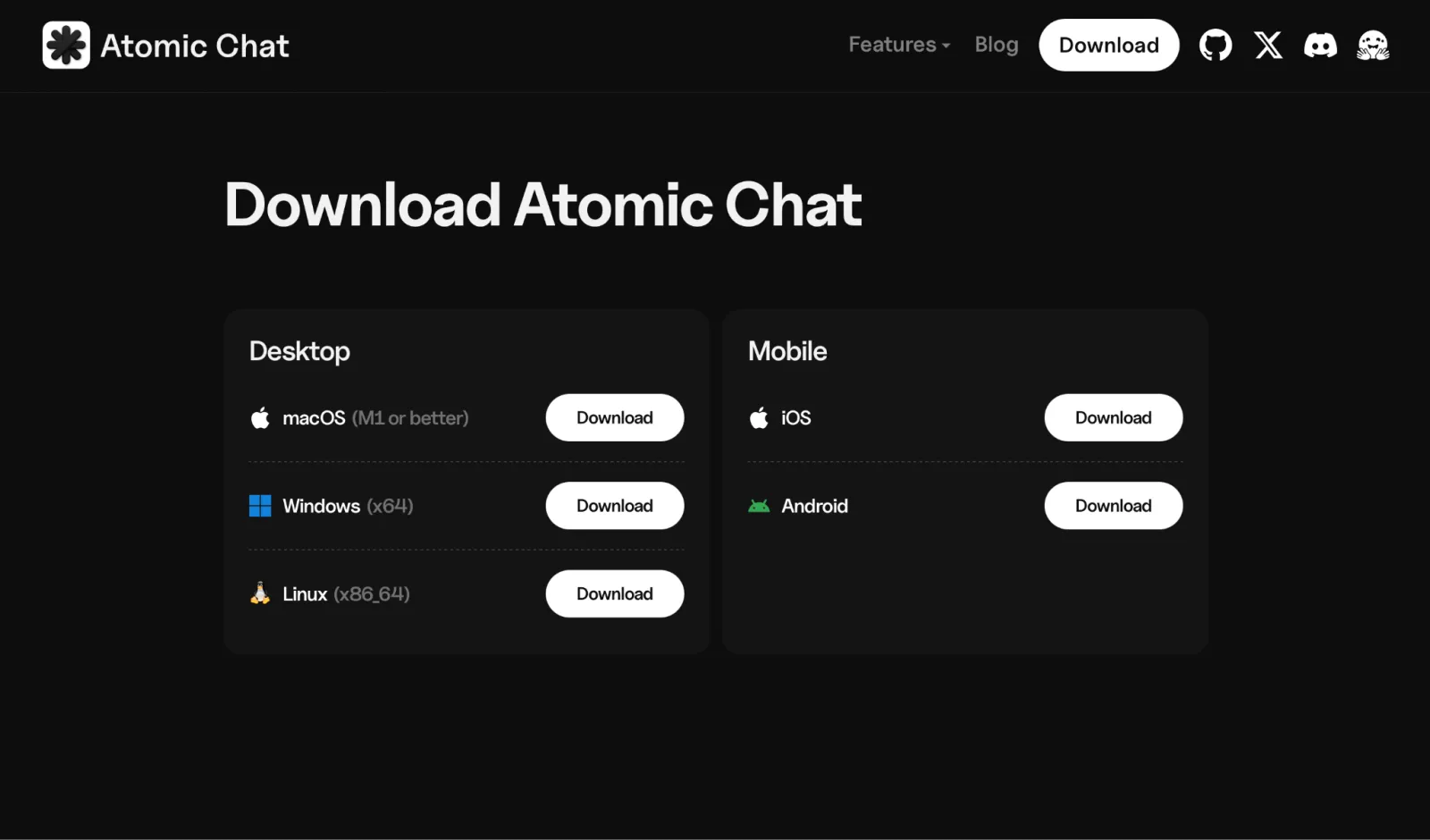
1. Install Atomic Chat. Download it from atomic.chat and open it. Atomic Chat works on Windows, macOS, and Linux.
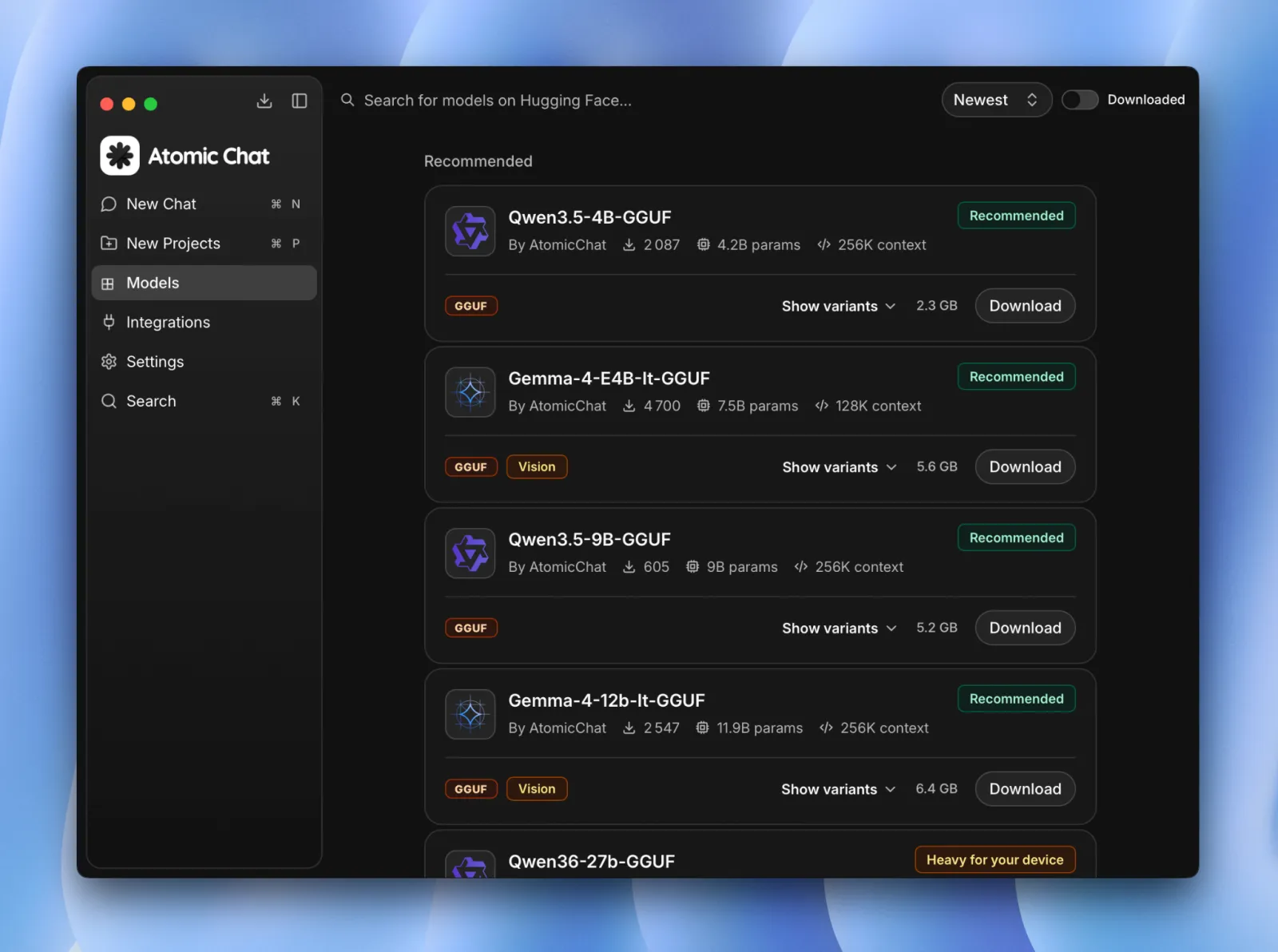
2. Download a model. Go to the Models tab and search for a model. We suggest starting with Qwen3-Coder 30B or Devstral Small 24B. Atomic Chat automatically shows which quantization is best for your hardware.
3. Turn on the local API server. Atomic Chat exposes an OpenAI-compatible API at http://localhost:1337/v1. By default, the server is bound to the loopback interface, so it's only accessible from your local machine and can't be reached from external devices. This is the endpoint your agent will use to communicate with the model.
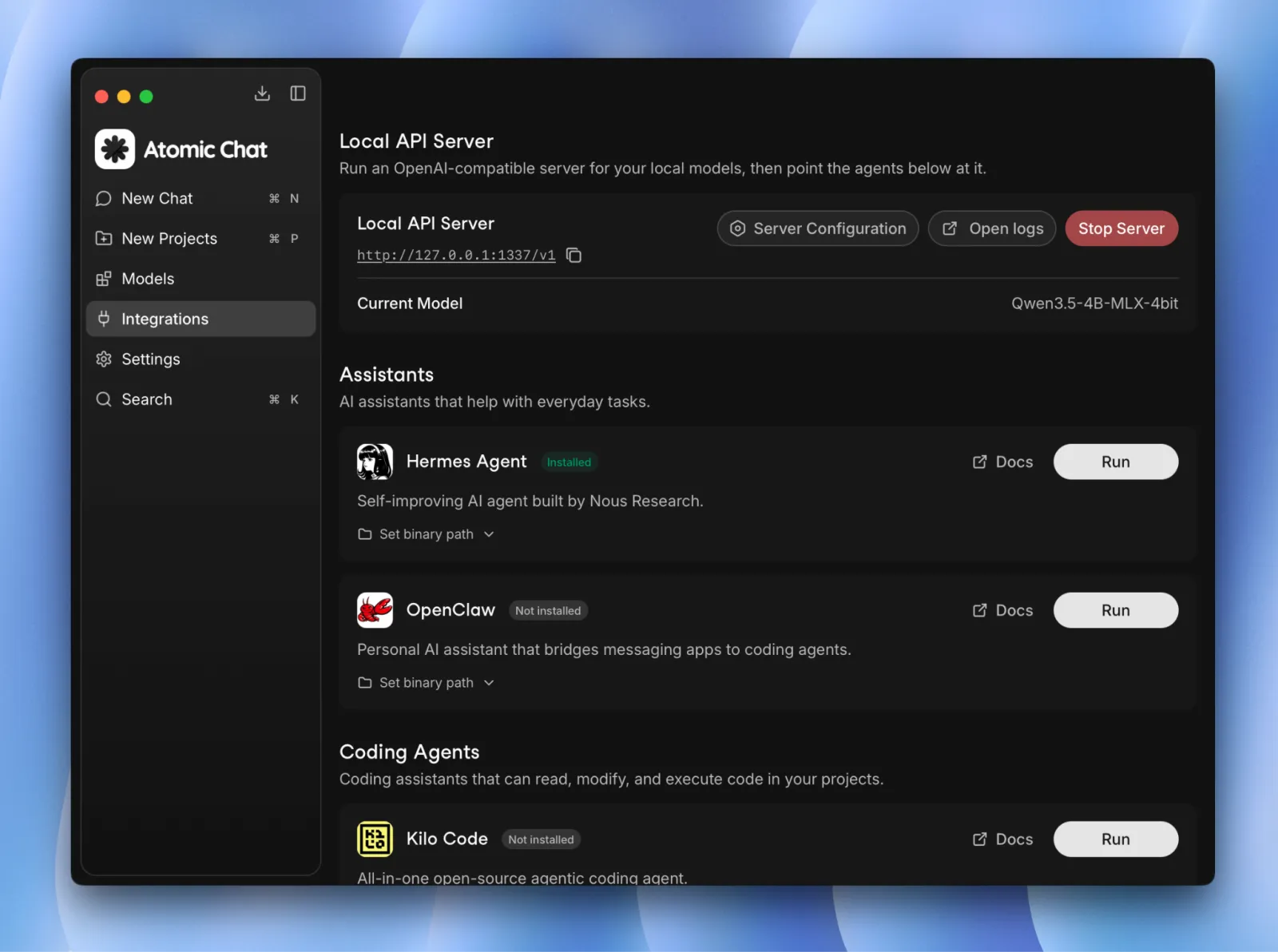
4. Launch your agent. In the Integrations tab, Atomic Chat provides one-click launchers for Claude Code, Codex CLI, Cline, OpenCode, Droid, Goose, OpenHands, Copilot CLI, Kilo Code, and Zed. Select the agent you want, and Atomic Chat will launch it with the connection to localhost:1337 already configured.
5. Give it a task. That's it — you're ready to start using your local AI agent to complete real tasks.
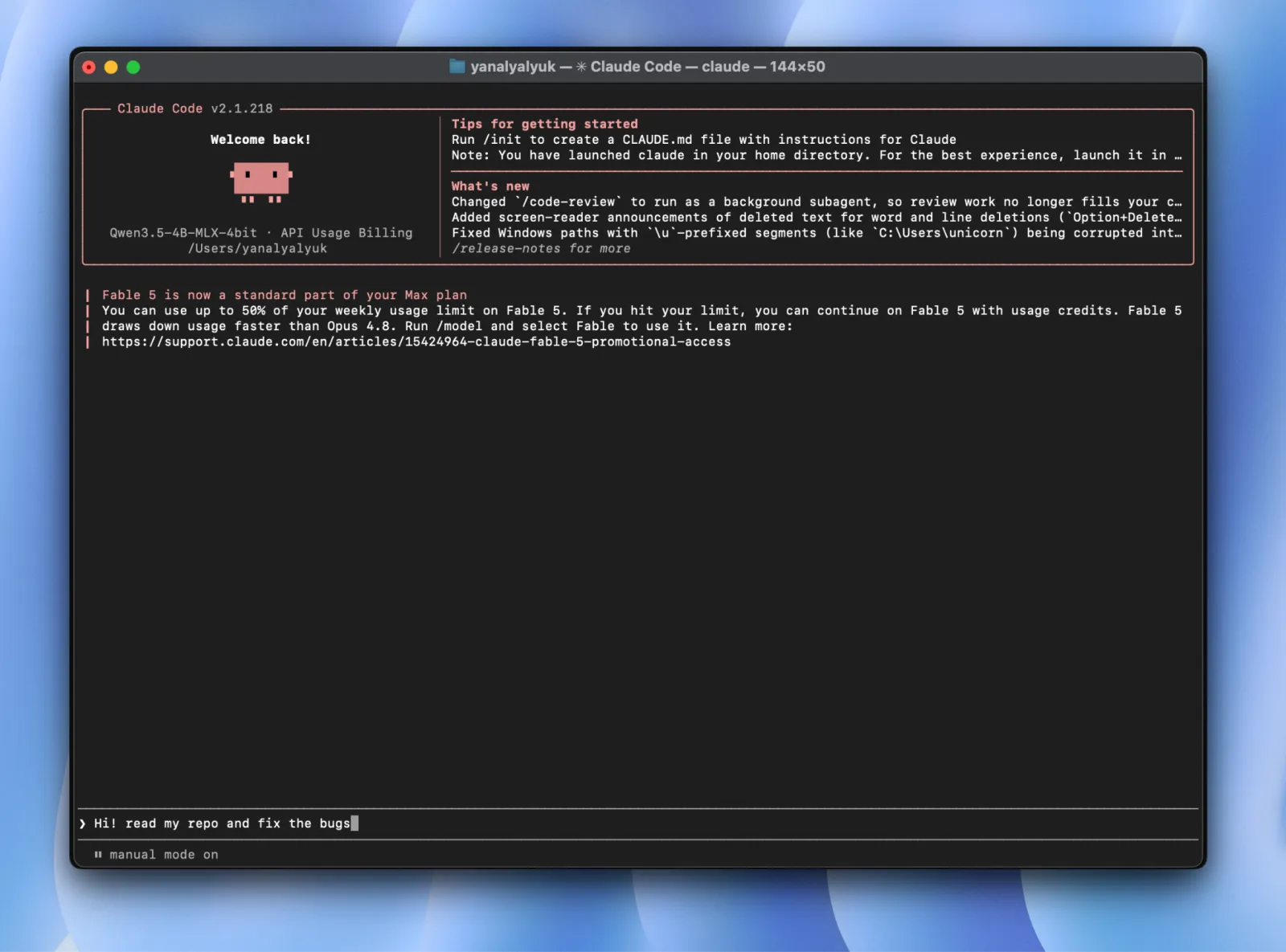
If you'd rather configure an agent manually, skip steps 4–5 and enter http://localhost:1337/v1 as the agent's base URL. Leave the API key blank and select your model.
Local AI agents and MCP servers
Once you have a local agent running, you can extend what it can do by connecting it to additional tools and services. This is where the Model Context Protocol (MCP) comes in.
Most coding agents already have access to basic tools such as reading and editing files and running terminal commands. MCP lets you go further by connecting the agent to external tools through dedicated MCP servers. For example, an MCP server can give an agent access to a database, web search, a filesystem, an internal API, or another service.
For instance, you could run a local coding agent against a private repository and connect it to an MCP server for your database. The model could then inspect your code, make changes, run tests, and query the database as part of the same task — without requiring those capabilities to be built into the model itself.
If you want a deeper walkthrough of one agent end to end, see our guide on how to run the OpenClaw agent locally.
Most of the agents covered in this guide support MCP, including:
- Hermes
- OpenClaw
- Cline
- Roo Code
- Kilo Code
- Continue
- Goose
- OpenHands
MCP is optional for a basic local setup, but it becomes increasingly useful as you move beyond simple coding tasks and want your agent to interact with the rest of your development environment.
Common local AI agent problems and fixes
Local agents fail in a handful of predictable ways. Here are the most common issues and how to fix them.
The agent stalls or loops mid-task
Likely cause: tool calling is failing. Smaller models, heavily quantized models, or models without strong tool-calling support can sometimes produce malformed calls, or repeatedly call the same tool.
What to try: In practice, model capability is usually the limiting factor. Make sure you're using a model that explicitly supports tool calling and agentic workflows. Try a larger model or use a less aggressive quantization.
The agent "forgets" what it was doing
Likely cause: insufficient context length. Agents accumulate a lot of context during a task. Once that exceeds the configured context window, the inference server may truncate older context, causing the agent to lose track of the task.
What to try: Increase the context length in your inference server. For agentic work, 32K tokens is a useful starting point, although the right value depends on the model, task, and available memory. Keep in mind that larger context windows also increase memory usage, so you may need to experiment with this setting.
Requests time out
Likely cause: Large local models can generate much more slowly than cloud APIs, particularly on hardware with limited GPU memory or when the model is partially or entirely running on the CPU, causing the agent to time out.
What to try: Check whether the model is generating or whether the request is failing before generation starts. If generation is simply slow, increase the agent's request timeout, or try a smaller model or a more aggressive quantization to improve generation speed.
Connection refused
Likely cause: The agent may be configured to use the wrong host or port.
What to try: Confirm that the local API server is running. Then check the agent's base URL. For Atomic Chat, the endpoint is http://localhost:1337/v1. Make sure the host, port, and /v1 path match in your agent's settings.
FAQ
Can I run an AI agent locally for free?
Yes. A local agent can run without API or subscription fees when both the agent software and the model are running on your computer. Instead of paying a provider for inference on every request, your machine performs the computation itself.
Can I run an AI agent on my laptop?
Yes, although the size and speed of the model depend on your laptop's memory and processor. Smaller models can run on CPU, while models in the 20B–30B range are much more practical with substantial GPU VRAM or Apple Silicon unified memory.
What is the best local AI model for agents?
Qwen3-Coder 30B and Devstral 24B are among the best local AI models for agents.
Are local AI agents as good as cloud AI agents?
Large cloud models still have an advantage on difficult reasoning, complex refactoring, and long software-engineering tasks because they can use much larger models and substantially more compute. Local models are nevertheless capable of routine coding and automation, and their lower cost and ability to keep inference on your own hardware can outweigh the difference in capability.
Are local AI agents private?
Yes, provided the entire model workflow remains local. When an agent sends its requests to an inference server running on your own computer, the prompts, source code, and model responses don't need to be transmitted to a model provider. In Atomic Chat, for example, downloaded models and local inference can operate entirely offline, while the local API serves requests from the machine itself.
Can I use a local AI agent without an internet connection?
Yes. After downloading the model and installing the required software, a local agent can work offline as long as its tasks don't depend on external services. An internet connection is only needed for downloading models, checking for updates, or using online services.
Can local AI agents work with VS Code?
Yes — coding agents such as Kilo Code and Cline can run within the VS Code workflow while using a model hosted locally through Atomic Chat, Ollama, or LM Studio.
Can a local AI agent edit files and run terminal commands?
Yes. The model requests tool calls, and the agent executes them. A typical coding agent can expose tools for reading files, applying edits, searching a repository, and running shell commands, then return the results to the model so it can decide what to do next.
Do local AI agents need a GPU?
A GPU isn't strictly required — an agent can run on a CPU, but it will be very slow. CPU inference can work with smaller models, but reliable agentic AI models generally demand a strong GPU. Apple Silicon Macs are another option, because the CPU and GPU share a large unified memory pool. In general, 24 GB or more of GPU VRAM, or 32 GB or more of unified memory, is recommended to run agentic AI models.
How much RAM or VRAM do I need for a local AI agent?
For 20B–30B coding models, 32 GB of system or unified memory is a useful starting point, while 24 GB of GPU VRAM is a practical target for dedicated-GPU systems.
Are local AI agents cheaper than cloud AI agents?
For heavy use, they often can be. Cloud agents charge for inference through tokens, credits, subscriptions, or a combination of these, whereas a local model has no per-request inference charge once the hardware and software are in place. If you already own suitable hardware, the cost of running a local AI agent is just your electricity bill.
What are the limitations of local AI agents?
The main limitations of local AI agents compared to cloud AI agents come down to less capable smaller models, slower inference speed, and substantial hardware requirements. Local hardware restricts the size of model you can run, and smaller local models are generally less reliable than the largest cloud models on complicated, multi-step tasks.
Should I use a local or cloud AI agent?
You can use both local and cloud AI at the same time. Local models are well suited to routine coding, private repositories, offline work, and high-volume tasks where per-token cloud costs quickly add up, while you can deploy cloud models for the most difficult tasks where a larger model is more reliable.
Bottom line
While local AI agents aren't a replacement for cloud models in every situation, they can be particularly useful when you need to work with private repositories, work offline, or reduce API costs for routine coding and high-volume tasks. Here are the key takeaways:
- A local AI agent uses an offline AI model to run.
- To run a local AI agent, you need three components: an agent or harness (like Kilo or Cline), a local model server (like Atomic Chat or Ollama), and a local model.
- Ideally, you want at least 24 GB of GPU VRAM or 32 GB of unified memory to run powerful models optimized for agentic work locally.
- Local inference can reduce costs and improve privacy, because model requests don't need to be sent to a cloud provider.
- Local agents can work offline once the models and software are installed, provided the task doesn't require external services.
- Local models do have limitations — namely, the largest cloud models are more capable on difficult reasoning. (For how the top cloud and open-source coding models stack up, see our best LLM for coding breakdown.)
- For most workflows, a good strategy is to use local AI agents for routine tasks and take advantage of their privacy, offline capabilities, and lower costs. When you run into a task that requires stronger reasoning, you can switch to a cloud model — assuming your privacy requirements allow it.