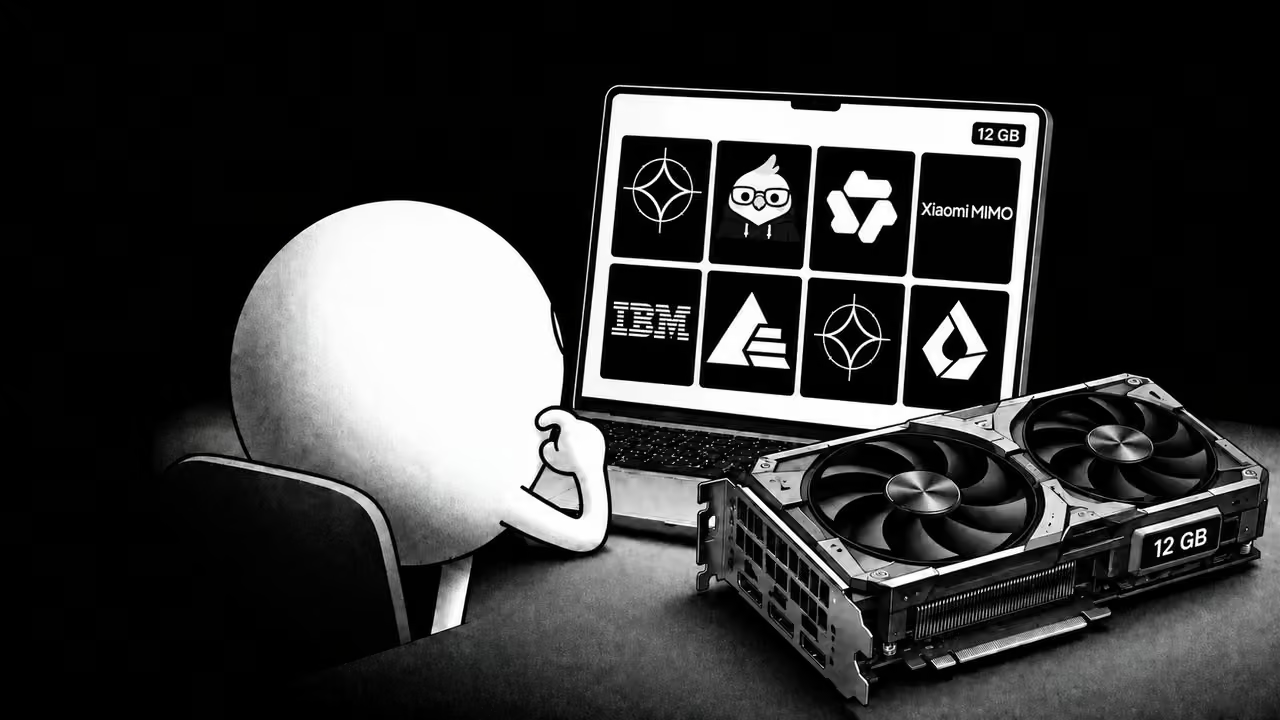

Quick Answer
Gemma 4 12B QAT Q4_0 is our first pick for a 12GB GPU. Download gemma-4-12b-it-qat-q4_0.gguf and start at 16k context. The author's RTX 3080 Ti measurements report 90.0 tokens/s and 7,816 MiB at a 16k context allocation. In our separate RTX 4070 coding tests, it completed both a working Snake game and a five-ball simulation within two attempts each.
The same file loaded with a 64k allocation at 8,632 MiB in the author's measurements, but that does not establish answer quality across a filled 64k conversation. LFM2.5-2.6B was the fastest model in the speed table at 218.5 tokens/s; it failed both visual coding tasks.
The author's RTX 3080 Ti speed and memory results are below. See the Snake and five-ball results for our separate RTX 4070 test.
| Model | Tested quant | File size | VRAM at 16k | Generation | Loaded context | Best for |
|---|---|---|---|---|---|---|
| Gemma 4 12B it | QAT Q4_0 | 6.50 GiB | 7,816 MiB | 90.0 tok/s | 64k | Our first pick |
| Ornith 1.5 9B | Q6_K | 7.04 GiB | 7,182 MiB | 92.1 tok/s | 64k | Coding-agent candidate |
| Qwen3.5-9B | Q6_K | 6.95 GiB | 7,276 MiB | 93.6 tok/s | 64k | General and multilingual use |
| MiMo-V2.6-Distill-Qwen-9B | Q6_K | 7.26 GiB | 7,596 MiB | 91.8 tok/s | 64k | Tool-use candidate |
| Granite 4.2 8B | Q6_K | 6.72 GiB | 9,532 MiB | 90.6 tok/s | 16k | Reasoning at moderate context |
| Bonsai 2 27B | PTQ1_0 | 5.54 GiB | 7,052 MiB | 57.7 tok/s | 64k | Ternary 27B with Prism runtime |
| Gemma 4 E4B it | Q8_0 | 7.48 GiB | 5,506 MiB | 112.9 tok/s | 64k | Fast compact text inference |
| LFM2.5-2.6B | Q8_0 | 2.68 GiB | 3,374 MiB | 218.5 tok/s | 64k | Fastest output |
Bonsai requires Prism's runtime. Gemma E4B also uses system RAM for embeddings; its VRAM figure is not its total memory requirement.
Selection Criteria
We selected GGUF builds around 8 GiB or smaller, aiming for under 11 GiB of reported device memory at 16k context. This leaves some room for the display and other applications.
The target is a 12GB NVIDIA GPU such as an RTX 3060 12GB or RTX 4070. Memory use can vary with the backend, operating system and display load. GPU offload does not place every tensor in VRAM. In llama.cpp b10988, input embeddings stay in system memory by default. This particularly affects Gemma E4B, whose per-layer embeddings also use host memory. The device-memory figures below exclude those allocations.
Also read about the best local LLMs to run on 8GB and 16GB local LLM cards.
How We Tested
The speed and memory tables below retain the measurements supplied with the original article. The reported setup was an NVIDIA RTX 3080 Ti with 12,288 MiB of VRAM, driver 580.65.06, llama.cpp b10988 with CUDA 12.8, one parallel slot, Jinja templates and an fp16 KV cache, with GPU offload requested. Bonsai used Prism's compatible fork instead of stock llama.cpp. The raw RTX 3080 Ti logs were not available for this publication review, so we have not independently reproduced those figures. Our RTX 4070 visual tests are a separate dataset.
For an RTX 3060 12GB LLM setup, use these memory figures as a starting estimate and check the actual load. Do not transfer the RTX 3080 Ti speed numbers to another GPU.
The author reports a 4,096-token prompt-processing test and a 128-token generation test.
For memory measurements, the author started a fresh llama-server at 8k, 16k, 32k, and 64k. The author read VRAM from nvidia-smi after the first answer. These are context-allocation checks, not long-context retrieval or accuracy tests. The supplied methodology says thinking was disabled where supported. LFM2.5 always has reasoning on, so its throughput includes reasoning tokens.
Best Local LLMs for 12GB VRAM
The benchmark scores in the model sections come from each developer's linked model card. They use different evaluation settings and are not a controlled comparison of the GGUF files tested here. Bonsai's scores refer to Prism's ternary model. All local runs in this article used text input and output; image, audio and video support of an original checkpoint does not establish support in the tested GGUF setup.
Gemma 4 12B it
Gemma 4 12B is Google's 11.95B-parameter dense model with a native 256k context window. The original checkpoint accepts text, images, audio, and video. Our test used Google's official quantization-aware-trained Q4_0 GGUF for text inference.
Gemma 4 12B benchmarks:
| Benchmark | Score |
|---|---|
MMLU-Pro Academic knowledge | 77.2 |
GPQA Diamond Expert science | 78.8 |
LiveCodeBench v6 Competitive coding | 72.0 |
MRCR v2, 8 needle at 128k | 43.4 |
| Tested file | Result |
|---|---|
| Repository | google/gemma-4-12B-it-qat-q4_0-gguf |
| Exact GGUF | gemma-4-12b-it-qat-q4_0.gguf |
| File size | 6.50 GiB |
| VRAM at 16k / 64k | 7,816 / 8,632 MiB |
| 4k prompt / generation | 3,325 / 90.0 tok/s |
| Live server generation | 85.2 tok/s |
Gemma 4 12B matched the 9B models on speed and used 8,632 MiB at 64k, leaving enough memory for other processes. Also, among the models supported by standard llama.cpp, it is the largest dense model in this test.
Start with Gemma 4 12B for a general text assistant. It also passed both of our visual coding tasks.
Ornith 1.5 9B
Ornith 1.5 9B is a Qwen3.5-based dense model trained around coding, reasoning, tool use, and agent scaffolds.
Ornith 1.5 9B benchmarks
| Benchmark | Score |
|---|---|
SWE-bench Verified Software engineering | 70.6 |
SWE-bench Pro Harder engineering | 47.5 |
Terminal-Bench 2.1 (Terminus-2) | 46.2 |
GPQA Diamond Expert science | 86.4 |
Ornith reports 70.6 on SWE-bench Verified using OpenHands with 256k context, averaged across five runs. This is a vendor evaluation of repository issue resolution, not our 16k browser-game test.
| Tested file | Result |
|---|---|
| Repository | ornith-ai/Ornith-1.5-9B-GGUF |
| Exact GGUF | Ornith-1.5-9B-Q6_K.gguf |
| File size | 7.04 GiB |
| VRAM at 16k / 64k | 7,182 / 8,766 MiB |
| 4k prompt / generation | 3,542 / 92.1 tok/s |
The Q6_K build used 7,182 MiB at 16k, leaving 5,106 MiB before other GPU workloads. Ornith reasons by default and requires the correct reasoning parser and chat template.
Consider Ornith for repository work with a suitable coding-agent setup. In our browser tasks, its Snake failed and its five-ball simulation passed with a physics limitation. To learn how to get started with Ornith, read our Ornith 1.5 setup guide.
Qwen3.5-9B
Qwen3.5-9B is a dense hybrid model with Gated DeltaNet and standard attention layers. It supports 201 languages and dialects, tool use, vision in the original checkpoint, and a native 256k context window.
Qwen3.5-9B benchmarks
| Benchmark | Score |
|---|---|
MMLU-Pro Academic knowledge | 82.5 |
GPQA Diamond Expert science | 81.7 |
LiveCodeBench v6 Competitive coding | 65.6 |
AA-LCR Long-context reasoning | 63.0 |
| Tested file | Result |
|---|---|
| Repository | unsloth/Qwen3.5-9B-GGUF |
| Exact GGUF | Qwen3.5-9B-Q6_K.gguf |
| File size | 6.95 GiB |
| VRAM at 16k / 64k | 7,276 / 8,860 MiB |
| 4k prompt / generation | 3,632 / 93.6 tok/s |
Qwen was slightly faster than the other two 9B builds in the supplied table.
Pick Qwen3.5-9B for general chat and multilingual use. Both visual tasks worked with limitations in our test.
MiMo-V2.6-Distill-Qwen-9B
MiMo-V2.6-Distill-Qwen-9B is Xiaomi's supervised fine-tune of Qwen3.5-9B on MiMo-generated agent data.
MiMo-V2.6-Distill-Qwen-9B benchmarks:
| Benchmark | Score |
|---|---|
SWE-bench Verified (avg@3) | 61.1 |
SWE-bench Pro (avg@3) | 44.6 |
Terminal-Bench 2.1 (avg@1) | 37.1 |
Toolathlon-Verified (avg@1) | 35.2 |
MiMo's training targets repository-level software engineering and agent workflows. Its SWE-bench scores use avg@3, while the terminal and tool results use avg@1; they should not be read as a direct ranking against Ornith's different evaluation setup.
| Tested file | Result |
|---|---|
| Repository | bartowski/MiMo-V2.6-Distill-Qwen-9B-GGUF |
| Exact GGUF | MiMo-V2.6-Distill-Qwen-9B-Q6_K.gguf |
| File size | 7.26 GiB |
| VRAM at 16k / 64k | 7,596 / 9,180 MiB |
| 4k prompt / generation | 3,717 / 91.8 tok/s |
MiMo had the fastest 4k prompt processing among the 9B models and used 9,180 MiB at 64k, leaving 3,108 MiB of the test card's 12,288 MiB before additional workloads.
Try MiMo for tool-using workflows and verify the outputs on your own tasks. In our visual test, its Snake failed and the ball simulation applied extra velocity impulses even outside the permitted low-energy condition.
Granite 4.2 8B
Granite 4.2 8B is IBM's dense reasoning model for code, tools, agent workflows, and multilingual dialog.
Granite 4.2 8B benchmarks:
| Benchmark | Score |
|---|---|
SWE-bench Verified Software engineering | 47.67 |
LiveCodeBench v6 Competitive coding | 73.24 |
MMLU-Pro Academic knowledge | 74.04 |
RULER 64k | 80.99 |
IBM reports 73.24 on LiveCodeBench v6. That score does not predict this quant's result in our browser tasks: both failed within the three-attempt limit.
| Tested file | Result |
|---|---|
| Repository | ibm-granite/granite-4.2-8b-GGUF |
| Exact GGUF | granite-4.2-8b-Q6_K.gguf |
| File size | 6.72 GiB |
| VRAM at 8k / 16k | 8,244 / 9,532 MiB |
| 4k prompt / generation | 3,632 / 90.6 tok/s |
| 32k result | Out of memory |
Granite's 6.72 GiB file is smaller than the 9B Q6_K files, but its reported memory use grew by about 1.3 GiB between 8k and 16k. The author reported an out-of-memory failure at 32k. This is a limit of the tested GPU, quant and cache settings, not Granite's native context limit.
Use Granite at 8k or 16k with these settings. Choose another model if you need 32k or 64k context.
Bonsai 2 27B
Bonsai 2 27B compresses the Qwen3.8-27B architecture into ternary weights. The tested PTQ1_0 packing uses about 1.75 bits per weight.
Bonsai 2 27B benchmarks:
| Benchmark | Score |
|---|---|
MMLU-Redux | 89.09 |
AIME 2026 Competition math | 95.83 |
LiveCodeBench Competitive coding | 90.07 |
IFBench, prompt-loose | 74.00 |
BFCL v3 | 74.92 |
Average across 14 benchmarks | 84.78 |
Prism reports a mean score of 84.78 across 14 thinking-mode benchmarks for the ternary model, compared with 86.32 for its FP16 reference.
| Tested file | Result |
|---|---|
| Repository | prism-ml/Ternary-Bonsai-2-27B-gguf |
| Exact GGUF | Ternary-Bonsai-2-27B-PTQ1_0.gguf |
| File size | 5.54 GiB |
| VRAM at 16k / 64k | 7,052 / 10,172 MiB |
| 4k prompt / generation | 1,405 / 57.7 tok/s |
Bonsai used 7,052 MiB at 16k, less than several 9B models in this test. It was slower at 57.7 tokens/s, and VRAM increased to 10,172 MiB at 64k. Stock llama.cpp b10988 cannot load PTQ1_0. The tested Bonsai build requires Prism's runtime; the Atomic Chat steps below do not cover it.
Use Bonsai if you want to try a ternary 27B model and can install Prism's llama.cpp fork. It passed both visual tasks, but its runtime and generation budget differed from the other models. See the Bonsai 2 setup guide to learn how to run this model locally.
Gemma 4 E4B it
Gemma 4 E4B has 4.5B effective parameters and 8B total parameters including its per-layer embeddings. It supports text, image, and audio input.
Gemma 4 E4B benchmarks:
| Benchmark | Score |
|---|---|
MMLU-Pro Academic knowledge | 69.4 |
GPQA Diamond Expert science | 58.6 |
LiveCodeBench v6 Competitive coding | 52.0 |
| Tested file | Result |
|---|---|
| Repository | ggml-org/gemma-4-E4B-it-GGUF |
| Exact GGUF | gemma-4-E4B-it-Q8_0.gguf |
| File size | 7.48 GiB |
| VRAM at 16k / 64k | 5,506 / 6,322 MiB |
| 4k prompt / generation | 6,817 / 112.9 tok/s |
The Q8_0 file is larger than the 9B Q6 files, yet its reported device memory is lower. In the tested runtime, input and per-layer embeddings stay outside GPU memory. The VRAM figure is therefore not its total memory requirement. It was faster than Gemma 12B in the supplied throughput table and passed both of our visual tasks.
Consider Gemma E4B for fast text inference when system RAM use is acceptable. Its original checkpoint's multimodal features require separate runtime support and were not tested here.
LFM2.5-2.6B
LFM2.5-2.6B is Liquid AI's 2.69B-parameter hybrid model for on-device agents, extraction, RAG, and tool use. Its 30 layers combine 22 short-convolution blocks with eight grouped-query-attention blocks.
LFM2.5-2.6B benchmarks:
| Benchmark | Score |
|---|---|
LiveCodeBench v6 Competitive coding | 59.41 |
IFStruct | 85.49 |
ToolSandbox | 77.83 |
IFStruct measures structured instruction following.
| Tested file | Result |
|---|---|
| Repository | LiquidAI/LFM2.5-2.6B-GGUF |
| Exact GGUF | LFM2.5-2.6B-Q8_0.gguf |
| File size | 2.68 GiB |
| VRAM at 16k / 64k | 3,374 / 4,193 MiB |
| 4k prompt / generation | 11,584 / 218.5 tok/s |
LFM was nearly twice as fast as Gemma E4B and more than twice as fast as the 9B models. It is weaker on knowledge-heavy tasks and coding agents, and it always reasons before answering.
Pick LFM2.5 for fast extraction, local tools and narrow tasks whose outputs you can check. It failed both visual coding tasks despite leading the throughput table.
Coding Tests
We ran a separate test on a rented RTX 4070 12GB on September 29, 2026. Each of the same eight GGUF builds received two prompts: a self-playing Snake game and a five-ball physics simulation in a standalone HTML page. We inspected the generated source, checked the pages through 30 seconds, and recorded the selected results side by side. Snake had to fill the viewport, find food, grow and restart after losing. The ball task required five moving balls, radius-based masses, elastic collisions and a canvas that resized with the window. It allowed a small velocity boost only when total kinetic energy fell below a threshold.
Each task allowed up to three model attempts. When a result failed, the model received feedback; we did not manually repair its HTML. There were 37 generations in total, so these videos show selected results after retries, not eight first-shot completions. Seven models used llama.cpp b10988; Bonsai used Prism prism-b10709-9a9394a. The runs used 16k context, an fp16 KV cache, one parallel slot, temperature 1, top-p 0.95, top-k 64 and seed 42. The other seven models had an 8,192-token output cap. Bonsai used Prism's fork, medium reasoning and a 16,384-token output cap; some corrective retries requested thinking off, which not every model honored. These differences prevent treating the results as a controlled ranking.
The times shown in the videos sum generation across each model's attempts. They exclude model loading, browser review and recording.
A pass means the reviewed page met the core visual and behavioral requirements. Limited means the main demo worked but a requested behavior or physics detail was wrong. Fail means the selected page still had a blocking problem.
| Model | Snake | Five balls | Main finding |
|---|---|---|---|
| Gemma 4 12B | Pass, attempt 2 | Pass, attempt 1 | Completed both tasks |
| Ornith 1.5 9B | Fail, attempt 3 | Limited, attempt 3 | Snake called an undefined function; ball collision and overlap weights disagreed |
| Qwen3.5-9B | Limited, attempt 2 | Limited, attempt 1 | Snake did not resume after death; balls had styling and resize defects |
| MiMo-V2.6-Distill-Qwen-9B | Fail, attempt 3 | Limited, attempt 2 | Snake was barely visible; extra velocity impulses could occur above the permitted low-energy threshold |
| Granite 4.2 8B | Fail, attempt 3 | Fail, attempt 3 | Snake grid collapsed; ball page had initialization and collision-response errors |
| Bonsai 2 27B | Pass, attempt 2 | Pass, attempt 1 | Completed both tasks with its separate runtime and larger output cap |
| Gemma 4 E4B | Pass, attempt 2 | Pass, attempt 3 | Completed both tasks after retries |
| LFM2.5-2.6B | Fail, attempt 3 | Fail, attempt 3 | Selected demos remained stationary or broken |
Self-Playing Snake
Gemma 4 12B, Bonsai 2 and Gemma E4B passed. Qwen's game ran but did not resume after death. Ornith, MiMo, Granite and LFM still had blocking defects after three attempts.
Five-Ball Physics Simulation
Gemma 4 12B, Bonsai 2 and Gemma E4B passed. Ornith, Qwen and MiMo produced moving simulations with limitations. Granite and LFM failed. Across both tasks, that is six passes, four limited results and six failures.
VRAM Usage by Context Length
The original article supplied these device-memory readings after loading each context allocation and generating an answer. They do not measure quality on a prompt that fills the entire context window.
| Model | VRAM at 8k | VRAM at 16k | VRAM at 32k | VRAM at 64k |
|---|---|---|---|---|
| Gemma 4 12B QAT Q4_0 | 7,680 MiB | 7,816 MiB | 8,088 MiB | 8,632 MiB |
| Qwen3.5-9B Q6_K | 7,012 MiB | 7,276 MiB | 7,804 MiB | 8,860 MiB |
| MiMo-V2.6-Distill-Qwen-9B Q6_K | 7,332 MiB | 7,596 MiB | 8,124 MiB | 9,180 MiB |
| Granite 4.2 8B Q6_K | 8,244 MiB | 9,532 MiB | OOM | OOM |
| Ornith 1.5 9B Q6_K | 6,918 MiB | 7,182 MiB | 7,710 MiB | 8,766 MiB |
| Bonsai 2 27B PTQ1_0 | 6,532 MiB | 7,052 MiB | 8,092 MiB | 10,172 MiB |
| Gemma 4 E4B Q8_0 | 5,370 MiB | 5,506 MiB | 5,778 MiB | 6,322 MiB |
| LFM2.5-2.6B Q8_0 | 3,238 MiB | 3,374 MiB | 3,649 MiB | 4,193 MiB |
Your desktop and other GPU applications also use VRAM. Leave headroom and check actual usage before increasing context. For more on how conversation length affects memory, see our KV-cache guide.
Can You Run Qwen 3.8 27B on 12GB?
The supplied AD-IQ2_XXS result fit on 12GB at 16k and 32k, but not 64k. Its quality was not evaluated in these runs.
The 11.25 GiB AD-IQ3_XXS file used 11,689 MiB at 8k and failed to start at 16k. The smaller 8.36 GiB AD-IQ2_XXS file used 9,255 MiB at 16k and 10,295 MiB at 32k, then failed at 64k. It generated 46.1 tokens/s. On a desktop GPU that is also driving a monitor, the 32k result leaves very little safety margin.
In a separate vendor comparison, Prism reported 72.59 across 14 thinking-mode benchmarks for an IQ2_XXS Qwen3.8-27B build versus 86.32 for FP16. That was not a quality evaluation of the exact AD-IQ2_XXS file in the author's speed and memory measurements.
For a 27B model on 12GB VRAM, use Bonsai 2. For standard llama.cpp, use Qwen3.5-9B, Ornith 1.5 9B, or MiMo instead. For higher-quality Qwen 3.8 27B quants, move to a 16 GB GPU or an RTX 3090-class 24 GB card. Read more in our Qwen 3.8 guide.
How to Run These Models in Atomic Chat
The benchmark measurements use standalone llama.cpp. Atomic Chat's available backends and memory use can differ by platform and app version; these runs do not certify all eight models in the installed app. Use a current backend that supports your chosen model. Bonsai 2 PTQ1_0 requires Prism's separate runtime, so use the Bonsai setup guide for that build.
- Install Atomic Chat. In Settings → Model Providers, select the Llama.cpp provider and use Find optimal backend if needed.
- Open Models and search for the repository linked in your chosen model's section.
- Under Download Options, select the matching quant and file size listed in the table. Download it, then choose New chat. For an exact filename match, use the linked repository.
- Start with 16k context. If Fit context to device memory is enabled, turn it off before setting a manual context size. Check memory use before increasing the allocation.
For a GGUF already on your computer, use Settings → Model Providers → Llama.cpp → Import. If your backend does not recognize a model architecture, update to a compatible backend rather than assuming a smaller quant will fix it.
For Ollama models on 12GB VRAM, use the file sizes and context allocations here as planning estimates. Ollama's model packaging, defaults and backend can produce different memory and speed results. Keep Granite Q6_K at 16k with the tested fp16 KV-cache settings; the author reported an out-of-memory failure at 32k.
FAQ
What is the best LLM for 12GB VRAM?
Gemma 4 12B QAT Q4_0 is our first pick. The supplied RTX 3080 Ti results report 90.0 tokens/s and 7,816 MiB at 16k. It also passed both separate RTX 4070 visual tasks.
Is 12GB VRAM enough for a local LLM?
Yes. A 12 GB GPU can run selected 8B-12B models at Q6 or Q4 with GPU layer offload. Input embeddings may still use system RAM. Some low-bit 27B models also fit, but higher-quality Qwen 3.8 27B quants leave too little VRAM for context and desktop use.
Can I run a 27B model on a 12GB GPU?
Yes. Bonsai 2 27B used 7,052 MiB at 16k and 10,172 MiB at a 64k allocation in the supplied table, with GPU layer offload requested. It requires Prism's llama.cpp fork. The supplied AD-IQ3_XXS build failed at 16k; AD-IQ2_XXS fit at 32k but had no quality evaluation in these runs.
What quantization should I use for 12GB VRAM?
Use Q6_K for 8B-9B models. For Gemma 4 12B, use Google's QAT Q4_0 build. Q8_0 fits smaller models such as LFM2.5-2.6B and Gemma 4 E4B. Check total VRAM at the context size you plan to use, not just the GGUF file size.
What context length can I use with 12GB VRAM?
Start at 16k. Seven of the eight tested models were reported to load at a 64k allocation, while Granite 4.2 8B ran out of memory at 32k. VRAM use depends on the architecture, KV-cache type, operating system, display use, and runtime, not just parameter count.
Is an RTX 3060 12GB still good for local AI in 2026?
Yes. These quant sizes are useful starting points for an RTX 3060 12GB, but check memory at your chosen context and backend. We did not measure its speed here. A newer 12GB card still has the same nominal VRAM budget; it does not automatically make a larger quant fit.