

If you’re told there's one best LLM for coding, there is a possibility of them selling you something. The choice of perfect LLM depends on three things: what kind of coding you do, how many hours a day you do it, and whether your codebase is allowed to leave your machine.
Here's a breakdown on what model to run in 2026, if you're a developer with your specific workflows on your specific hardware.
TL;DR
- Best cloud LLM for coding: Claude Sonnet 4.6 — SWE-bench 79.6%, $3/$15 per 1M tokens
- Best open source / local: Qwen3-Coder-30B-A3B — MoE, only 3B parameters active at inference, 256K context, GGUF on Ollama
- Best open weights via API: DeepSeek V3.2 — 67.8% SWE-bench at $0.28/$0.42 per 1M tokens
- Fully autonomous agentic work: cloud still wins by a real margin
- When local wins: proprietary code, daily agentic sessions where API bills compound, long-context work where every turn costs tokens
Coding locally vs in the cloud: how to decide
Most developers default to a cloud API: this is a safe choice, high-quality and user-friendly. However, they burn tokens in a few hours of workflow – and this is usually the main reason to go locally.
In a nutshell, these are basic ways to find your match.
You’re on a budget: use local models more often
One Claude Code session on a complex codebase, reading files, iterating on patches, dragging a 200K context window around, runs $20–50 at API rates.
If you're on a flat-rate subscription, that cost is hidden until you hit the plan's usage caps. The per-token math applies to API billing, which is where automated pipelines, team accounts, and anyone exceeding plan limits end up. At those rates, three sessions a day is $3,000–4,500 a month for one developer, against a consumer GPU at $800–1,500 once.
When you need the freshest models immediately: use cloud models
If you do a lot of front-end or framework work where training data recency actually matters, cloud keeps you closer to the cutting edge. Cloud providers push new Claude, GPT versions the day they ship, while GGUF quantizations of open-source models lag by days or weeks, and not every release gets a good quant fast.
Long conversations and text-heavy tasks: go local
Local makes sense when your sessions accumulate a lot of context that isn't only code: extended Q&A, documentation review, multi-turn conversations. Cloud APIs charge per token on every turn, and at 100k tokens per message in a long session the costs add up fast, and local has no per-token cost.
Protective about your time and hardware: use cloud
In addition to the bill your GPU gets after running locally below the cloud ceiling (the exact gap is in the next sections), setup is also on you: installing the runtime, picking quantizations, debugging when generation slows down or the cache stalls. And throughput is fixed: cloud scales to a burst of parallel calls, your single GPU doesn't.
How to compare coding LLMs
To compare how LLM is effective in coding, usually these 4 benchmarks are used:
- SWE-bench Verified: takes 500 real GitHub issues from popular repositories and asks the model to resolve them end to end, writing and running code. Closest thing to actual software engineering work.
- Live CodeBench: samples competitive programming problems published after training cutoffs, so models can't have memorized the answers. This makes it one of the cleanest signals for raw code generation.
- Terminal-Bench: covers shell scripting, DevOps tasks, and system-level programming. More relevant if your work extends beyond Python and JavaScript.
- HumanEval: older and widely cited, but much of it has leaked into training data for the big models by now. We treat it more like a floor check, not a standalone tool.
However, it’s important to note that benchmarks can’t predict how an exact model handles your specific stack. Especially if it comes to some unusual frameworks, it’s safer to spend 30 minutes running it against your own codebase before committing.
Best cloud models for coding
Claude Sonnet 4.6 or Claude Opus 4.8
Anthropic has two models relevant for coding: Sonnet 4.6 and Opus 4.8. Both run under Claude Code, both have a 1M token context window, and both lead SWE-bench: Sonnet for teams that need a fast, affordable daily driver, Opus for work where the model is making high-stakes decisions with minimal supervision.
At $3 vs $5 input, the gap compounds on high-volume work, so most developers start with Sonnet and reach for Opus only when the task justifies it.
Under the hood, they work differently. Sonnet 4.6 supports Extended Thinking: you set a token budget and the model uses it. Opus 4.8 dropped that, and only does Adaptive Thinking, deciding per turn whether to reason through something or just answer.
Sonnet 4.6 also runs at effort: high by default on every surface, doesn't accept temperature, top_p, or top_k (passing them returns a 400), doubles the max output ceiling to 128K tokens, and has a more recent knowledge cutoff: Jan 2026 vs Aug 2025 for Sonnet.
In practice: Sonnet gives you more control over generation behavior, and Opus trades that for better judgment on when to think hard and when not to.
| Sonnet 4.6 | Opus 4.8 | |
|---|---|---|
| Best for | Daily coding, refactoring, agentic workflows | Hard architectural problems, deep code review |
| SWE-bench Verified | 79.6% | 80.8% |
| Context window | 1M tokens | 1M tokens |
| Price (input / output) | $3 / $15 per 1M | $5 / $25 per 1M |
Claude Sonnet 4.6
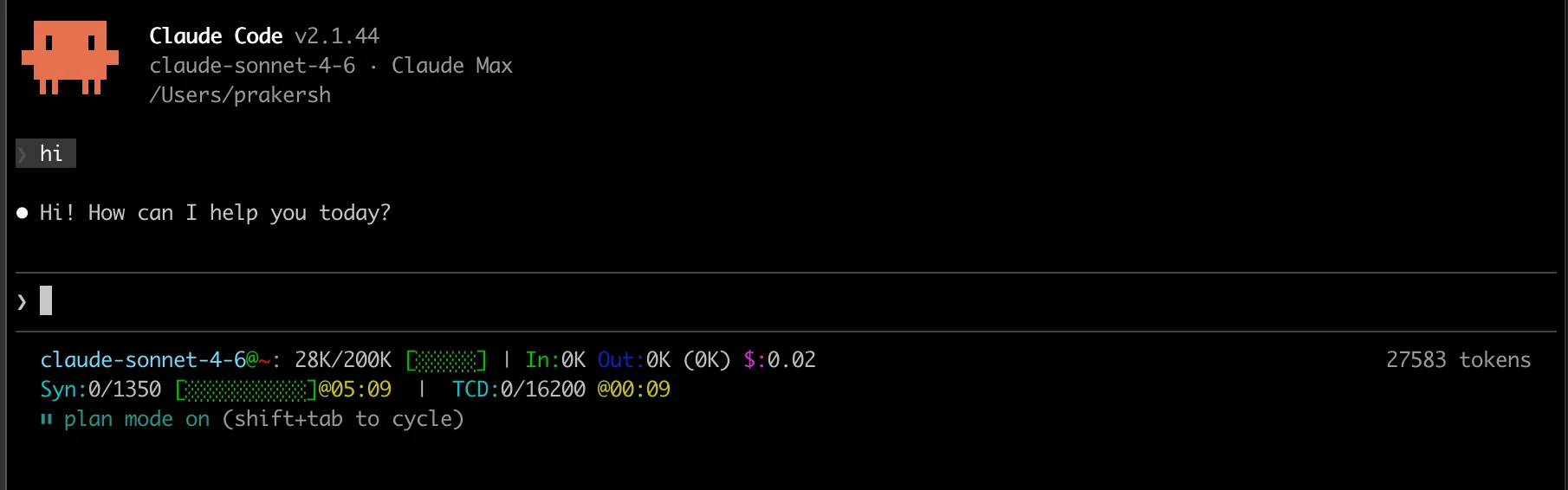
Best for:
- Multi-file refactoring where the model needs to hold a large codebase in context and reason across it.
- Code review and subtle bug detection: tends to read carefully before suggesting changes rather than immediately rewriting.
- Fully autonomous agentic workflows: issue to file edits to test run, minimal input. Developers who've used both Claude and local models for agentic work describe the same gap: Claude makes better decisions about what to do next, not just how to write the next line.
- Long debugging sessions with complex dependencies where context continuity matters
Cons:
- API billing compounds fast on agentic sessions: a complex Claude Code run costs $20–50, and three sessions a day adds up to thousands per month.
- Code leaves your machine; not viable for proprietary codebases or regulated environments.
- Too slow for quick autocomplete: Haiku handles that role at $1/$5 per 1M tokens.
Claude Opus 4.8
Claude Code just unlocked AGENT SWARMS.🤯
— divyansh tiwari (@DivyanshT91162) May 29, 2026
1. Set model → Opus 4.8
2. Set reasoning → /ultracode
Now Claude dynamically detects complex tasks, writes orchestration scripts on the fly, and spins up autonomous multi-agent workflows without manual setup.
This feels less like… https://t.co/MJjvQJDz5o pic.twitter.com/QkDfwiYwS1
Best for tasks like:
- Complex architectural decisions where the model needs to reason carefully before touching anything.
- Agentic coding with minimal supervision: Anthropic's own docs position Opus 4.8 as the model for "long-horizon agentic coding and high-autonomy work".
- Code review on large, unfamiliar codebases where you need depth over speed.
Cons:
- Expensive for high-frequency use: $5/$25 per 1M tokens adds up fast in agentic sessions
- Moderate latency; not suited for interactive autocomplete workflows
GPT-5.5
GPT-5.5 is our strongest agentic coding model to date.
— OpenAI Developers (@OpenAIDevs) April 23, 2026
It reaches 82.7% on Terminal-Bench 2.0,with stronger performance on command-line workflows and GitHub issue resolution.
In Codex, GPT-5.5 can carry coding tasks further end to end, from understanding the codebase to making… pic.twitter.com/80WIJYnkC5
| Best for | Tool-calling workflows, structured generation, API-heavy pipelines |
| BFCL tool use | #1 (leads benchmark) |
| Context window | 128K tokens |
| Price (input / output) | $2.50 / $15 per 1M |
GPT-5.5 isn't significantly stronger than Claude for general coding, but it's the better pick when your workflow leans on tool use and function calling.
If you're building an automated pipeline that invokes external services in a loop, the BFCL, GPT-5.5 is a solid choice. For anything else, the choice comes down to pricing tier and which ecosystem you're already in.
Best for tasks like:
- Structured code generation from detailed specs: it converts precise instructions into clean output reliably.
- Tool-calling and function-heavy workflows: leads BFCL benchmark for tool use, which matters when your coding agent needs to invoke external APIs or services reliably.
- High-frequency queries where you need fast turnaround without Opus-level latency.
Cons:
- Lower SWE-bench scores than Claude Opus on deep engineering and multi-file reasoning tasks.
- Smaller context window than Gemini: not the right choice for large codebase Q&A.
- Same cloud limitations as all API-based models: code leaves your machine, rate limits apply.
Gemini 3.1 Pro
| Gemini 3.1 Pro | |
|---|---|
| Best for | Large codebase Q&A, cost-sensitive teams |
| LiveCodeBench | 81.3% |
| Context window | 10M tokens |
| Price (input / output) | $2 / $12 per 1M |
Claude Sonnet 4.6 and Opus 4.8 both now have 1M token context windows, so Gemini's context advantage over Claude is gone.
Though Gemini 3.1 Pro is cheaper: $2/$12 vs Claude's $3/$15 or $5/$25. For teams doing heavy large-context work on a tighter budget, 1/$3 per 1M tokens adds up on large-context work. For standard day-to-day coding it's competitive but not a clear leader.
Best for tasks like:
- Large codebase Q&A: 10M token context means loading an entire monorepo and querying it end-to-end without chunking strategies.
- Documentation-heavy work where you need to cross-reference large volumes of material at once.
- Cost-sensitive teams that still need solid benchmark scores.
Cons:
- Not as strong as Claude on agentic decision-making tasks.
- 10M context cuts both ways: loading everything without discipline gets expensive fast.
- Less developer tooling and community support than OpenAI or Anthropic ecosystems: Cursor, Windsurf, and most popular AI editors are not built-in, require setup
Local models for coding
DeepSeek V3.2
| DeepSeek V3.2 | |
|---|---|
| Best for | High-volume pipelines on a budget, open-weights API access |
| SWE-bench Verified | 67.8% |
| Context window | 128K tokens |
| Price (input / output) | $0.28 / $0.42 per 1M |
| Parameters | 685B total (MoE, API only — not locally runnable) |
| License | Open weights |
DeepSeek V3.2 sits somewhere in between cloud and local, actually. It is open weights and runs in two ways.
You can either run DeepSeek V3.2 on the API: $0.28/$0.42 per 1M tokens, no infrastructure, code goes to DeepSeek's servers.
Or you can run it as self-hosted : ollama run deepseek-v3 works, but the quantized model is 404GB. That means multiple server-grade GPUs or a large RAM setup with CPU offloading (which is slow). Or you can run it on Atomic Chat: free desktop app for running local models in 2 minutes with no Terminal.
But remember: It's definately not a laptop model. But for teams with server access who need full data privacy, this is an option: the same model, running entirely on your infrastructure, no third-party involved.
The API path is the practical choice for most developers. The self-hosted path is for teams where data residency requirements rule out external APIs entirely.
DeepSeek V3.2 is best for tasks like:
- High-volume automated pipelines where API cost is the primary constraint — the best open-weights price-to-quality ratio available
- Teams with compliance requirements that rule out OpenAI and Anthropic — open weights, API-accessible, no vendor lock-in
- Developers who experiment across multiple models and want a reliable low-cost fallback
Its cons:
- Cannot run on consumer hardware: self-hosting requires serious infrastructure – you need at least a 4090 GPU and 96GB of RAM to run down a half decent, and
- Data goes to DeepSeek servers; meaningful for compliance-sensitive work
- Notable SWE-bench gap below Claude Opus: both gaps are large: 67.8% vs 80.8% SWE-bench, and cost is $0.28 vs $3 per 1M input.
DeepSeek V4 Flash
Deepseek-V4-Flash helping me setup Nvidia's Dynamo for disaggregated inference.
— 0xSero (@0xSero) May 15, 2026
I have really gotten this model to be a daily driver now. It's really strong at agentic workflows and a decent programmer.
For all my side stuff, it's local deepseek now
Claude sub cancelled wdyt pic.twitter.com/eLXoS7nQaX
| DeepSeek V4 Flash | |
|---|---|
| Best for | High-volume pipelines, open-weights API, self-hosted server deployments |
| SWE-bench Verified | 79.0% |
| Context window | 1M tokens |
| Price (input / output) | $0.14 / $0.28 per 1M |
| Parameters | 284B total (MoE), 13B active |
| License | Open weights, MIT |
V4 Flash is the practical upgrade from V3.2 on every number that matters: SWE-bench went from 67.8% to 79.0%, and the price dropped from $0.28 to $0.14 per 1M input tokens. At those rates it's Sonnet-tier performance at roughly 1/20th the price.
It runs two ways. API: $0.14/$0.28 per 1M tokens, no infrastructure, code goes to DeepSeek's servers. Self-hosted: ollama pull deepseek-v4-flash on server hardware: weights are open under MIT, no vendor involved.
Best for tasks like:
- High-volume automated pipelines where API cost is the main constraint — at $0.14/M you can run a lot of inference before the bill becomes a conversation
- Teams with compliance requirements that rule out OpenAI and Anthropic: open weights, self-hostable, MIT license
- Developers who want a strong fallback or comparison point without committing to a cloud vendor
Cons:
- Self-hosting needs server-grade hardware
- Data goes to DeepSeek's servers on the API path: relevant for compliance-sensitive work
- 1.6 points behind V4 Pro on SWE-bench (79.0% vs 80.6%); if you need the best open-weights quality and the price difference doesn't matter, Pro is the upgrade
Qwen3-Coder-30B-A3B
BREAKING: AI just replaced your coding assistant.
— Dhaval Makwana (@heyDhavall) July 26, 2025
Meet Qwen3‑Coder by @AlibabaGroup — it plans, codes, debugs & ships software on its own.
I asked it to build a 2D space survival game.
One prompt → working game → live in minutes. pic.twitter.com/OBt4R0S4aY
Most articles you'll find on this topic still recommend Qwen2.5-Coder 32B, but that model has been superseded. The Qwen3-Coder series, released in 2026 (16.6k GitHub stars, active development), has changed the hardware calculation.
| Qwen3-Coder-30B-A3B | |
|---|---|
| Best for | Proprietary codebases, all-day local coding, supervised agentic work |
| SWE-bench Verified | 78.8% |
| Context window | 256K tokens (extendable to 1M) |
| Active parameters | 3B of 30B total (MoE) |
| VRAM required |
Uncompressed (FP16/BF16): ~67 GB Q4: ~18–20 GB CPU/Offload: ~32 GB RAM + 8 GB VRAM |
| License | Open weights, free |
Qwen3-Coder-30B-A3B is a mixture-of-experts model: it has 30B parameters in total, but only about 3B are active at a time, so it runs closer to a 7B model in VRAM and speed. This means you get “big model” coding quality on more modest hardware.
The 256K context window is a big leap from the older 32K limit, letting the model see much larger parts of your codebase at once.That makes it far more useful for real projects, long debugging sessions, and repo-wide refactors instead of just working file-by-file.
Best for tasks like:
- Any codebase that can't leave your machine: proprietary code, regulated industries, air-gapped environments.
- All-day coding sessions where API cost would otherwise compound: zero marginal cost per query after hardware.
- Assisted (not autonomous) agentic work, where you can micro-manage each step in order to prevent it from climbing the wrong ladder.
- Users report "impressive results" combining quantized Qwen with Opencode on a single 5090
Cons:
- Assisted, but not as self-sufficient as top cloud models at making its own tool calls and running fully autonomous agents.
- Prompt cache reliability on local setups is inconsistent; expect occasional unexplained pauses in long sessions.
- "Comparable to Claude Sonnet" is self-reported by Qwen, but independent SWE-bench verification still pending
Qwen3-Coder-Next for developers with more hardware
| Qwen3-Coder-Next | |
|---|---|
| Best for | Maximum local quality on high-end hardware |
| Context window | 256K tokens (extendable to 1M) |
| Active parameters | ~8B of 80B total (hybrid attention + MoE) |
| License | Open weights, free |
This is the larger variant in the same Qwen-family: 80B total parameters, ~8B active at inference.
It has a different architecture that combines hybrid attention with MoE rather than pure MoE. Hybrid attention handles long-context tasks better: it combines local and global attention, which keeps the model coherent over very long sessions and large repositories where pure MoE can start to drift.
If your main use case is short-to-medium tasks, 30B-A3B is faster and sufficient. Next earns its hardware cost on deep sessions over large codebases.
Best for tasks like:
- Developers already running the 30B-A3B who want to push quality further: same Ollama/GGUF workflow, larger capacity, no new tooling required.
- Long-context tasks where the hybrid attention architecture helps; coherence holds better across the full 256K window than standard MoE.
- Proprietary codebases where you have the hardware headroom and want the best local result available without server-grade infrastructure.
Cons:
- Needs a 24GB VRAM card at minimum for Q4: less headroom than the 30B-A3B on the same hardware, so verify your quantization level before committing.
- Less community testing than the 30B-A3B; fewer real-world reports to draw on if something breaks.
- Same agentic ceiling as all local models: tool-call decision-making trails cloud for fully autonomous work.
- No independent SWE-bench verification yet.
Models that worth a mention
Kimi K2.5 currently leads LiveCodeBench at 85%, and MiniMax M2.5 hits 80.2% SWE-bench at $0.30/$1.20 per 1M tokens. Neither has the local-first story that Qwen3-Coder does, but both are worth watching if benchmark performance per dollar is your primary constraint.
Local models worth running for coding
The short version: Qwen3-Coder-30B-A3B is the best local model for most developers — DeepSeek V4 Flash is also strong if you have more VRAM, and so is the Qwen3-Coder-Next.
If you want to see how these models stack up against each other — and dive deeper into the world of local coding models — read our dedicated guide.
👉 Read the full comparison: Best Local LLM for Coding in 2026 →
Running local models without the config overhead
Getting Ollama running with one model and a VS Code extension takes about 20 minutes. That setup works fine for a single model. When you want to switch between Qwen3-Coder and DeepSeek mid-session, keep separate chat histories per project, or compare two models on the same problem, that setup gets messy fast.
Atomic Chat is built for this: multiple local models, persistent chat history across sessions, model switching without touching config files. If you're running more than one model regularly, iit saves the config juggling.
FAQ
What is the best LLM for coding in 2026?
For cloud: Claude Sonnet 4.6 leads SWE-bench at 79.6% and is the practical daily choice at $3/$15 per 1M tokens. Claude Opus 4.8 scores higher (80.8%) but costs more – use it for genuinely hard reasoning tasks. For open source running locally: Qwen3-Coder-30B-A3B is the current top pick, with MoE architecture that runs faster than its parameter count suggests and 256K native context.
What local LLMs are wroth running for coding?
Qwen3-Coder-30B-A3B — a new, MoE model that activates only 3B parameters per call, runs via Atomic Chat as GGUF, and supports 256K context natively. If you want to learn more about running coding models on your machine, see our best local LLM for coding guide.
Claude vs GPT for coding – which is better?
Claude Opus 4.8 leads SWE-bench (80.8%), which is the benchmark closest to real software engineering work. GPT-5.5 has stronger tool use scores and works better in API-heavy or structured workflows. For code review, debugging, and multi-file reasoning, Claude is generally stronger. For high-frequency queries, Claude Haiku is cheaper than GPT's equivalent tier.
What hardware do I need to run a coding LLM locally?
At Q4 quantization: 7B needs 8GB VRAM, 13B needs 12–16GB, 32B needs a full 24GB card. Dense 70B requires two 24GB cards or CPU offloading – that's 2–3 tokens/second, too slow for live coding. On Apple Silicon, 16GB handles 7B, 32GB gets you up to 13–16B, 64GB opens the 30–70B range. MoE models are the exception: a 30B with 3B active at inference runs more like a 7B in practice.
Is there an easy way to run local LLMs without the setup hassle?
Ollama gets one model running in about 20 minutes. Switching between models, keeping chat history per project, comparing outputs – that's where the duct tape starts. Atomic Chat handles that layer without touching config files. You can run it on macOS, Windows, Linux and also on your phone: both Android and iOS are ready to run. Free, private, no limits and with built-in TurboQuant that saves your tokens from burning.
Try Atomic Chat on your desktop:
→ on macOS
→ on Windows
→ on Linux
And connect your models to your phone:
→ Android
→ iOS
The verdict
Cloud, most cases: Claude Sonnet 4.6. Large context on a budget: Gemini 3.1 Pro. Open source running locally: Qwen3-Coder-30B-A3B. Open source via API: DeepSeek V3.2. Fully autonomous agentic work: cloud, no local alternative matches it yet.
Model rankings move fast — specific benchmark numbers here will be stale within months. The hardware math and the benchmark methodology won't be, so you can confidently start with those.
→ Try Atomic Chat for running local coding models
→ See also: Best Local LLM for 16GB Mac in 2026