
Ling 3.0 Flash is Ant Group's latest open-weight reasoning model. It has 124B total parameters, and GGUF quantizations start at 32 GB, making it practical to run on high-end Macs and workstations.
In this guide, you'll learn:
- What Ling 3.0 Flash is and its hardware requirements
- How to run Ling 3.0 locally with Atomic Chat
- How to run Ling 3.0 from the TurboQuant llama.cpp command line
What is Ling 3.0 Flash?
Ling 3.0 Flash is a 124B Mixture-of-Experts (MoE) language model developed by Ant Group's inclusionAI team. It uses 5.1B active parameters per token and comes with reasoning enabled by default.
What makes it significant is that Ant built Ling 3.0 Flash to replace its previous flagship, the 1T-parameter Ring-2.6-1T, and with about 12% of the flagship's total parameters and 8% of its active parameters, it matches or beats it on most key benchmarks.
| Spec | Ling-3.0-flash |
|---|---|
| Total parameters | 124B |
| Active parameters per token | 5.1B |
| Experts | 512 routed + 1 shared, 8 active per token |
| Attention | Hybrid linear: 35 KDA blocks + 7 gated MLA blocks |
| Context window | 256K tokens |
| License | MIT |
Ling 3.0 Flash uses Kimi Delta Attention in 35 of its 42 transformer layers. Unlike standard attention, it maintains a fixed-size state instead of a KV cache that grows with the context length, reducing memory usage during inference. We'll return to this when discussing hardware requirements.
The official Hugging Face release includes BF16, FP8, FP4, and INT4 checkpoints for inference frameworks such as SGLang and vLLM. But for running Ling 3.0 locally, we'll be using a GGUF build we created (more about this later).
The table below shows Ling 3.0 Flash benchmarks as compared to Ring-2.6-1T, MiniMax-M2.7, DeepSeek V4 Flash, Nemotron 3 Super 120B, and — as closed-source controls — GPT-5.4-mini and Claude Sonnet 4.6:
| Benchmark | Ling-3.0-flash | Ring-2.6-1T | MiniMax-M2.7 | DeepSeek-V4-Flash | Nemotron-3-Super-120B | GPT-5.4-mini | Claude Sonnet 4.6 |
|---|---|---|---|---|---|---|---|
| Parameters | 124B / 5.1B active | 1T / 63B active | 230B / 10B active | 284B / 13B active | 120B / 12B active | — | — |
| AIME 2026 | 93.2 | 95.8 | 94.2 | 96.5 | 91.7 | 92.9 | 94.4 |
| HMMT Feb 2026 | 87.0 | 93.5 | 71.9 | 94.8 | 84.9 | 83.9 | 85.6 |
| SWE-bench Multilingual | 72.4 | 56.7 | 76.5 | 73.3 | 42.7 | 71.0 | 75.9 |
| SWE-bench Pro | 56.6 | 53.9 | 56.2 | 52.6 | 34.1 | 47.9 | 48.3 |
| HLE | 22.7 | 18.3 | 28.1 | 34.8 | 18.3 | 20.6 | 30.0 |
On top of the published benchmarks, we ran our own quick tests, putting Ling 3.0 Flash against three open models of a similar size — gpt-oss 120B, Nemotron 120B, and Qwen3.5 122B — on two one-shot coding prompts. A bouncing-balls physics simulation:
And a Snake game:
How to Run Ling 3.0 Locally
Prerequisites
To run Ling 3.0 locally, you need a local AI app that can load and run the model, plus the model files in a supported format.
In this guide, we'll use Atomic Chat, our own local AI app with built-in support for running open models on your device. Atomic Chat uses the TurboQuant engine, which supports the bailingmoe3 architecture used by Ling 3.0.
Hardware Requirements
The table below shows which Ling 3.0 Flash build is recommended to download based on available hardware:
| Hardware | Comfortable build |
|---|---|
| MacBook Pro M4/M5 Max (48 GB) | IQ2_XXS (39.2 GB), tight — raise the GPU memory limit |
| MacBook Pro / Mac Studio (64 GB) | IQ2_M (49.1 GB), or IQ3_XXS (57.1 GB) with tuning |
| Mac Studio (96 GB) | IQ4_XXS (69.3 GB) or Q4_K_S (74.2 GB) |
| Mac Studio (128 GB) | AD-Q5_K_M (89.4 GB) — recommended build |
| Mac Studio (192 GB+) | Q6_K (107.5 GB) or Q8_0 (133.1 GB) |
| PC, 24 GB GPU + 64 GB RAM | IQ2_M with experts offloaded to CPU |
| PC, 32 GB GPU + 96 GB RAM | IQ4_XXS with experts offloaded to CPU |
| Workstation, 4x 96 GB GPUs | Any build, fully on GPU |
If your PC doesn't have enough VRAM (or unified memory in the case of Macs) to fit the entire model, we'd usually suggest looking for a smaller release, but Ling 3.0 Flash can run with part of the model offloaded to system RAM rather efficiently: as a Mixture-of-Experts design, its memory usage during inference is lower than that of a dense model of the same size.
Also, Ling 3.0 Flash's hybrid attention mechanism further reduces memory usage at longer contexts. In a standard transformer, the KV cache grows with each generated token and can add significant memory overhead, but Ling-3.0-flash uses 35 Kimi Delta Attention (KDA) blocks with a fixed-size state and 7 MLA blocks with a compressed KV cache. This reduces the memory cost of long conversations and makes the model's 256K context window more practical on local hardware, as memory usage does not grow in the same way as with a fully standard attention architecture.
Now that we've covered that, running Ling 3.0 with Atomic Chat is a simple process:
1. Install Atomic Chat
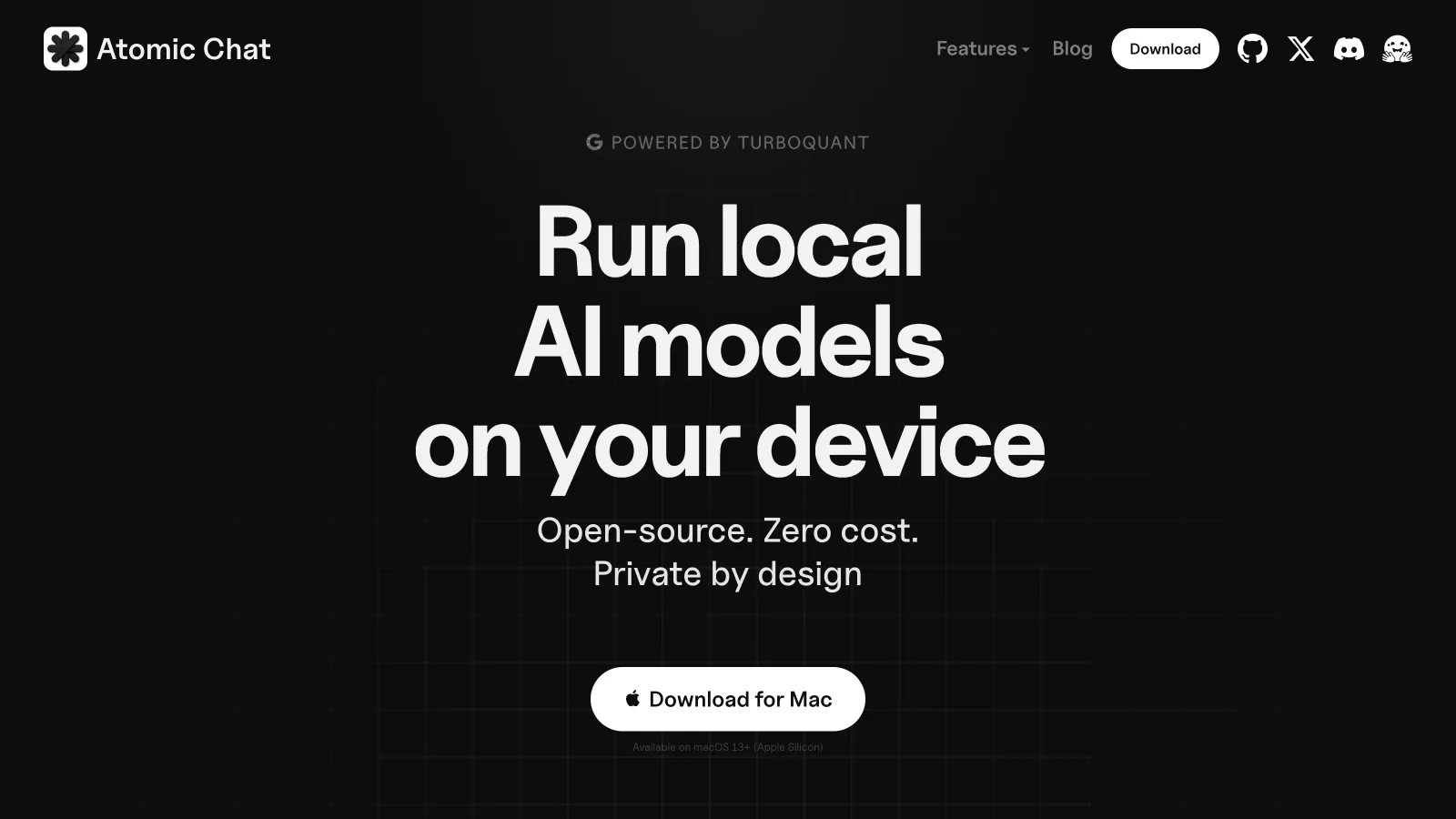
Download and install Atomic Chat for your platform from atomic.chat.
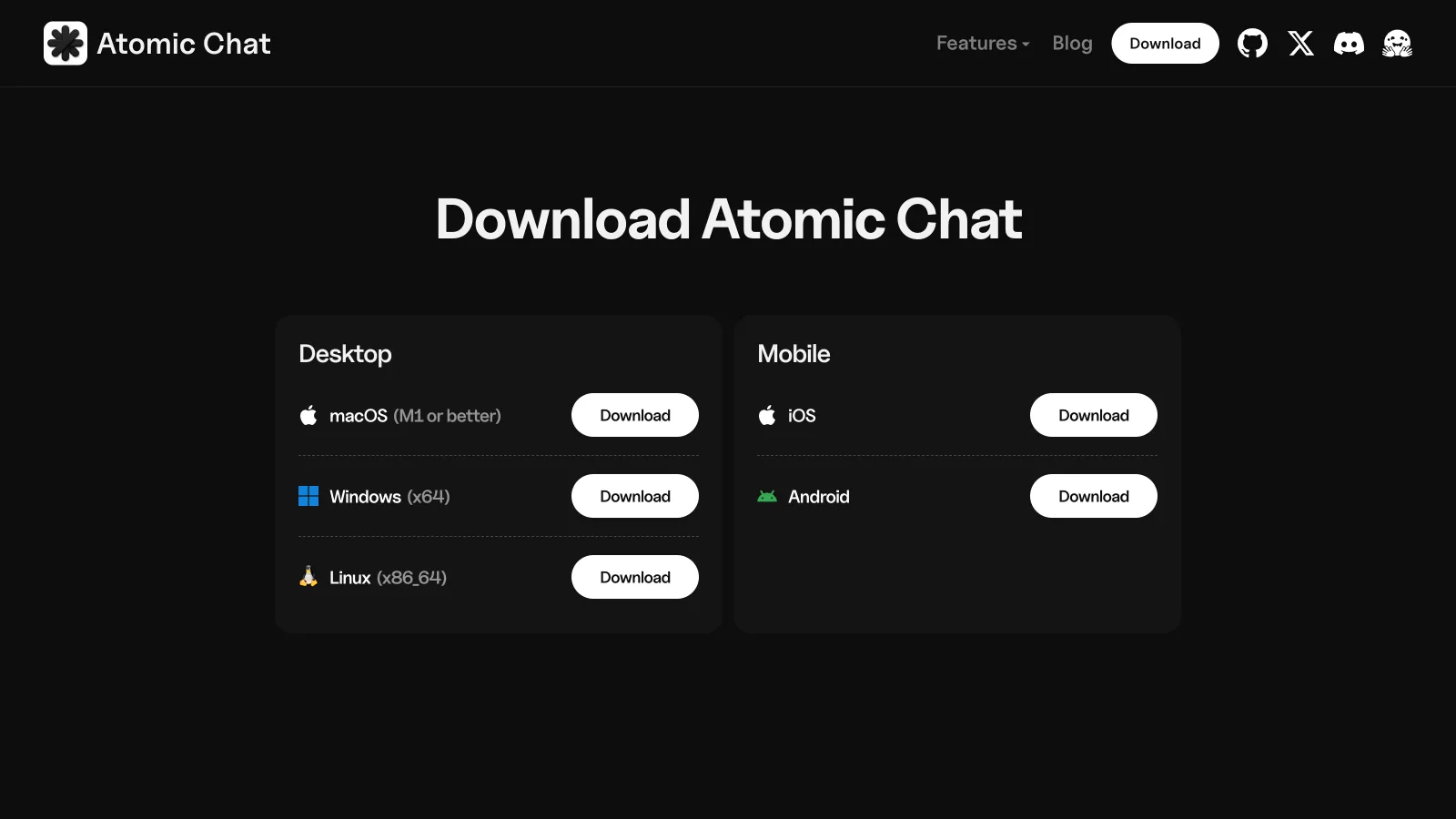
Available builds:
- macOS — universal
.dmgfor Apple Silicon (M1 or later). - Windows —
.exeinstaller for x64. - Linux — standalone
.AppImagefor x86_64. - iOS — available through the App Store.
- Android — available through Google Play.
On Linux, make the AppImage executable before launching it:
chmod +x AtomicChat.AppImage
If the app reports a missing FUSE dependency, install it using your distribution's package manager. For Debian and Ubuntu:
sudo apt install fuse libfuse2
For Fedora:
sudo dnf install fuse fuse-libs
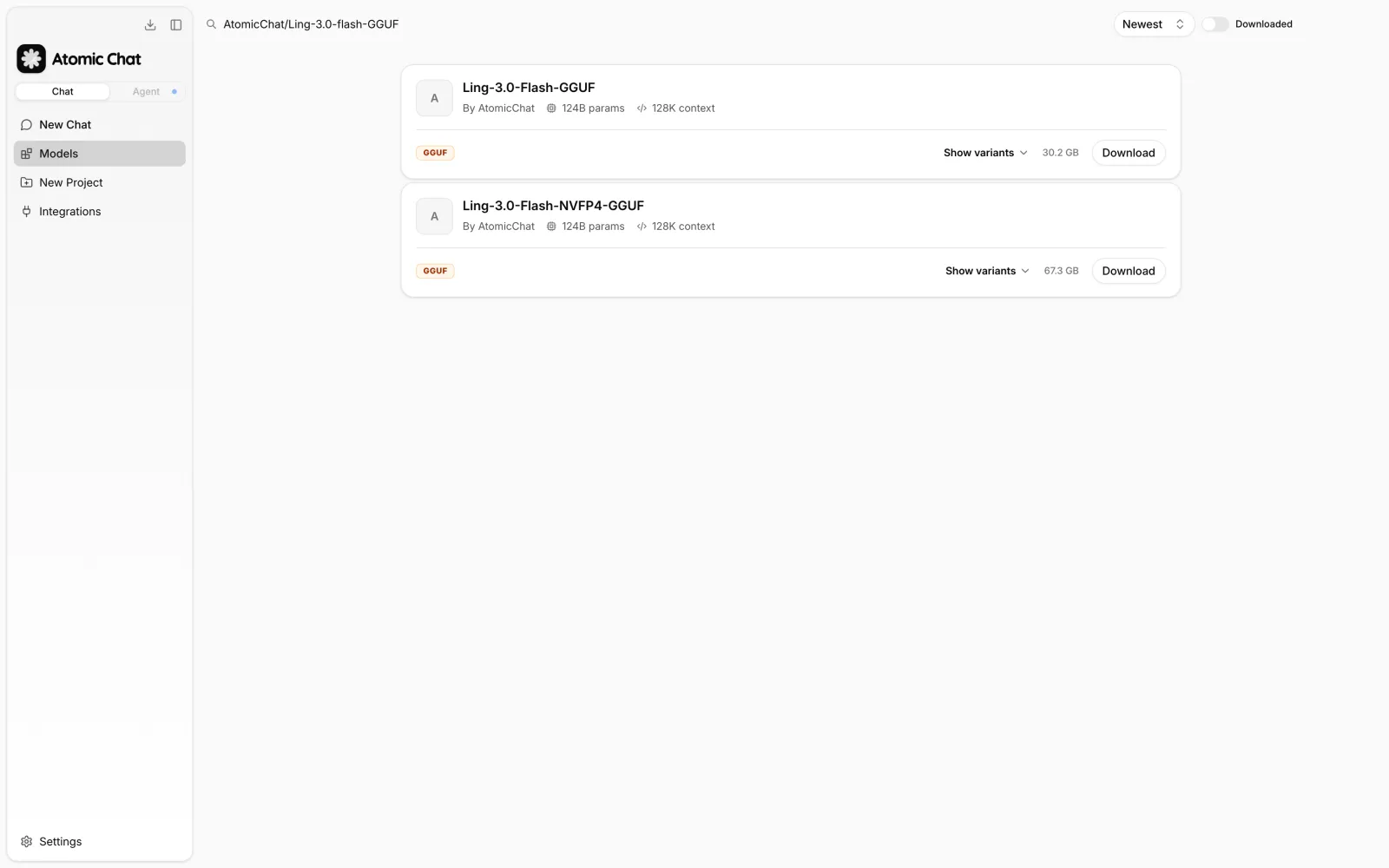
2. Find Ling 3.0 in the Models Catalog
Open Atomic Chat → Models. The catalog contains open-weight models from Hugging Face that can be downloaded and managed directly in the app.
Search for: AtomicChat/Ling-3.0-flash-GGUF
You can also search for ling to find available Ling models.
3. Download a Ling 3.0 Build
Click Download to start downloading the model, or select Download Options to view available quantizations.
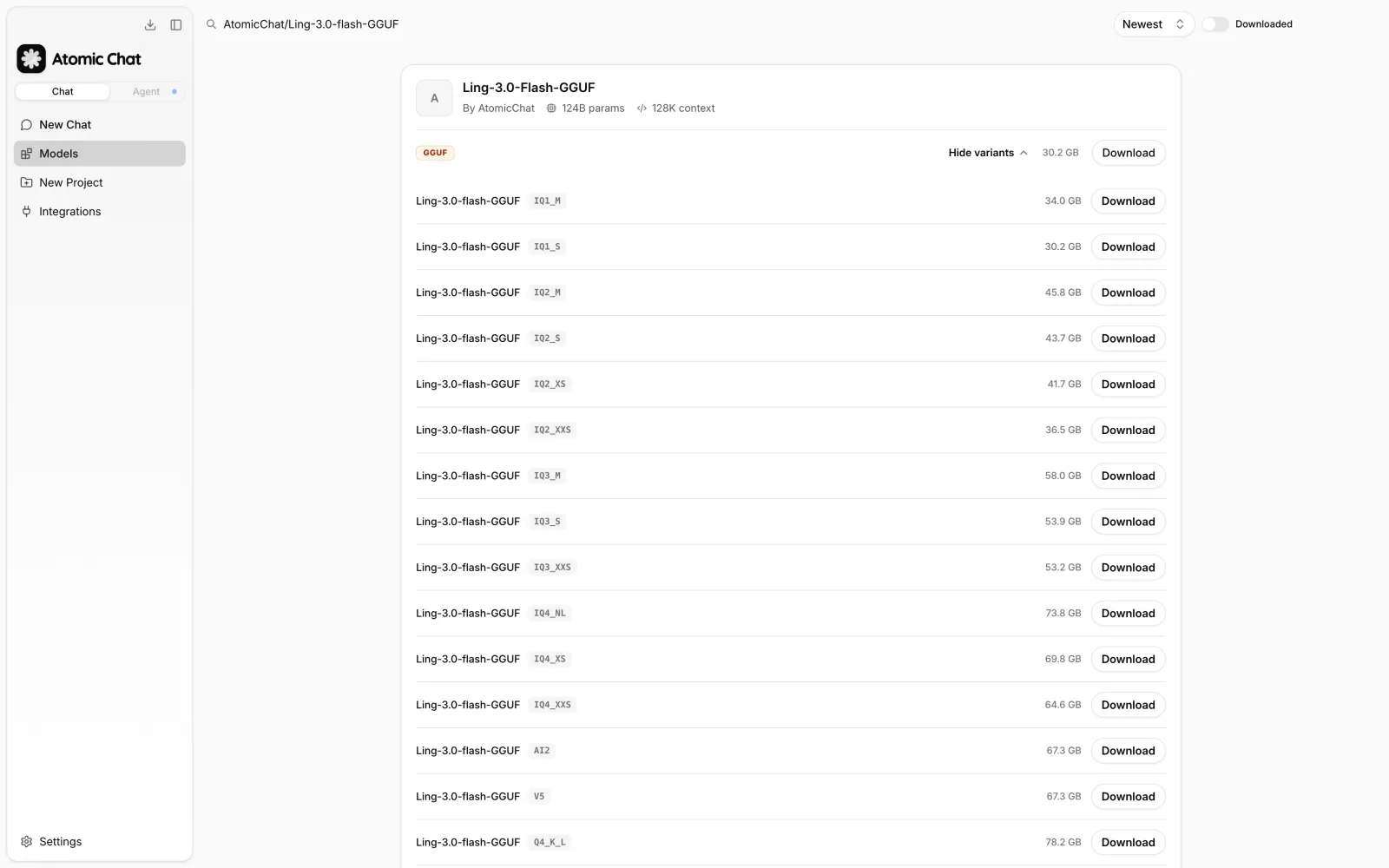
Available builds range from IQ1_S (32.4 GB) to Q8_0 (133.1 GB), with full BF16 weights (249 GB) also available. Choose a quantization that fits your available memory. Leave at least 8 GB of free memory for the operating system and inference runtime.
4. Start Chatting with Ling 3.0
Once the download finishes, Atomic Chat loads the model and opens it in the built-in chat.
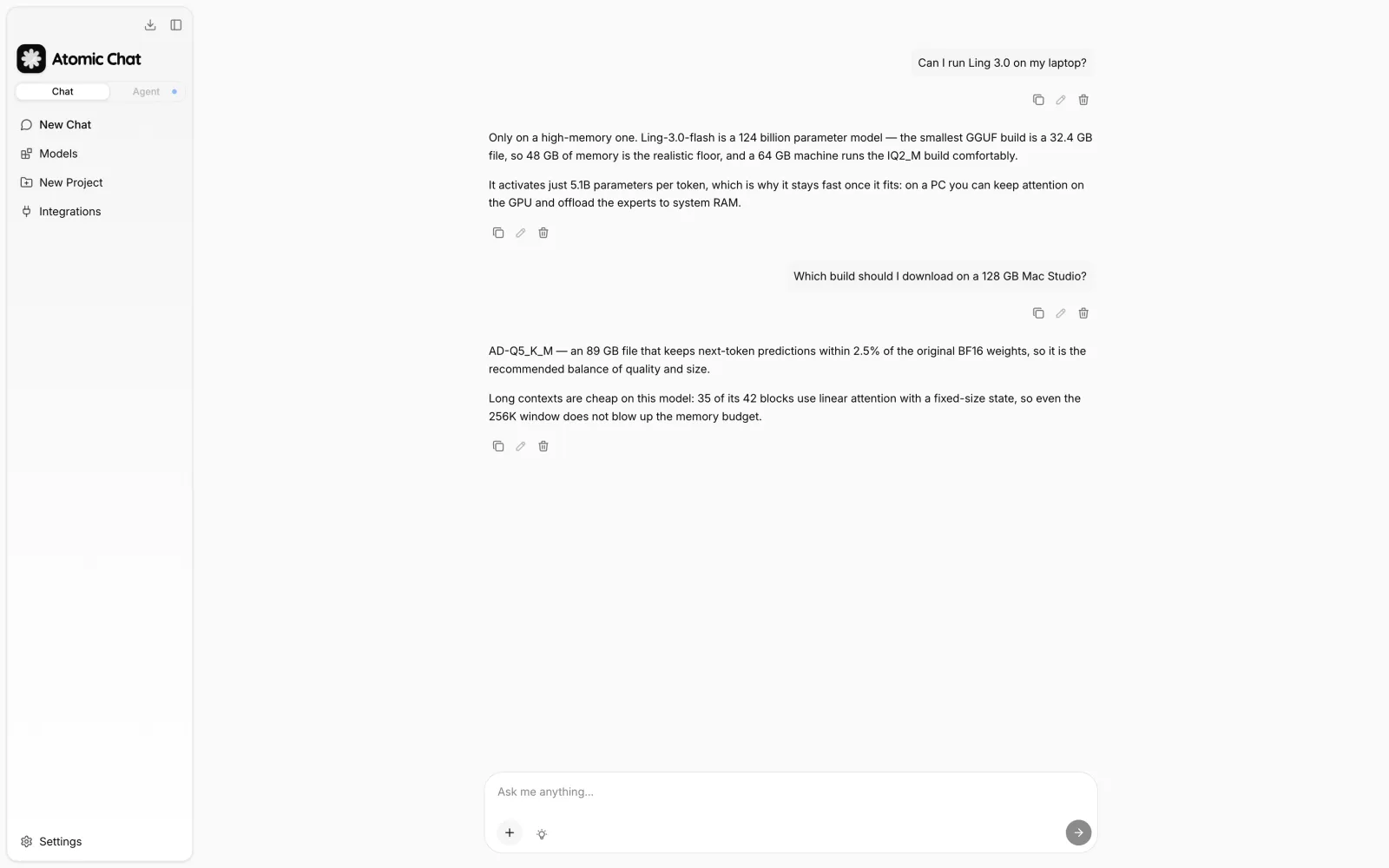
Thinking mode is enabled by default. Ling-3.0-flash can generate reasoning before the final answer, and Atomic Chat lets you view or hide this output.
Atomic Chat runs the model locally and also provides an OpenAI-compatible API server at:
http://localhost:1337/v1
This allows tools that support the OpenAI API format, including coding agents such as Claude Code and Cline, to use Ling 3.0 as a local model.
Atomic Dynamic GGUF Builds for Ling 3.0 Flash
The GGUF files shown in this guide are built by the Atomic Chat team and are available in the AtomicChat/Ling-3.0-flash-GGUF repository.
Running a 124B MoE model locally requires aggressive quantization, which usually severely degrades performance. For Ling 3.0, that leaves a lot of quality on the table because not all parts of the model are equally important.
We created Atomic Dynamic (AD) quantization to address this. Instead of applying a fixed bit allocation across the model, AD keeps more precision where quantization errors have a larger impact and compresses the parts that tolerate it better.
The result is a set of GGUF builds that preserve more of the original BF16 model quality at similar file sizes. Compared with standard llama.cpp quantization, AD builds stay 31–41% closer to BF16 on the tested quantization levels.
These files require a TurboQuant build because Ling 3.0 uses the bailingmoe3 architecture, which is not yet supported by upstream llama.cpp as of the time of writing.
How Atomic Dynamic Builds of Ling 3.0 Flash Work
Instead of assigning the same quantization settings to every tensor, Atomic Dynamic keeps more bits in areas where errors are more likely to affect the final output.
The allocation is adjusted across three dimensions:
- Tensor role. Some tensors are more sensitive than others. The MoE router (
ffn_gate_inp) stays in F32 because an error there can change which expert is selected. Attention components, KDA gates, the shared expert, and the output tensor also keep higher precision. - Projection sensitivity. Inside each expert, different projections have different impacts on model quality. AD gives more precision to
down_projthangate_projandup_projbecause it is the more sensitive part of the SwiGLU block. - Model depth. Not every layer contributes equally. The edge MoE blocks (layers 2, 3, 39, 40, and 41) receive more precision than the middle layers, where the impact of quantization is lower.
Most of Ling 3.0's parameters are stored in the routed experts, so this is where most of the compression happens. The remaining components stay at higher precision and add only about 4 GB to the final model size.
AD vs Standard Quantization
The table below shows how AD builds compare with standard quantization. Files with _STOCK use the standard llama.cpp quantization process, while _FLAT disables AD's tensor-specific adjustments.
| AD build | Size | Control | Size | Difference |
|---|---|---|---|---|
| AD-Q5_K_M | 89.4 GB | Q5_K_M_STOCK | 88.3 GB | 31% lower KL divergence |
| AD-Q4_K_S | 74.2 GB | Q4_K_M_STOCK | 75.3 GB | 38% lower KL divergence |
| AD-IQ4_XXS | 69.3 GB | IQ4_XS_STOCK | 66.4 GB | 41% lower KL divergence |
We also scored every build in the repo by KL divergence against the original BF16 model:
| Build | Size | Top-1 token match |
|---|---|---|
| Q8_0 | 133.1 GB | 98.1% |
| Q6_K | 107.5 GB | 97.9% |
| AD-Q5_K_M | 89.4 GB | 97.5% |
| AD-Q4_K_S | 74.2 GB | 96.6% |
| AD-IQ4_XXS | 69.3 GB | 96.4% |
| IQ3_M | 62.2 GB | 95.3% |
| IQ2_M | 49.1 GB | 92.5% |
| IQ1_S | 32.4 GB | 86.6% |
As you can see, quality degrades gradually down to the IQ3 tier. At Q4 or above, the model behaves close to the original, but even IQ2 builds are more than usable.
Running Ling 3.0 with llama.cpp
You can also run these GGUF files from the command line using the TurboQuant build of llama.cpp.
Download the prebuilt archive for your platform from the TurboQuant release page. Available builds include:
- Linux (CUDA 12/13, ROCm, Vulkan, and CPU-only)
- Linux arm64
- macOS Apple Silicon
- Windows
Intel GPU support is not included in the prebuilt releases and requires a source build as of the time of writing.
For example, on Linux with an NVIDIA GPU:
wget https://github.com/AtomicBot-ai/atomic-llama-cpp-turboquant/releases/download/b10269-1.5.0/llama-turboquant-linux-x64-cuda-13.3.tar.gz
tar xzf llama-turboquant-linux-x64-cuda-13.3.tar.gz && cd llama-turboquant-*
./llama-cli -m Ling-3.0-flash-AD-Q5_K_M-00001-of-00002.gguf --jinja -ngl 99 -c 32768
-ngl 99 offloads all layers to the GPU and -c 32768 sets the context length. On Apple Silicon the same command runs natively through Metal — MLX is not required.
Measured speed: 3,309 tokens/s prompt processing and 106.6 tokens/s generation for AD-Q5_K_M with full GPU offload on 4x RTX PRO 6000 Blackwell.
Frequently Asked Questions
What hardware do I need to run Ling 3.0 Flash locally?
Ling 3.0 Flash requires a large amount of memory because it is a 124B MoE model. A 48 GB system can run the smallest quantization, but 64 GB is a more practical starting point, while 128 GB allows higher-quality builds such as AD-Q5_K_M.
What is the smallest Ling 3.0 quantization?
The smallest published GGUF build is AD-IQ1_S at 32.4 GB. It allows the model to run on lower-memory systems, but quality is reduced compared with larger quantizations.
Can Ling 3.0 Flash run on a Mac?
Yes. Ling 3.0 Flash runs on Apple Silicon Macs through Metal. Unified memory is used for both the model and the runtime, so higher-memory Mac models can run larger quantizations.
Can Ling 3.0 Flash run without an internet connection?
Yes. After the model files are downloaded, inference runs locally on your device. Internet access is only required for downloading the model and updates.
Is Ling 3.0 Flash open source?
The Ling 3.0 Flash weights are released under the MIT license. The license allows use, modification, and redistribution, including commercial applications.
What is the difference between Ling 3.0 Flash and previous Ling or Ring models?
Ling 3.0 Flash combines the previous Ling and Ring approaches into a single hybrid reasoning model. It supports normal chat and reasoning workflows using the same model weights.
Why does Ling 3.0 Flash require a special llama.cpp build?
Ling 3.0 Flash uses the bailingmoe3 model architecture. The GGUF files require a llama.cpp build with support for this architecture, such as the TurboQuant build used by Atomic Chat.
Bottom Line
Ling 3.0 Flash is a 124B MoE model designed for local inference with quantized builds. With the right hardware, it can run on high-memory Macs, workstations, and GPU systems.
Key takeaways:
- Ling-3.0-flash has 124B total parameters, 5.1B active parameters per token, a 256K context window, and is released under the MIT license.
- Running the model requires software with
bailingmoe3architecture support, such as Atomic Chat or the TurboQuant llama.cpp build. - Available GGUF quantizations range from 32.4 GB (AD-IQ1_S) to 133.1 GB (Q8_0). AD-Q5_K_M (89.4 GB) is the recommended balance between quality and memory usage.
- 48 GB of memory is a practical starting point, while 128 GB systems can run higher-quality quantizations.
- Ling 3.0's hybrid attention design helps reduce memory usage for long-context workloads compared with standard attention architectures.