

TL;DR
The quick answer: To run DeepSeek locally, you need to install a local-AI app like Atomic Chat, which will handle the model download and give you an interface to interact with it. Once you download the model weights, you will be able to run DeepSeek offline on your machine. The most important step is choosing the version of DeepSeek that your hardware is capable of running, the rule of thumb being that you need roughly 2x the model's size in available memory, so if you want to run an 8B model you need to have at least 16GB of VRAM or unified memory.
- You need roughly 2× the model's file size in free RAM to run DeepSeek locally at comfortable speeds without errors. The best hardware is an NVIDIA GPU or Apple Silicon Mac.
- DeepSeek R1 has 1.5B, 8B, and 32B distilled variants that can run on local hardware. DeepSeek R1 8B can run on a 16GB MacBook Pro, for example.
- Atomic Chat is the easiest way to run DeepSeek R1 locally — it's an open source local AI app that gives you a model browser so you can download DeepSeek from Hugging Face in one click, and a chat interface so you can start interacting with the model.
- You can also run DeepSeek locally with Ollama — Ollama used to be CLI-only but they've recently added a GUI interface too. We'd recommend Ollama as the best option for developers.
- Running DeepSeek offline is free. By running DeepSeek on your hardware you can chat with a private AI, but be aware that the distilled models aren't as powerful as the flagship versions of DeepSeek you can chat with online.
What hardware do you need to run DeepSeek locally?
A good rule of thumb is to have about twice the model's file size free in memory — DeepSeek R1 8B needs roughly 16 GB of headroom once you account for the context window and the operating system.
What happens if you break that rule? The model will crash or run very slowly.
And, while you can run DeepSeek locally on almost every type of machine, it helps if you have either an NVIDIA GPU or an Apple Silicon Mac. Here's why:
- NVIDIA GPU: Nvidia GPUs can process thousands of operations in parallel and include specialized hardware designed to accelerate deep learning, which makes AI computations as fast as possible. Nvidia also developed CUDA, an ecosystem that allows developers to efficiently utilize their architecture for data science. This is why most training datacenters use NVIDIA cards.
- Apple Silicon Mac (M1 or newer): are the best NVIDIA alternative thanks to Apple's Metal framework, which local-AI apps use to get the same kind of parallel speed. Also, the chip uses unified memory where both the processor and graphics cores share one pool of RAM — so a 16 GB Mac can more or less run the same model that a PC equipped with a graphics card that has 16GB of VRAM.
Can DeepSeek run on a CPU? Yes, but slowly. Realistically, DeepSeek R1 1.5B is the only version that runs at a workable speed on a CPU.
Also make sure that you have enough space on your hardware.
In the next section we'll talk about what kind of hardware you need to run DeepSeek models locally.
Best DeepSeek R1 models to run locally
When people talk about running DeepSeek locally, they almost always mean DeepSeek R1 — DeepSeek's reasoning model.
However, the original R1 is a huge model, and most consumer hardware can't run it. Which is why people created distilled versions.
So what's a distill? It's a smaller, ordinary model (one of the Qwen or Llama models) that DeepSeek retrained on R1's own answers.
The distilled model is taught to imitate R1's style of step-by-step reasoning. It doesn't quite match the original DeepSeek R1, but it gets close enough — while staying light enough to run on a laptop or a single graphics card.
How good is "close enough"? Better than you'd expect from a model that fits on a laptop.
For example, on math and reasoning tests, the larger distills beat OpenAI's o1-mini and also beat GPT-4o by a wide margin.
Here's how DeepSeek scored them at release (higher is better):
| Model | AIME 2024 (math) | MATH-500 | GPQA Diamond (science) |
|---|---|---|---|
| DeepSeek R1 1.5B | 28.9 | 83.9 | 33.8 |
| DeepSeek R1 7B | 55.5 | 92.8 | 49.1 |
| DeepSeek R1 8B | 50.4 | 89.1 | 49.0 |
| DeepSeek R1 14B | 69.7 | 93.9 | 59.1 |
| DeepSeek R1 32B | 72.6 | 94.3 | 62.1 |
| DeepSeek R1 70B | 70.0 | 94.5 | 65.2 |
| OpenAI o1-mini | 63.6 | 90.0 | 60.0 |
| GPT-4o | 9.3 | 74.6 | 49.9 |
The takeaway: even the 14B distill scores higher than o1-mini on all three tests. You don't need the biggest model to get strong reasoning at home.
DeepSeek R1 comes in six of these distilled sizes, from 1.5 billion parameters up to 70 billion. The more parameters, the smarter the model, but also harder to run:
| Model | Download size | Best for |
|---|---|---|
| DeepSeek R1 1.5B | 1.1 GB | The lightest option, for old or low-memory machines |
| DeepSeek R1 7B | 4.7 GB | Everyday use on a normal laptop |
| DeepSeek R1 8B | 5.2 GB | The best all-round pick for most people |
| DeepSeek R1 14B | 9.0 GB | Noticeably better answers if you have the memory |
| DeepSeek R1 32B | 20 GB | Strong reasoning on a high-end GPU or large Mac |
| DeepSeek R1 70B | 43 GB | The most capable distill, for workstations |
We suggest to start with 8B distill of the DeepSeek R1. It's good for reasoning and coding, and it also replies quickly.
If you feel like 8B model is too slow, you can try the 1.5B distill, and if 8B fails at your task, try using 14B or 32B models, which will be slower but more accurate.
Can you run the full DeepSeek R1 671B locally?
The quick answer: no, not unless you have a commercial grade datacenter in your basement.
DeepSeek R1 671B is the undistilled model — its weights are 404 GB. And even if you use very aggressive 1.58-bit dynamic quantization, which shrinks it to about 131 GB but severely degrades quality, you'd still need around 192 GB of RAM to run it at a slow 2–4 tokens per second. Unless you have that kind of hardware, "running DeepSeek R1 locally" means running a distill.
How to run DeepSeek locally with Atomic Chat
The simplest way to run DeepSeek R1 locally is a desktop app that handles the model download and gives you a chat window, so you never touch a terminal.
Atomic Chat is a free, open-source app (on GitHub) for macOS, Windows, and Linux.
Here's how to run DeepSeek models on AtomicChat.
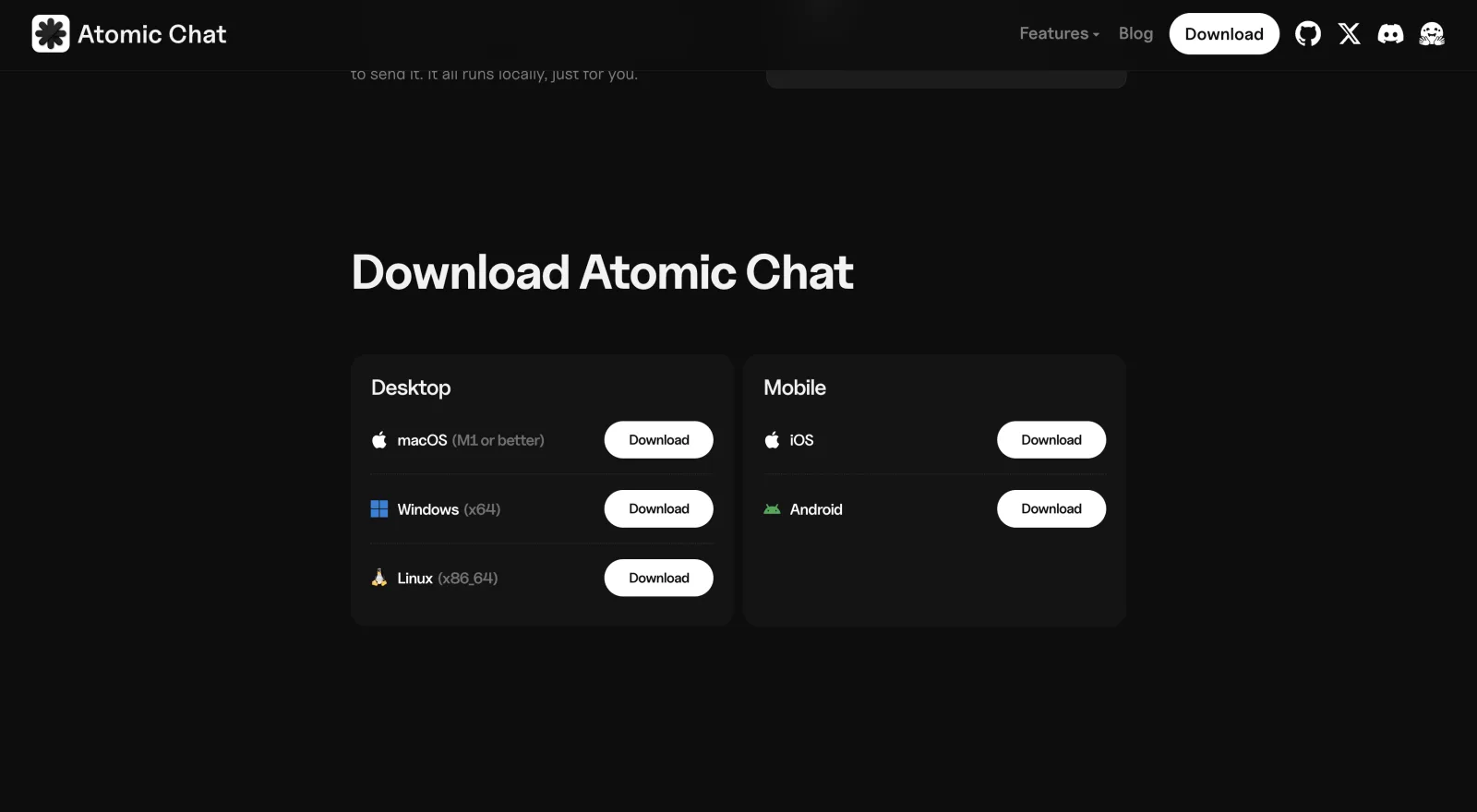
- Download Atomic Chat from atomic.chat and install it like any other app. It sets up the inference engine for you.
- Open Models in the left sidebar. This is where you browse and search the Hugging Face library from inside the app.
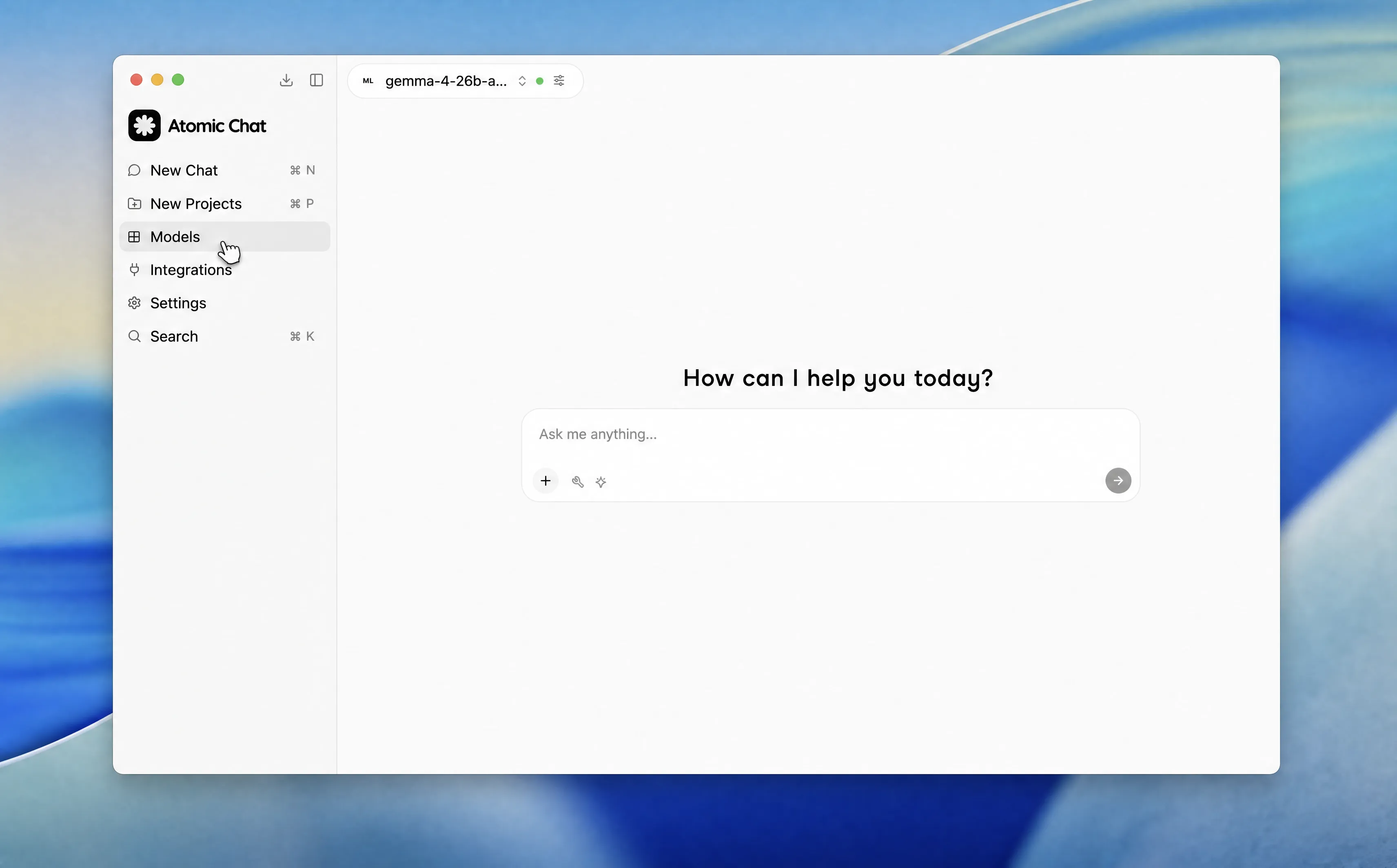
- Search "DeepSeek R1" and download a size. Atomic Chat lists the distilled DeepSeek R1 versions with their sizes and a one-click Download button.
Pick the one that fits your memory — start with the 8B distill if you're unsure — and the app pulls the weights from Hugging Face.
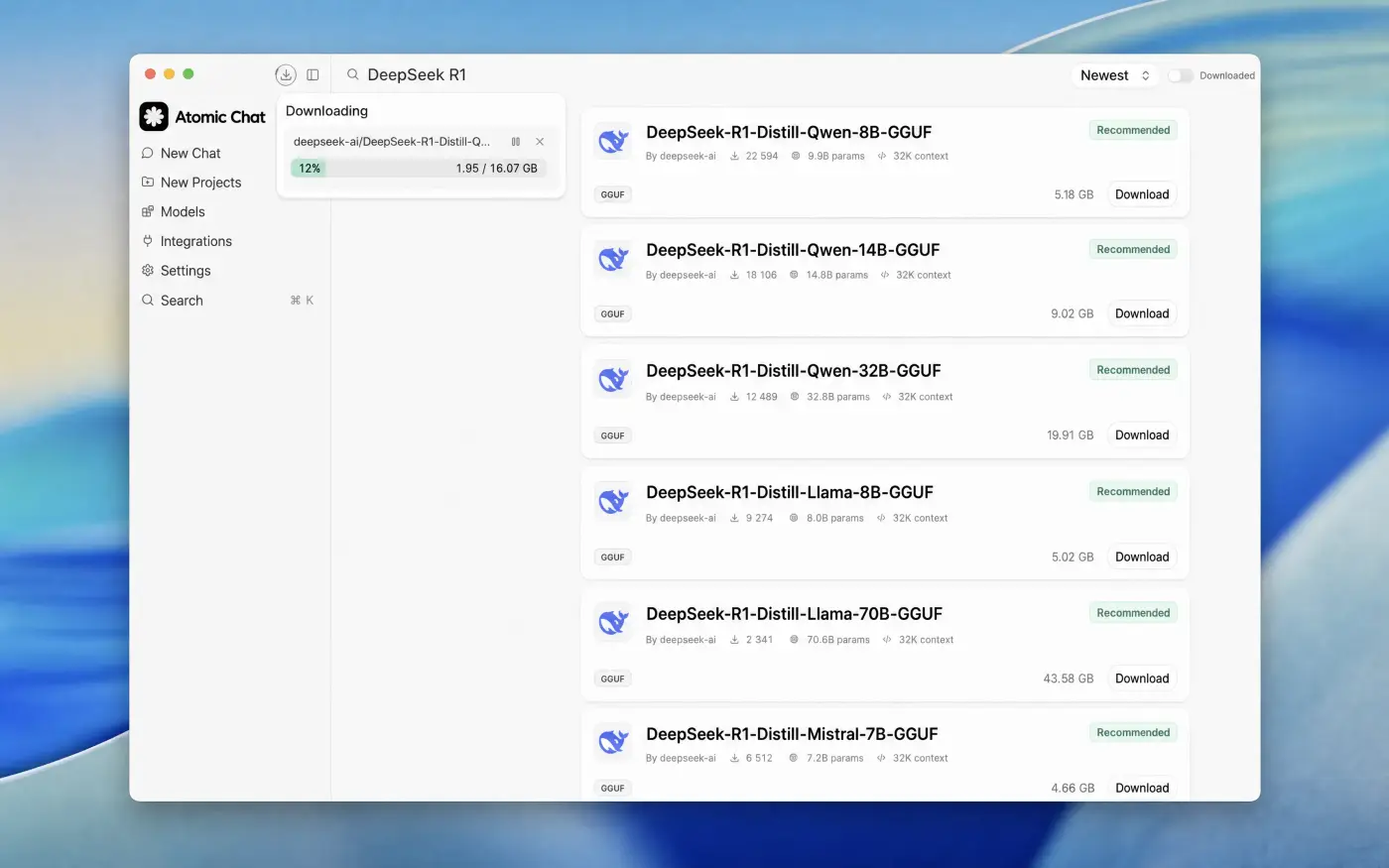
- Start chatting. Once the download finishes, the model loads and you're talking to DeepSeek R1 in a normal chat window fully offline.
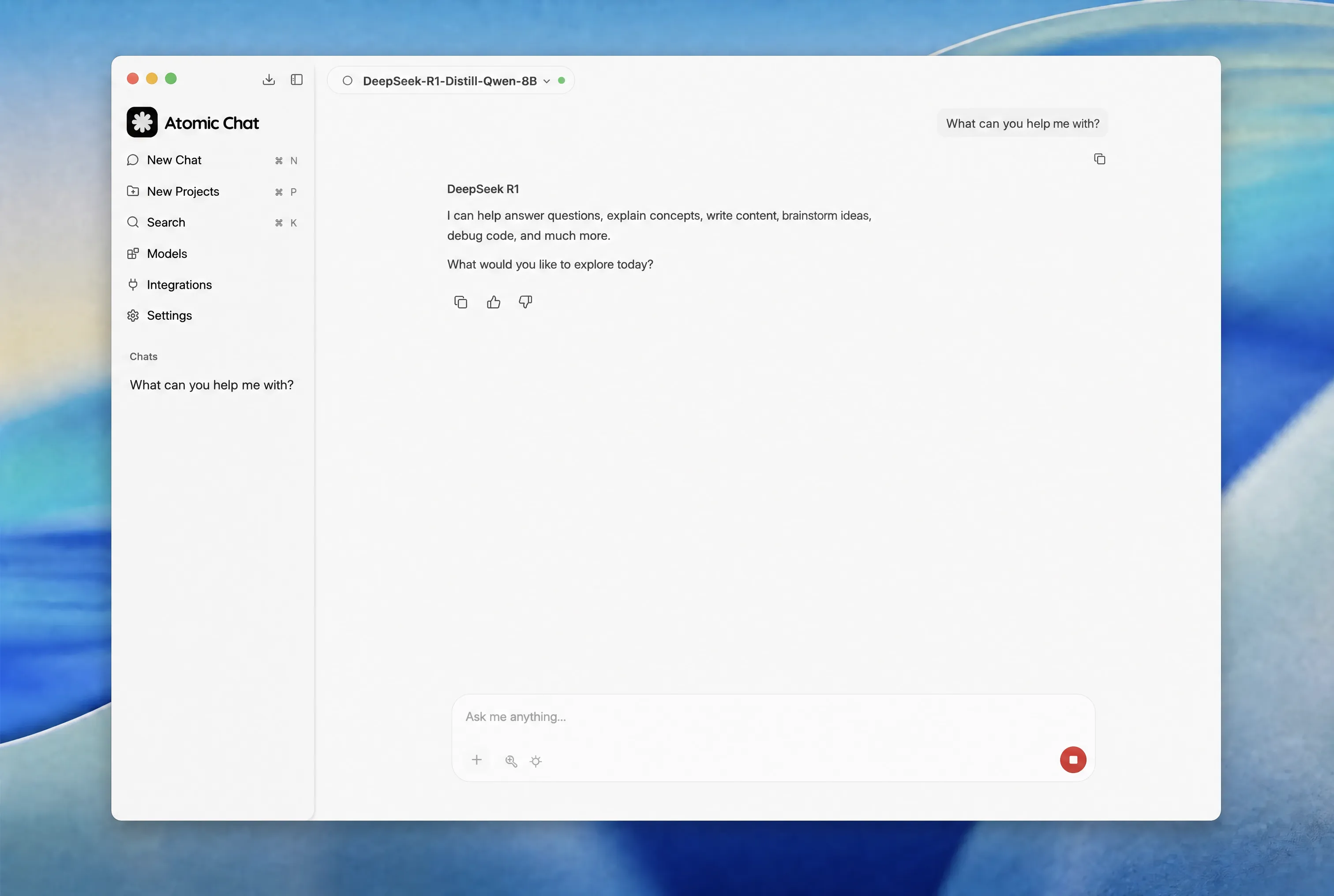
When you pick a DeepSeek R1 GGUF model, Atomic Chat also automatically selects the right quantization for you to balance speed and performance.
Also, AtomicChat features a TurboQuant inference engine and employs a Multi-Token Prediction model, which together make models run 30–70% faster on the same hardware.
For developers, Atomic Chat exposes an OpenAI-compatible API at http://localhost:1337/v1, so any tool that talks to the OpenAI SDK can point at your local DeepSeek instead. The server is loopback-only by default, so nothing is exposed to your network unless you change it. It also supports MCP, which lets agent tools like OpenCode and Goose call your local model.
How to run DeepSeek R1 locally with Ollama
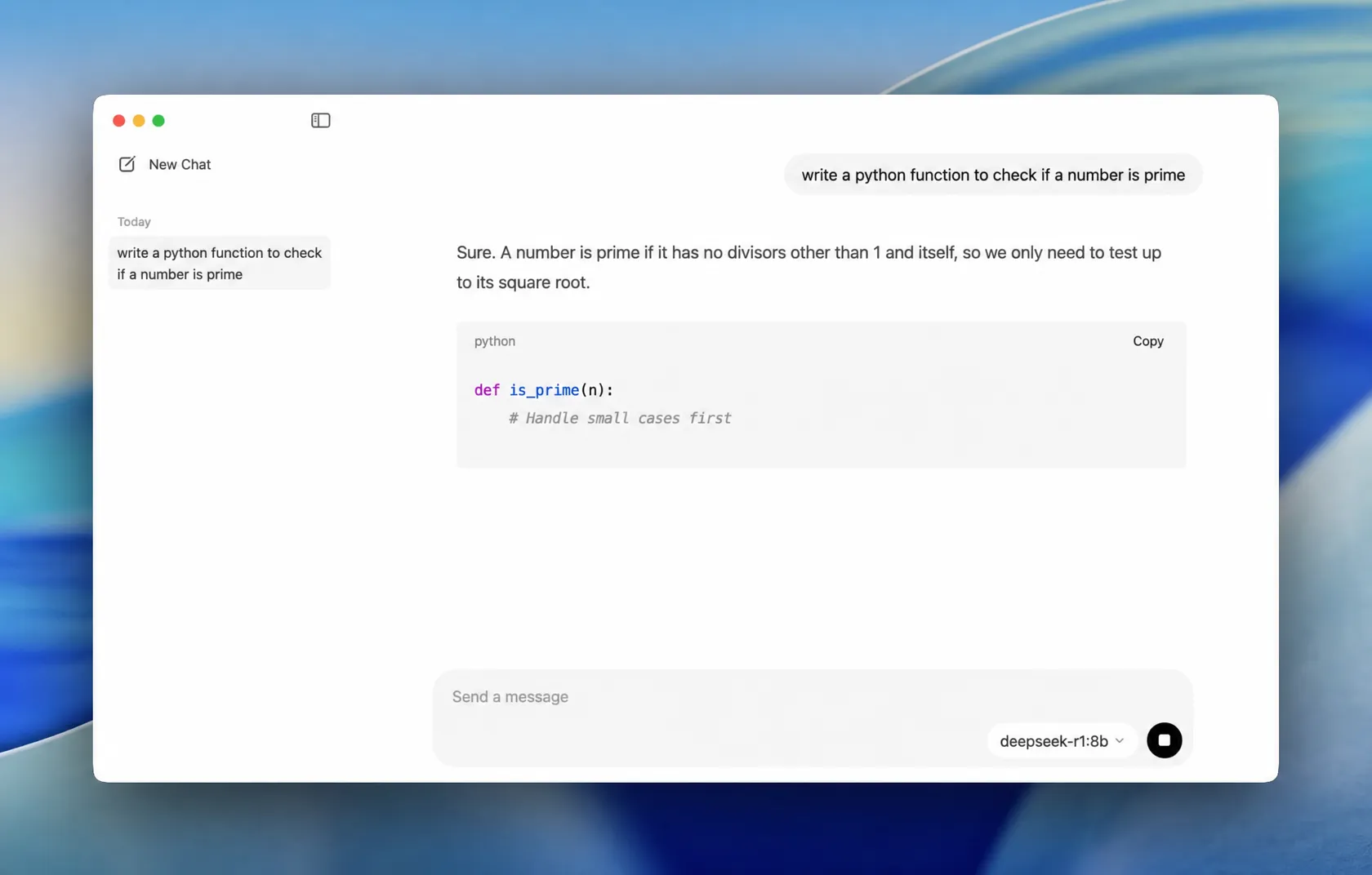
Ollama is a free, open-source tool for running models like DeepSeek R1 locally on macOS, Windows, and Linux. There are two ways to run DeepSeek locally with Ollama:
Option A: The Ollama desktop app
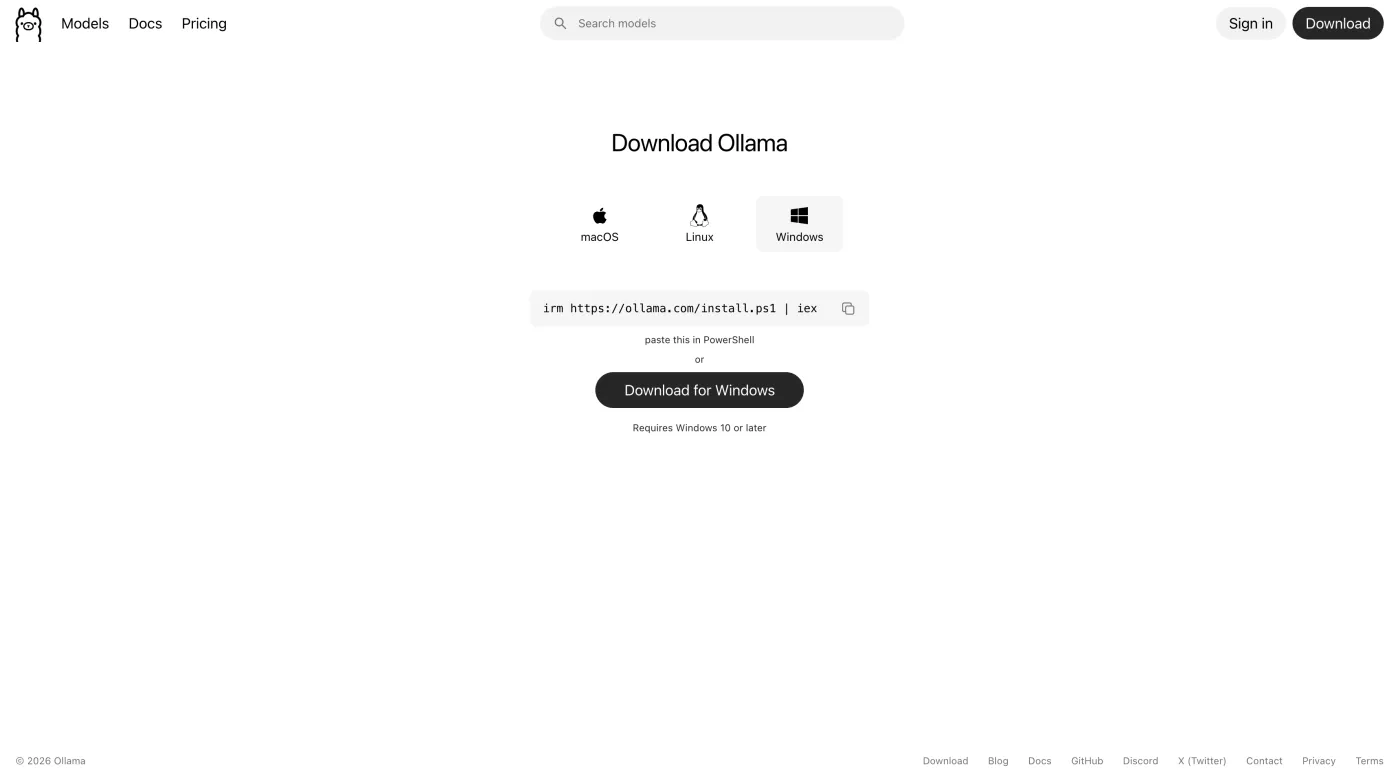
- Install Ollama. Download the installer from Ollama's official website and run it. It's available for macOS and Windows.
Ollama will install their desktop app and will run in the background. Click its icon in the menu bar (Mac) or system tray (Windows) to open the chat window.
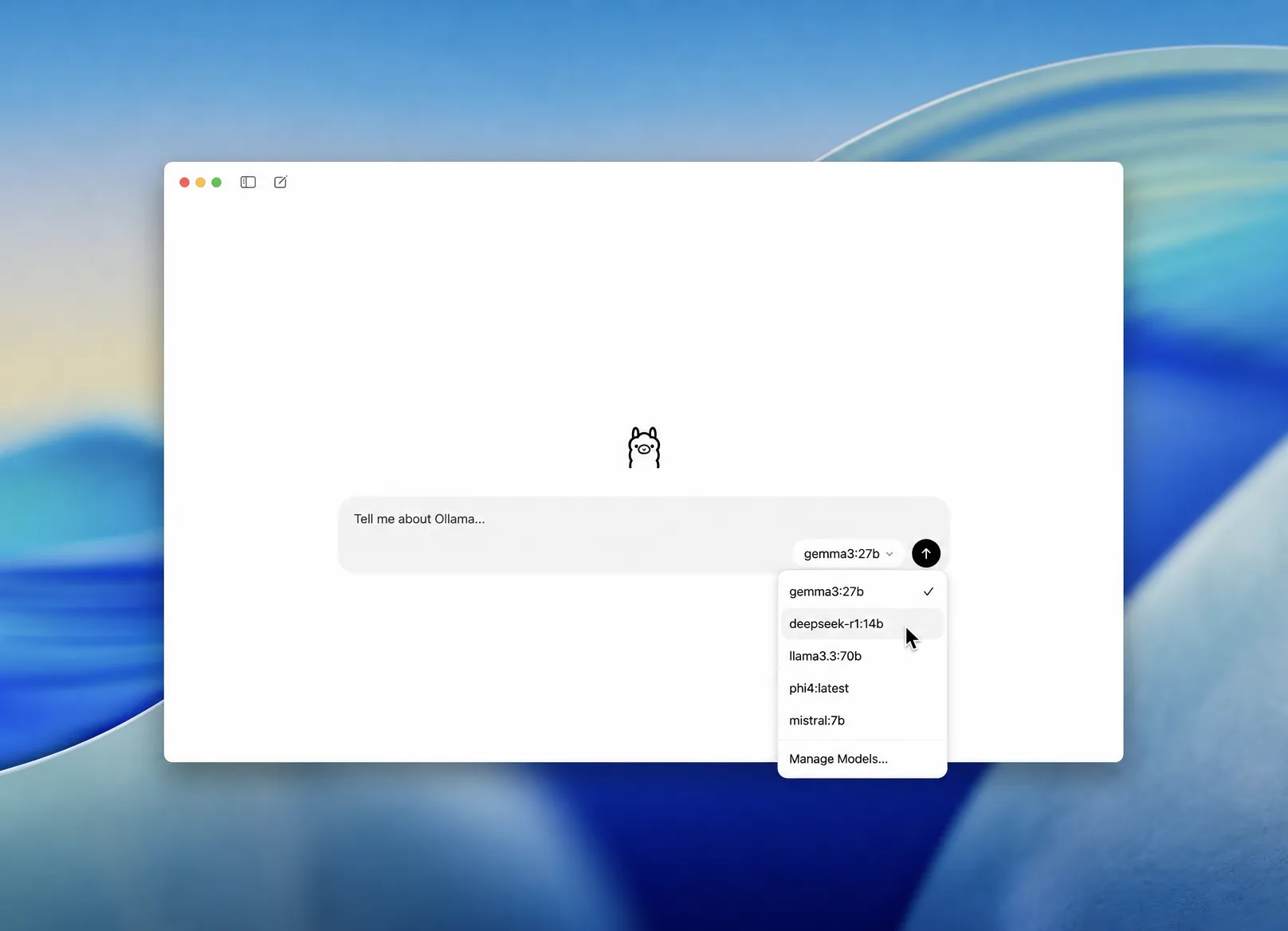
- Pick DeepSeek R1 from the model dropdown. Open the model selector next to the message box and choose a DeepSeek R1 size. Selecting a model you don't have yet downloads it automatically.
- Send a message. Once the download finishes, type a prompt and hit enter. DeepSeek R1 replies right in the chat window, and everything from here runs offline.
Option B: The terminal
Install Ollama if you haven't already.
- Using the installer: If you're using macOS or Windows, go to Ollama's official website and download the installer. When you install it, it will also install the command-line tool.
- Using an install script: Run one line in your shell:
- Using a package manager: If you already use one, you can install it with:
Then, copy this command, paste it into your shell and run:
On the first run, ollama will download the model, which may take a long time depending on the model size.
The model will be cached on subsequent runs, so then it will start immediately. The 8b part is the model tag — change it to run a different size:
Benefits of running DeepSeek locally
People who run DeepSeek on their own machine usually do it for three reasons, and they all come down to control over your data, your money, and your access.
Your prompts never touch a server. You have zero privacy risk if the model is fully local. There's a real peace of mind in knowing nothing you type gets sent to DeepSeek or anyone else.
It's free after the download, with no rate limits. There's no subscription and no per-token API bill — for high-volume use, where a cloud API can run into hundreds or thousands of dollars a month, that cost drops to zero.
It works with no internet at all. Once the weights are on disk, DeepSeek runs on a plane, behind a firewall, or in an air-gapped setup, and it stays up even if the official DeepSeek service is down or blocked.
Limitations of running DeepSeek locally
Running DeepSeek locally also has some tradeoffs, and they're worth understanding. Here are the 3 main ones:
A local distill DeepSeek isn't as good as cloud flagship DeepSeek. A local 8B model is great for private, everyday work, but for the hardest open-ended reasoning, the full cloud R1 and models like GPT-5.5 are in another league.
Speed depends on your hardware. On a good GPU you'll get 50+ tokens a second, but if you're running DeepSeek locally on a CPU only, that might drop to 2–5 tokens a second, which is genuinely slow.
You have to configure your local DeepSeek. Even though getting started with a local model is super easy with Atomic Chat, it still takes some extra steps compared to running it on a website (for example, you have to match the model size to your machine's memory and understand how quantization impacts performance). Local DeepSeek also takes some storage, and when it's running it will tax your system.
Still, for everyday work a local 8B or 14B DeepSeek R1 distill is about as capable as GPT-4o, which is a model that some people still swear by.
Frequently asked questions
Common questions about running DeepSeek locally, answered.
Can you run DeepSeek locally?
Yes, you can run DeepSeek locally. DeepSeek released R1 as an open-weight model, so the weights are free to download and run on your own machine. On a normal computer you run one of the distilled versions (1.5B to 70B) through an app like Atomic Chat or through Ollama; the full 671B model needs server-class hardware.
How much RAM do I need to run DeepSeek R1?
Plan for roughly twice the model's file size in free memory. The 8B distill (about 5 GB) runs comfortably on a machine with 8 GB of GPU VRAM or 16 GB of system RAM. The 1.5B model runs in around 4 GB, while the 32B and 70B distills want 24 GB and 48 GB respectively.
Is running DeepSeek locally free?
Yes. The model weights, Atomic Chat, and Ollama are all free, and there are no usage fees once a model is downloaded. The only cost is the hardware you already own and the disk space for the weights.
Is it safe and private to run DeepSeek offline?
Running DeepSeek offline is as private as local software gets — once the weights are downloaded, the model runs entirely on your device and your prompts are never sent to DeepSeek's servers or anyone else's. This is the main reason people choose a local setup over the official app.
Which is the best way to run DeepSeek R1 on a Mac?
On an Apple Silicon Mac (M1 or newer), a desktop app like Atomic Chat is the easiest path because it can run the faster MLX builds of DeepSeek R1 and uses the Mac's unified memory efficiently. A 16 GB Mac handles the 8B distill well; 32 GB opens up the 14B and 32B sizes.
What's the difference between DeepSeek R1 and V3 locally?
DeepSeek R1 is the reasoning model — it thinks step by step and is the one most people run locally for math and coding. DeepSeek V3 is the general chat model it's built on. The local distills covered here are R1 versions; V3 is also open-weight but the full model is large, so R1 distills are the practical choice for a local setup.
The easiest way to run DeepSeek locally
To sum up, you can run DeepSeek locally with a caveat — DeepSeek is open source, but the full original model is massive and most consumer devices cannot run it. The workaround is the distilled models — smaller Qwen and Llama models that DeepSeek fine-tuned on R1's own reasoning, so they pick up much of how it thinks while staying small enough to run on your device. They don't fully match the original, but the larger distills come close, and the mid-size ones already beat OpenAI's o1-mini on math and reasoning. The good news is anyone can run them, and it's very simple with apps like Atomic Chat.