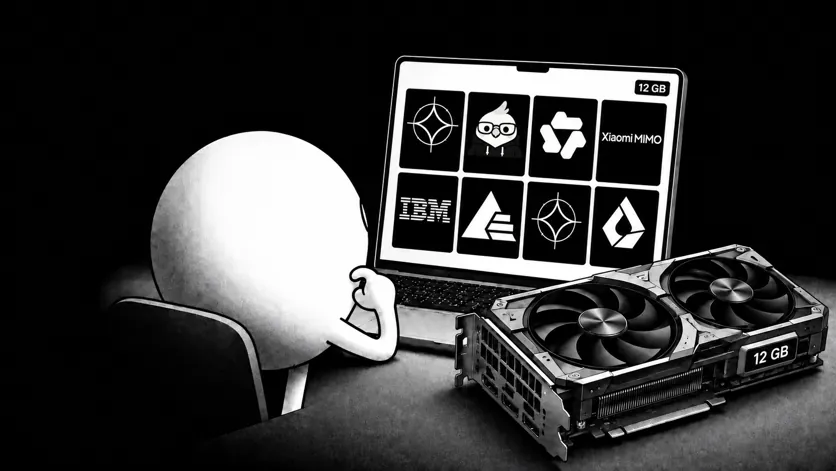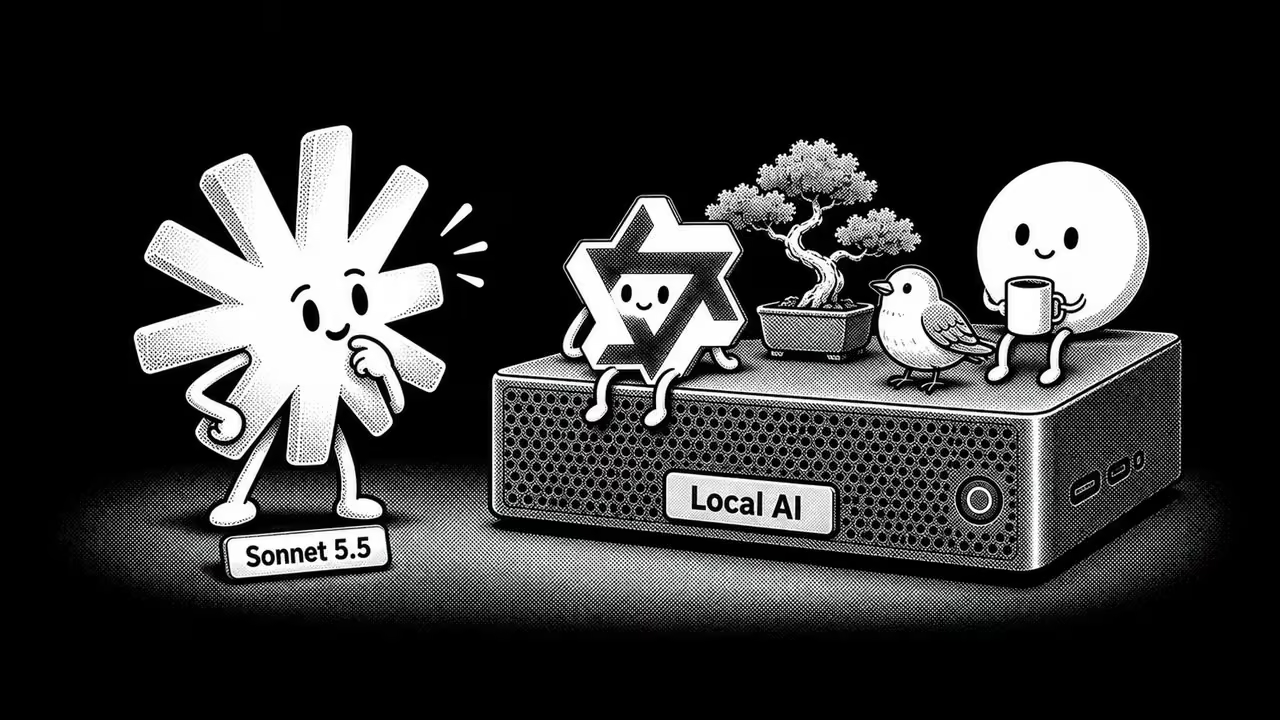


You’ve probably faced some of these difficulties while using Cloud AI. It’s usually your ChatGPT that goes down because the connection is unstable. Or your company blocks third-party AI tools: you paste something sensitive and your data is sent to some company’s cloud. Or maybe your API bill hits $400 this month and you're not sure what for. These are some of the dealbreakers of Cloud AI, and it may well compound the more you rely on it.
In contrast, there is Local LLM that you can call “offline AI" since it runs entirely on your own hardware. No API calls, no subscription, nothing leaves your machine. A year ago, running an offline LLM meant slow, mediocre output. Now a MacBook Air M4 with 16GB of RAM runs Gemma 4 at 25 tokens per second, fast enough for actual work rather than demos.
Why run AI offline
Privacy
Sensitive information makes up a large share of what employees paste into chatbots: source code, contracts, customer records, and internal financials flowing to a third party by default. Samsung in 2023 learned this the hard way, when engineers pasted semiconductor source code and internal meeting notes into ChatGPT multiple times in under a month, after which the company banned the tool outright. Many others have followed with similar restrictions, and a significant share of organizations now either prohibit generative AI outright or tightly control what data employees can enter.
The tools themselves leak too. In February 2026, OpenAI patched a ChatGPT flaw where a single malicious prompt could quietly exfiltrate a user's conversation history and uploaded files. Enterprises have reacted accordingly: in April 2026 the Democratic National Committee barred staff from using ChatGPT and Claude, and major banks including Bank of America and Goldman Sachs restrict public AI tools in favor of internal builds.
A local model removes that question: there is no provider policy to interpret, no subprocessor chain to map, and no training opt‑out to negotiate, because nothing leaves the machine.
Uptime
On April 6, 2026, Anthropic’s Claude suffered a major, hours‑long outage that disrupted enterprise workflows worldwide, followed by another period of elevated errors on April 15. OpenAI ran into similar trouble on April 20, when ChatGPT, Codex, and the API platform all experienced a partial outage at the same time, so anyone relying on a “switch to the API if the app breaks” plan lost both in one incident. Switching providers as a fallback only helps until both have a bad week, which they just did.
A model running on your own hardware is unaffected by those failures, which matters on a flight, inside a secure facility, or on a corporate network that blocks external API calls.
Cost and speed
GPT‑5.4’s price is about $2.50 per million input tokens and $15 per million output tokens in the standard API. Claude Sonnet 4.6 is in a similar range, at around $3 per million input tokens and $15 per million output tokens. A small team pushing a few hundred million tokens a month through summarization or code‑review pipelines can easily end up with a recurring bill in the mid‑hundreds of dollars, and that meter never stops.
The same workloads on a Mac you already own cost nothing beyond the initial model download. Cheaper here doesn’t mean slower: recent benchmarks on a MacBook Pro M5 Max show Qwen3.6 27B comfortably above 60 tokens per second in local inference, in the same ballpark as the cloud APIs you would otherwise be paying for. You are not trading speed for price.
What you need to run Local LLM
Hardware
On macOS, 16GB of unified RAM on Apple Silicon is where local models feel comfortable. A MacBook Air M4 with 16GB can run Gemma 4 at around 25 tokens per second, which is enough for writing, coding, documenting Q&A without constant pauses and switching contexts without losing the train of thought.
8GB is workable for 7–8B models like Llama 3.1 8B or Mistral 7B, but you are operating close to the limit. Longer prompts slow things down, and you have little spare capacity if other apps are open. If you are buying hardware primarily for local AI, 16GB is the more realistic baseline.
At the upper end, a MacBook Pro M5 Max with 64GB of RAM can push Qwen3.6 27B into the 100+ tokens‑per‑second range with MTP enabled. Most people won’t need that setup, but it shows roughly where the current ceiling is.
On Windows, it depends less on the CPU and more on the GPU. A laptop or desktop with an RTX 4060 or better and at least 8–12GB of VRAM can comfortably run 13B‑class models at good speeds, and 24GB cards (RTX 4090 or similar) open the door to 27B and larger models. With only integrated graphics and 8GB of system RAM, you are in the same territory as a low‑end Mac: 7B models at Q4 quantization will run, but memory headroom is tight and long, complex prompts quickly become slow or unstable.
On Linux, the hardware picture is almost the same as on Windows, but driver support for NVIDIA GPUs is usually a bit better and tools like Ollama, LM Studio, and vLLM tend to arrive there first. A mid‑range RTX card with 8–12GB of VRAM is enough for 13B models; 20–24GB cards let you use 27B and larger models with headroom for context and KV cache. If you are running only on CPU, the same 16GB‑RAM rule applies: 7–8B models are fine, anything bigger quickly becomes painful.
| Device | Typical models | Approx. speed (TPS) | What it’s good for |
|---|---|---|---|
| Mac with 8GB RAM | Llama 3.1 8B, Mistral 7B | Usable, but slower | Trying local models, short prompts, little headroom and slowdowns on longer context |
| MacBook Air M4 (16GB RAM) | Gemma 4 (16GB‑friendly variant) | ~25 TPS | Writing, coding, and document Q&A without constant pauses or context switching |
| MacBook Pro M5 Max (64GB RAM) | Qwen3.6 27B | 100+ TPS (with MTP) | Heavy models, intensive pipelines, and a practical view of today’s performance ceiling |
| Windows laptop (RTX 4060, 16GB RAM) | Llama 3.1 13B, Qwen3.6 14B | Tens of TPS (GPU‑bound) | Everyday local use with larger models, mix of coding, chat, and document work |
| Windows desktop (RTX 4090, 32GB RAM) | Qwen3.6 27B, Gemma 4 31B | High TPS (dozens – 100+) | Large models, long contexts, experimentation and small team workflows |
| Linux box (RTX 4070/4080, 32GB RAM) | Qwen3.6 27B, DeepSeek Coder V2 | Similar to Windows GPU | Stable long‑running workloads, dev and self‑hosted services with strong GPU support |
Atomic Chat runs on macOS, Windows, and Linux, so the basic setup is similar across platforms. On Windows, machines with discrete NVIDIA GPUs (for example, an RTX 4060 or better) can use CUDA to accelerate inference, with actual speeds depending on VRAM and the specific model size.
Here are GGUF (standard file format for local models) file sizes for common models at Q4 quantization:
- Llama 3.1 8B Q4_K_M: about 4.7GB
- Mistral 7B Q4_K_M: about 4.1GB
- Qwen3.6 27B Q4_K_M: about 16.8GB
- Gemma 4 31B Q4_K_M: about 19GB
How to set up offline AI, step by step
Option 1: Ollama
Ollama is a command-line tool that downloads, manages, and serves local LLMs through a REST API. It's built for developers who want to script against a local model or pipe it into another application. If that's not your use case, scroll to the Option 3 for the user-friendly way of running locally without terminal.
macOS and Linux (terminal install)
This script downloads the latest release, installs the ollama binary, and starts the background service. On macOS, you can also install via the GUI app from the website; after you launch it once, the ollama CLI is available in Terminal.
Windows:
Download the installer from the Ollama website and run it. After installation, Ollama runs a background service automatically and adds the ollama command to PowerShell / Command Prompt.
To confirm the CLI is available:
Running your first model
What it does is download the model (~4.7GB), starts a server on localhost:11434, opens a terminal chat. You can type directly into this prompt and press Enter to get responses. Type /bye to exit the session.
Verifying the local API
Ollama exposes a simple HTTP API for programmatic use. A minimal health check that actually generates output looks like this:
If everything is running, you will get back a JSON response with a response field:
Switching models
Be cautious: Each ollama run ... starts a fresh session — there is no built‑in cross‑session memory. Closing the terminal or pressing /bye discards the context.
And don't forget to keep Ollama on localhost, or put an authenticating proxy in front of it to keep your Ollama safe and secure.
→ Full security checklist is here
Option 2, for developers: Hugging Face + Transformers
For those who need control at inference time, including custom sampling, fine-tuned models, batching, and integration into an existing codebase:
Setup is heavier: you need a Python environment, the correct CUDA or MPS drivers, and you'll lose an afternoon to version conflicts at least once. If you just want a chat window, skip this route. It's aimed at developers building things on top of models.
Option 3: Atomic Chat with MTP acceleration
If you want an alternative with a real interface and super easy start, Atomic Chat runs a patched version of llama.cpp with TurboQuant quantization and Multi-Token Prediction (MTP). It's a different engine, not a GUI bolted onto Ollama, and the difference shows up in the numbers. MTP drafts several tokens ahead and verifies them in one pass instead of generating one at a time. On a MacBook Pro M5 Max with 64GB:
- Qwen3.6 27B: 51 to 117 tokens per second (+129.4%) with MTP enabled
- Qwen3.6 35B-A3B (MoE): 218 to 267 tokens per second (+22.5%)
- Gemma 4 26B: +40% speed with about 90% draft acceptance rate
The MoE model's smaller gain (22.5% versus 129.4%) makes sense. MoE reads only about 3B active parameters per token instead of all 35B, so its baseline is already fast. The dense 27B had more room to improve. Draft acceptance sits at 80 to 90%, accuracy loss is zero, and the extra VRAM cost is about 1GB.
For a model comparison on 16GB Mac specifically, covering which models are worth running and which aren't, this guide has the specifics.
On top of the inference engine, Atomic Chat adds conversation history, model switching without touching the terminal, MCP server support, a local API server for connecting other tools, and an HTTPS proxy for enterprise network setups. Over 1,000 models are available locally or via cloud from the same interface.
For pictures, the offline image generator runs downloaded image models on your device. Download the app and a model before disconnecting.
Cloud providers including OpenAI, Anthropic, Gemini, Groq, Mistral, xAI, MiniMax, OpenRouter, and Hugging Face are available from the same interface when you need a frontier model. Your local models still run locally, and the cloud stays a fallback you reach for by choice.
→ Run Your Local LLM on Atomic Chat (macOs)
→ Run Your Local LLM on Atomic Chat (Windows)
Local AI models worth running: hardware and tasks
Model choice depends more on your hardware and task than on benchmark rankings.
| Task | Recommended models | RAM / hardware notes | Strengths | Limitations |
|---|---|---|---|---|
| General reasoning & writing (high‑end) | Qwen3.6 27B, Gemma 4 31B | MacBook Pro M5 Max, 32GB+ RAM | Qwen: rich, creative, more visual output; Gemma: cleaner logic, faster one‑shot answers | 31B Gemma needs ~20GB+ RAM; belongs on 32GB‑and‑up machines |
| General reasoning & writing (mainstream) | Gemma 4 (lighter 16GB‑friendly variant) | MacBook Air M4, 16GB RAM | ~25 tokens/s, good balance of quality and speed for everyday work | Heavier 31B variant not suitable; memory will be tight |
| Open‑ended, long‑form generation | Qwen3.6 27B | Prefer 32GB+ RAM for comfort | Deeper, more expansive generations; strong for creative tasks | Slightly slower per answer; can overshoot when you want brevity |
| One‑shot tasks, “just give me the answer” | Gemma 4 31B | 32GB+ RAM recommended | Produces cleaner, more direct solutions in one go | Higher RAM footprint; overkill for casual use |
| Coding (general) | Qwen3.6 27B, Qwen3.6 35B | 32GB+ RAM (or strong GPU) | Handles complex prompts, physics games, animated HTML/Canvas | Heavier models; not ideal on 8–16GB without compromises |
| Coding (VRAM‑constrained / GPU) | DeepSeek Coder V2 16B MoE | ~16GB VRAM | Strong for multi‑file coding tasks with smaller footprint | Focused on code; not a general chat or all‑purpose model |
| 8GB RAM laptops | Llama 3.1 8B, Mistral 7B (Q4_K_M) | 8GB RAM (Mac/PC) | Drafting, Q&A, everyday tasks; fit into tight memory budgets | Multi‑step reasoning and large‑context work degrade quickly |
| Long documents / extended context | Gemma 4 31B (262K context) | 32GB+ RAM; KV cache can add >20GB at full context | Can ingest and reason over very long documents or threads | Weights are heavy; requires careful memory planning |
Local LLM for general reasoning and writing: Qwen3.6 27B and Gemma 4 are the standouts, and the right pick between them depends on what you're doing.
In a head-to-head test inside Atomic Chat on a MacBook Pro M5 Max (one-shot Pac-Man game prompt), Qwen generated 33,946 tokens over 18 minutes at 32 tokens per second, with more creative and visual output. Gemma 4 31B generated 6,209 tokens in under four minutes at 27 tokens per second with cleaner game logic.
/1 Gemma 4 31B just crushed Qwen 3.6 27B in a local LLM gamedev contest inside @atomic_chat_hq (prompt is below)
— Chubby♨️ (@kimmonismus) April 30, 2026
Device: MacBook Pro M5 Max, 64GB RAM
Results:
Qwen 3.6 27B: 32 tokens/sec · 18m 04s · 33,946 tokens
Gemma 4 31B: 27 tokens/sec · 3m 51s · 6,209 tokens
So what is… pic.twitter.com/wqyWyjXX2u
Gemma won here, but not because it's the stronger model overall. It got the job done in 6,000 tokens where Qwen's 34,000 more creative ones overshot the task. Which one is "better" comes down to what you're asking it to do.
For one-shot tasks where you want a working answer quickly, the best local LLM is Gemma.
For open-ended generation, Qwen has more depth. On a MacBook Air M4 16GB, the lighter Gemma 4 variant runs at 25 tokens per second, the realistic number for mainstream hardware. The 31B version needs roughly 20GB of RAM, so it belongs on 32GB-and-up machines.
The best LLM for coding is Qwen3.6 at 27B and 35B; it handles generation well. Users have run both through complex prompts, including physics-based games and animated HTML/Canvas work, locally without issues. DeepSeek Coder V2 is another strong option here, with a 16B MoE variant that runs on 16GB of VRAM and holds up well on multi-file tasks.
On 8GB of RAM, use Llama 3.1 8B or Mistral 7B at Q4_K_M. These local LLM's fine for drafting, Q&A, and most everyday tasks. Multi-step reasoning that requires holding a lot of context is where they fall apart, which is worth knowing before you commit to a workflow.
For long documents, you need a model with extended context. Gemma 4 31B supports a 262K context window, though note that at full context the KV cache alone can consume more than 20GB on top of the model weights, so plan memory accordingly.
When offline AI is not the right choice
If you're thinking of going local with less than 8GB of RAM, it's a different story. 7B models at Q4 quantization take roughly 5–6GB, leaving almost no room for anything else. Yes, they will run, but long prompts will probably be slow enough to be frustrating.
Complex multi‑step analysis is where 7B–13B models start to fail. Ask one to read an 80‑page contract, find all indemnification clauses, compare them with standard terms, and flag anything unusual, and it will lose the thread, miss points, and still sound sure of itself. Models in the 27B‑plus range handle this kind of work much better, but they need matching hardware.
FAQ
Is offline AI as good as ChatGPT?
For everyday work, yes. A 27B Local LLM (like Qwen3.6 or Gemma 4) handles writing, coding, summarizing, and document Q&A at a level most people won't be able to distinguish from a cloud model. The gap shows up on the hardest tasks: long multi-step reasoning, broad world knowledge, and dense analytical work. The realistic framing is that local covers the bulk of daily use and cloud holds an edge on the genuinely difficult 10%.
Can I run a local LLM on a plane?
Yes, and it's one of the clearer reasons to set one up. Once the model file is downloaded, nothing needs the internet. The model loads from disk and runs on your CPU and GPU, so a flight, a secure facility, or a network that blocks external APIs makes no difference to it.
Which offline LLM should I start with?
For a first offline LLM, pick by hardware. On 8GB, start with Llama 3.1 8B or Mistral 7B at Q4_K_M. On 16GB, a Gemma 4 variant or Qwen3.6 in the 8-12B class covers most work. If you have 32GB or more, Qwen3.6 27B and Gemma 4 31B are the strongest general local AI models you can run. Whatever the tier, Q4_K_M is the quantization to download first.
How much RAM do I need to run a local LLM?
16GB of unified memory on Apple Silicon is the comfortable threshold and runs a strong general model. 8GB works for 7B models like Llama 3.1 8B or Mistral 7B, with tighter headroom. For a 27B-class model you want 32GB, and for Gemma 4 31B specifically you need roughly 20GB free just for the weights, which in practice means a 32GB-and-up machine.
Getting started
You'll know whether local AI fits your workflow after 20 minutes on real work, not a toy prompt. The quickest way to get there, with no terminal and no security setup to babysit, is Atomic Chat. Download it, pick a model sized to your RAM from the built-in library, and start a chat. It runs a patched llama.cpp engine with MTP acceleration, so speed is in cloud territory, and there's no network-reachable API to lock down. Nothing leaves your machine, and the cloud providers are one click away for the days you want a frontier model.
→ Download Atomic Chat and try it on the work you'd otherwise send to the cloud.