If you're wondering whether you should use Ollama or vLLM to serve local AI models, in this guide, you'll learn:
- What's the difference between these two apps
- When to choose Ollama
- When to choose vLLM
- And who each of them is for
Ollama vs vLLM: at a glance
Ollama is a user-friendly local AI app targeted at developers who want to serve offline AI models. vLLM, on the other hand, is an inference engine designed for servers used by small and big teams. If you're running many concurrent requests, vLLM performs significantly better than Ollama. By 50 concurrent requests the gap is roughly 6x on identical hardware.
| Ollama | vLLM | |
|---|---|---|
| What it is | Local model runner with a CLI, desktop app, and REST API | Python inference engine for serving models over an OpenAI-compatible API |
| OS support | macOS, Windows, Linux | Linux officially. Windows via WSL2 or Docker, macOS via the vllm-metal backend in Docker Model Runner |
| Model format | GGUF | Safetensors at FP16/BF16, plus FP8, AWQ, GPTQ. GGUF only through an experimental plugin |
| Concurrency | Configurable parallel requests per model (default: 1) | 100+ |
| Memory behavior | Loads on demand, unloads after 5 idle minutes | Pre-allocates ~90% of VRAM at startup and holds it |
| Multi-GPU | Splits a model across GPUs to fit it | Tensor parallelism across GPUs for speed, multi-node via Ray |
| Best for | One user, laptops, prototyping, coding agents | Teams, production apps, batch pipelines |
What is Ollama
Ollama is an open-source application for running large language models (LLMs) locally. It provides a unified runtime for downloading, managing, and serving AI models, handling the entire inference lifecycle:
- Downloading model files
- Loading them into memory
- Configuring hardware acceleration
- Exposing a local API that applications can use to generate text, embeddings, and other AI outputs.

Ollama is designed to be user-friendly and easy to get started with. For example, it features a built-in library where models are distributed as optimized GGUF builds, and the runtime automatically detects available CPU and GPU hardware, selects appropriate models, and manages loading.
While Ollama can serve API requests, it is primarily designed for single-user, local inference. Models are loaded into memory on demand and automatically unloaded after an idle period to reduce resource usage, making Ollama well suited for:
- Personal AI assistants
- Software development
- Experimentation
- Offline workloads
What is vLLM
vLLM is an open-source inference engine for serving large language models (LLMs). Originally developed at UC Berkeley, it is designed for high-concurrency inference, meaning it can handle many users or applications sending requests to the same model at the same time. It achieves this through two main technologies:
- Continuous batching, which allows vLLM to add new requests to an active batch as soon as GPU resources become available. Traditional batch processing has to wait for an entire batch to finish before starting another one, which can leave GPU capacity unused.
- PagedAttention, which improves how vLLM manages the model's KV cache. Instead of storing each conversation's cache as one large continuous block of memory, it splits it into smaller pages that can be allocated more efficiently. This reduces memory waste and allows more conversations to run simultaneously.

vLLM is built mainly for servers that run AI models continuously. It typically runs on Linux systems with NVIDIA CUDA or AMD ROCm support and requires more manual configuration, including GPU memory settings and parallel processing options.
Because vLLM keeps models loaded in GPU memory and is optimized for serving many requests at once, it is commonly used for production APIs, AI applications, and shared inference servers. It is less suited for casual local use on machines where GPU resources are shared with other tasks.
Ollama vs vLLM: setup
Let's look at what it takes to install each tool and get a first model running.
Installing and running your first model
Ollama
Ollama is designed as a user-friendly local AI engine. After installing the app by downloading the installer from the official website or running:
curl -fsSL https://ollama.com/install.sh | sh
You can download and run a model directly from the Ollama model library with a single command, for example:
ollama run gemma3:12b
If the model is not already installed, Ollama downloads it automatically, stores it locally, and starts an interactive chat session.
vLLM
For vLLM, a typical installation requires:
- A Linux system.
- Python 3.10 or newer.
- A compatible GPU with NVIDIA CUDA or AMD ROCm support.
- The vLLM package installed through Python:
pip install vllm
After installation, a model can be started with:
vllm serve <model>
By default, vLLM loads models at high precision (often FP16), but you can configure quantized formats such as AWQ or GPTQ.
Model formats: GGUF vs safetensors
The model format is one of the biggest differences between Ollama and vLLM because it affects memory usage, compatibility, and how models are loaded.
| Aspect | Ollama | vLLM |
|---|---|---|
| Primary model format | GGUF | safetensors (Hugging Face) |
| Typical precision | Quantized, commonly 4-bit | High precision, often FP16 |
| Memory for an 8B model | ~5 GB (4-bit GGUF) | ~16 GB (FP16, weights only) |
| Quantization options | Pre-quantized GGUF builds | FP8 (newer NVIDIA GPUs), AWQ, GPTQ |
| GGUF support | Native | Limited, via vllm-gguf-plugin |
Ollama primarily uses GGUF models. GGUF files are usually distributed in quantized formats, where the model weights are compressed from higher precision formats down to fewer bits. A common choice is 4-bit quantization, which can reduce the memory needed to run a model significantly. For example, an 8B parameter model in a typical 4-bit GGUF format may require around 5GB of VRAM, making it possible to run on many consumer GPUs.
vLLM is mainly designed around Hugging Face models stored in the safetensors format. These models are usually loaded at higher precision, such as FP16. An 8B parameter model in FP16 requires roughly 16GB of memory just for the weights, before accounting for the KV cache and additional runtime overhead.
vLLM does support quantized models, but it's assumed that you'll run higher precision formats. GGUF support in vLLM is limited. It is handled through the separate vllm-gguf-plugin project, and it is not as optimized as the formats vLLM is designed around.
Switching models and VRAM behavior
Ollama
Ollama is designed around switching between models on the same machine. When you run a different model, Ollama loads that model into memory and can unload inactive models automatically when they are no longer being used. If your GPU has enough available VRAM, multiple models can stay loaded at the same time. Otherwise, Ollama manages memory by loading and unloading models as needed. This makes it convenient on personal computers where the GPU is shared between AI workloads, games, creative applications, or other software.

vLLM
vLLM is built around running a model as a long-lived server. Once you start a vLLM instance, it loads the selected model into GPU memory and keeps it available for incoming requests. Changing models usually means stopping the current server, starting a new one with the different model, and waiting for the loading process to complete again. The startup time depends on the model size, storage speed, and available hardware.
It is possible to run multiple vLLM instances on the same GPU by limiting their memory usage, for example with --gpu-memory-utilization, but this requires manually dividing resources between models. In practice, vLLM is usually deployed with one model running continuously on a dedicated GPU.
Hardware and OS support
| Ollama | vLLM | |
|---|---|---|
| Operating systems | Windows, macOS, Linux | Primarily Linux |
| NVIDIA GPUs | Supported through CUDA | Supported through CUDA |
| AMD GPUs | Supported through ROCm | Supported through ROCm |
| Apple Silicon | Supported through native backends including MLX on newer setups | Limited support; GPU acceleration requires additional tools or community solutions |
| CPU inference | Supported | Supported, but not the main use case |
Ollama supports NVIDIA and AMD GPUs, as well as Apple Silicon Macs, where the MLX backend provides optimized performance for M-series chips.
vLLM, on the other hand, was built for servers, so the range of consumer hardware it supports is much more limited. On Windows, you can use it through WSL2 or Docker, however.
As such, for running models on a personal machine, Ollama is much easier to set up.
Concurrency
This is about how both systems handle running multiple requests at the same time. We've already briefly touched on this subject, but let's dive deeper, because how concurrency is handled is one of the biggest differences between Ollama and vLLM:
| Ollama | vLLM | |
|---|---|---|
| Request handling | Limited parallel requests with additional requests waiting in a queue | Dynamically batches incoming requests during inference |
| Main optimization | Keeping local usage simple and predictable | Maximizing GPU utilization and throughput |
| Typical use case | Personal assistants, development, local experimentation | APIs, shared services, production inference |
Ollama
The number of parallel requests per model in Ollama is configurable with OLLAMA_NUM_PARALLEL. The current official FAQ lists a default of 1. Increasing parallelism requires sufficient memory.
Increasing the parallel limit also increases memory usage. Each active request needs its own KV cache, so memory requirements grow with the number of parallel requests and the context length. For example, four parallel requests with a 32k context window require memory for up to 128k tokens of KV cache.
Requests beyond the available parallel slots are queued. The default queue limit is 512 requests and can be changed with OLLAMA_MAX_QUEUE.
With multiple users sharing the same model, waiting time increases as requests compete for the available slots.
vLLM
vLLM is designed around continuous batching. Instead of waiting for a fixed batch of requests to complete, new requests can join an active batch as GPU resources become available. Combined with PagedAttention, this allows vLLM to manage memory more efficiently as many conversations run simultaneously. Completed requests release their memory blocks, allowing new requests to use the freed space without rebuilding the entire batch. The result is higher throughput as concurrency increases, until the GPU becomes the limiting factor.
This is the main reason vLLM is commonly used for shared inference servers and production APIs, while Ollama focuses on simpler local workloads.
Ollama vs vLLM: performance benchmarks
We'll compare Ollama vs vLLM performance for a single user as well as for concurrent use.
Single-user performance
When running one request at a time, Ollama and vLLM generally produce similar generation speeds if they are using the same model and the same precision.
Ollama, however, often has an advantage: it is built around quantized GGUF models. Because quantized models require less VRAM, larger models can fit on consumer GPUs. For example, a 24GB RTX 4090 can run many 30B-class GGUF models that would not fit in FP16, where the same GPU is typically limited to smaller models.
Multi-user performance
The difference becomes much more noticeable when multiple users or applications share the same model.
Ollama processes a limited number of requests in parallel and queues additional requests until resources become available. As concurrency increases, throughput eventually levels off and request latency rises because new requests spend more time waiting in the queue.
For a real-world vLLM vs Ollama performance comparison, we can look at a benchmark published by Red Hat, which compared the two tools running Llama 3.1 8B on a single NVIDIA A100 40GB GPU under increasing concurrent load.
| Metric | Ollama (default) | vLLM |
|---|---|---|
| Peak throughput | 41 tokens/sec | 793 tokens/sec |
| P99 inter-token latency | 673 ms | 80 ms |
| Time to first token | Increases as requests queue | Remains relatively stable |
This Ollama vs vLLM benchmark shows why concurrency, not raw single-user speed, is the deciding factor between the two.
When to use Ollama or vLLM
The right choice depends less on raw performance and more on how you plan to use the model.
Choose Ollama if:
- You primarily run models on your own computer.
- You want the simplest setup with minimal configuration.
- You use Windows or macOS and prefer a native application over WSL2, Docker, or a Linux server.
- You want to run larger models on limited VRAM using quantized GGUF models.
- You regularly switch between different models during development or experimentation.
- Your GPU is shared with other applications and you want models to unload automatically when they are idle.
Choose vLLM if:
- You need to serve the same model to multiple users or applications at the same time.
- You are building an API, chatbot, or AI service that runs continuously.
- You want to maximize GPU utilization and throughput under concurrent workloads.
- You run large inference jobs such as evaluations, synthetic data generation, or document processing.
- You have a dedicated Linux machine with one or more GPUs reserved for AI inference.
Best Ollama and vLLM alternative: Atomic Chat
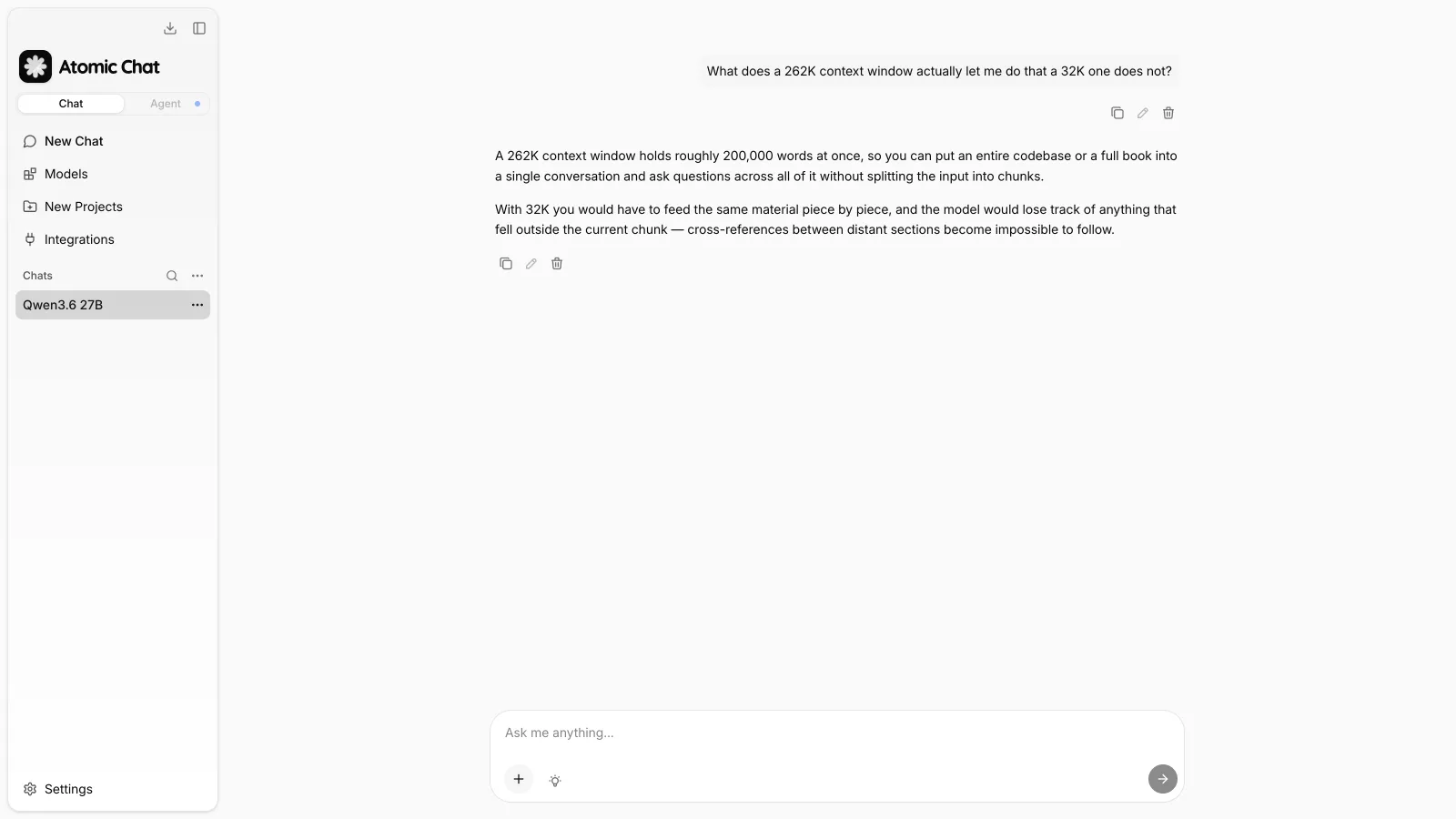
Atomic Chat is an open source local AI application we've developed. It's designed to make running local models easy, allowing you to download and run over 1000 models from Hugging Face using a built-in browser, easily switch between them, and interact with them in a built-in chat.

We made Atomic Chat to be similarly user-friendly to Ollama, but like vLLM, when designing it we've paid special attention to KV cache optimization. Atomic Chat uses a heavily customized llama.cpp engine that supports TurboQuant — a KV cache compression algorithm that stores cache values in roughly 3 bits instead of 16, cutting the cache's runtime memory by up to 6x. Since local inference is limited mainly by memory bandwidth, generation speed stays the same or gets slightly faster in long chats, while accuracy stays exactly the same as the uncompressed baseline. In practice, this means a 34B model at Q4_K_M needs about 20 GB for its weights, and with the KV cache compressed, can be run on a 24 GB MacBook.
We've also created Atomic Chat mobile apps that can run offline AI models on your phone, either on Android or Apple devices. Our apps are available on the App Store for iPhone and Google Play for Android.
FAQ
Is vLLM faster than Ollama?
For a single user running one request at a time, vLLM isn't faster than Ollama. However, under concurrent workloads, vLLM can be significantly faster because it is designed to batch and schedule many requests efficiently.
Is vLLM worth it for personal use?
Usually not. If you're running models on your own computer, Ollama is generally easier to install, switch between models, and manage. vLLM becomes more useful when the same model is serving multiple users or applications simultaneously.
Can vLLM run GGUF models?
Yes, but GGUF support is currently provided through the separate vllm-gguf-plugin project rather than the core runtime. vLLM is primarily designed for Hugging Face models in the safetensors format.
Does vLLM work on Windows?
Windows users can run vLLM through WSL2 or Docker, but official vLLM Windows support doesn't exist — vLLM is designed primarily for Linux systems.
Which is better for local AI: Ollama vs vLLM?
Ollama is better than vLLM for personal use cases — when you just want to run AI models locally to automate work or chat with a model, you won't benefit from vLLM's performance optimizations, while you will benefit from Ollama's simplicity.
What is the difference between Ollama and llama.cpp?
llama.cpp is a low-level inference engine, while Ollama is a local AI app built on top of it — it adds features like model management, a desktop GUI, and a local API. If you're comparing Ollama vs vLLM vs llama.cpp, think of llama.cpp as the raw engine, Ollama as the user-friendly app built on it, and vLLM as a separate engine built for servers.
Conclusion
Even though Ollama and vLLM both run local models, they're fundamentally made for different things — one is a local AI app for personal use, while the other is a high-performance inference engine for servers and production deployments. Here are the key takeaways:
- Ollama is designed for running AI models on your own computer.
- vLLM is designed for serving AI models to many users at once.
- The performance difference is small for one user but grows quickly under concurrent workloads.
- Ollama is designed to run compressed GGUF models, while vLLM is designed primarily to run uncompressed safetensors.
And, if you want to use local models without managing multiple runtimes yourself, Atomic Chat provides a single interface for working with different local AI backends with setup that's as simple as in Ollama, while delivering enhanced performance through TurboQuant.