

Last updated: August 28, 2026. GLM-5.3-Flash is three days old and local support is still landing. We're building our own imatrix GGUF quants and will update this guide with the Atomic Chat walkthrough, our measured quantization quality, and throughput numbers the moment they're ready. The state of play as of today is below.
You'll learn:
- What GLM-5.3-Flash is and how it differs from GLM-5.2 and GLM-4.7-Flash
- What hardware you need to run it
- Which routes actually work today, and which ones are still waiting on upstream
If you want the smaller GLM models that fit on a laptop, see our guide to running GLM models locally. This article is only about GLM-5.3-Flash.
Where local support stands today
GLM-5.3-Flash uses a new architecture — Glm5NextForConditionalGeneration, hybrid linear and sparse attention with mHC — mainline inference engines haven't yet added support for this. As a result:
- Mainline llama.cpp cannot load this model yet. There are three open pull requests: #27752, #27754 and #27773, all opened on August 26.
- The only GGUF build today is a fork. Unsloth ships quants that run on their own llama.cpp PR, branch
glm5next/upstream. - Everything downstream of llama.cpp is waiting. That includes Atomic Chat, LM Studio, and Ollama's local runner.
Our own quants are being built from Z.ai's original weights with our own importance matrix, and they land in AtomicChat/GLM-5.3-Flash-GGUF when they're done. The calibration corpora behind our builds are already public.
What is GLM-5.3-Flash?
GLM-5.3-Flash is an open-weight Mixture-of-Experts model from Z.ai, published on Hugging Face on August 25, 2026 under the MIT license. It outperforms GLM-5.2 across benchmarks and real-world workloads at about one-tenth the price, while approaching Claude Opus 4.8 on coding and agentic tasks.
GLM-5.3-Flash main specs:
| Specification | GLM-5.3-Flash |
|---|---|
| Total / active parameters | 320B total, 18B active |
| Architecture | MoE, hybrid linear + sparse attention, Manifold-Constrained Hyper-Connections (mHC) |
| Layers | 45 — 34 linear attention, 11 sparse attention |
| Experts | 288 routed + 1 shared, 8 routed experts active per token |
| Context window | 1,048,576 tokens |
| Modalities | Text and image input; the config also defines video tokens |
| Reasoning | reasoning_effort at low, high or max; defaults to max |
| Pre-training | 30T-token multimodal corpus |
| Release date | August 25, 2026 |
| License | MIT |
Source: Official model card and config.json in zai-org/GLM-5.3-Flash.
The model introduces two crucial architectural choices for local inference.
Firstly, of the 45 layers, 34 use linear attention, whose memory footprint stays flat regardless of conversation length, while the remaining 11 use sparse attention with a conventional KV cache which grows with every token. This allows the model to "sharply reduce long-context serving costs", making a million-token window usable on a transformer of this size.
Secondly, the model routes each token to 8 of its 288 experts plus one shared expert, activating 18B of the 320B total parameters per token, making expert weights that sit idle between tokens the natural candidates for system RAM offloading, while the attention layers stay on the GPU, making it possible to run a 320B model on a workstation.
GLM-5.3-Flash vs GLM-5.2 vs GLM-4.7-Flash
GLM-5.3-Flash is a new generation model in the GLM lineup.
- GLM-5.2 is the previous flagship, which GLM-5.3-Flash beats on all benchmarks published by Z.ai with a big lead in agentic coding.
- GLM-4.7-Flash is one of the smallest models from the GLM family that's optimized for personal hardware. Its 4-bit GGUF weighs only 17.1 GB, making it well suited for a 24 GB GPU or a 32 GB Mac. It also runs in mainline llama.cpp today, which GLM-5.3-Flash does not.
GLM-5.3-Flash benchmarks
Z.ai compared GLM-5.3-Flash with its predecessor and four frontier models:
| Benchmark | GLM-5.3-Flash | GLM-5.2 | DeepSeek-V4-Vision-Exp | Claude Opus 4.8 | GPT-5.6 Terra | Gemini 3.7 Flash |
|---|---|---|---|---|---|---|
| Terminal Bench 2.1 | 84.3 | 81.0 | 83.9 | 85.0 | 87.4 | 85.8 |
| DeepSWE v1.1 | 63.4 | 46.2 | 59.3 | 58.0 | 69.6 | 65.3 |
| Agents' Last Exam | 26.3 | 20.4 | 27.3 | 27.0 | 28.0 | — |
| AutomationBench v1.0.6 | 48.8 | 26.2 | 38.8 | 41.0 | 37.2 | 52.3 |
| HLE w/ Tools | 55.3 | 54.7 | 55.1 | 57.9 | — | — |
| GDPVal-AA v2 | 1773 | 1504 | 1675 | 1582 | 1571 | 1527 |
These runs were made internally by Z.ai on their own harness. A dash means Z.ai didn't publish that pairing.
Notably, against Claude Opus 4.8, GLM-5.3-Flash trails only slightly on Terminal Bench (84.3 vs 85.0) and HLE (55.3 vs 57.9), but it leads clearly on DeepSWE (63.4 vs 58.0), AutomationBench (48.8 vs 41.0) and GDPVal-AA (1773 vs 1582).
It also outperforms the previous flagship on agentic benchmarks: AutomationBench nearly doubles, from 26.2 to 48.8, and DeepSWE goes from 46.2 to 63.4.
One caveat worth keeping in mind: every number above is measured on the original weights. Quantization costs quality, and how much it costs depends on the build. We'll publish measured KL divergence and top-1 agreement for our own quants when they ship, so you can see exactly what a given file gives up.
Current GLM-5.3-Flash GGUF support
At Atomic Chat, we're currently working on our own self-quantized builds from Z.ai's original weights with our own importance matrix, and the calibration corpora are public in AtomicChat/calib-corpora. The planned range is to include IQ2_M through Q8_0, with Q4_K_M as the recommended default and UD-Q4_K_XL keeping embeddings and output at Q8_0 for higher quality at a Q4 footprint. They're not up yet.
As of this writing, you can download the unsloth builds, which are complete. Sizes are decimal GB, summed across shards:
| Build | Size |
|---|---|
| UD-IQ1_S | 93.1 GB |
| UD-IQ1_M | 97.6 GB |
| UD-Q2_K_XL | 108.7 GB |
| UD-IQ3_XXS | 120.4 GB |
| UD-Q3_K_XL | 147.5 GB |
| UD-IQ4_XS | 156.8 GB |
| UD-Q4_K_XL | 199.7 GB |
Every build ships as multiple shards, because a single GGUF this size is impractical to host and download — the app and llama.cpp both reassemble them for you. And the numbers Atomic Chat shows in its Download Options picker are binary GB, so the same file reads a few percent smaller there than in the table above.
GLM-5.3-Flash hardware requirements
For local LLM inference, the most important hardware specs are VRAM and system RAM, or unified memory on Apple Silicon. GLM-5.3-Flash, even on the most aggressive 1-bit build, is over 90 GB, which means that to run it locally you'll need one of these setups:
- A large-RAM workstation. Expert weights are offloaded to system RAM, attention layers to the GPU. 128 GB for the low-bit builds and 256 GB for anything at 4-bit is recommended.
- A high-memory Mac. A 128 GB or 256 GB Mac Studio can hold a low-bit build in unified memory. macOS caps GPU-addressable memory at roughly 75 percent of unified memory by default, so budget accordingly.
- Rented GPUs. You can rent a dedicated GPU to serve the LLM via a VPS. See this guide for a full walkthrough.
Unsloth, who have run these builds, put the floor at 100 GB of RAM for the 1-bit quant and 128 GB for the 3-bit, naming a Mac or an NVIDIA DGX Spark as typical 128 GB machines. That matches the file sizes above. Below 64 GB there is no path to this model at any quantization.
How much memory does the context window add?
The file sizes above cover the weights only. On top of them the engine allocates a KV cache that grows with every token in the conversation.
However, because of the hybrid attention mechanism in which only 11 of the 45 layers keep a conventional KV cache and the other 34 use linear attention with a fixed-size state, the model uses roughly four times less KV cache per token as compared to a conventional 45-layer transformer.
We'll publish measured per-token cache figures once the model runs on our own harness, rather than estimating them from the config.
How to run GLM-5.3-Flash today
Until support merges upstream, there are three ways to run GLM-5.3-Flash locally:
On your own hardware, through Unsloth's fork
This is the only local GGUF path that works right now. It needs their llama.cpp PR (branch glm5next/upstream) rather than a mainline build, and their documentation covers the setup. Pick a quant from the size table above against the memory you actually have.
On server stacks
The model card lists SGLang, vLLM, TokenSpeed, Transformers and KTransformers as supported deployment paths, and those don't depend on llama.cpp at all. If you're serving the model to a team rather than chatting with it on a laptop, this is the mature route today. See the official model card for the per-framework recipes.
Without local hardware
Z.ai runs GLM-5.3-Flash on its own API platform. Ollama also lists glm-5.3-flash, but read the tag before you pull it: the only tag published is glm-5.3-flash:cloud, which runs the model on Ollama's servers rather than on your machine. There is no local weight download behind it.
How to run GLM-5.3-Flash in Atomic Chat
Atomic Chat is a free, open-source local AI app we built. It includes a Hugging Face model browser, manages split GGUF downloads — which matters a great deal for a model that ships in shards — and provides a chat interface without requiring a manual llama.cpp build.
GLM-5.3-Flash will run in Atomic Chat as soon as the engine supports it. For now, you can install Atomic Chat to be among the first users to get started with this model once support has landed.
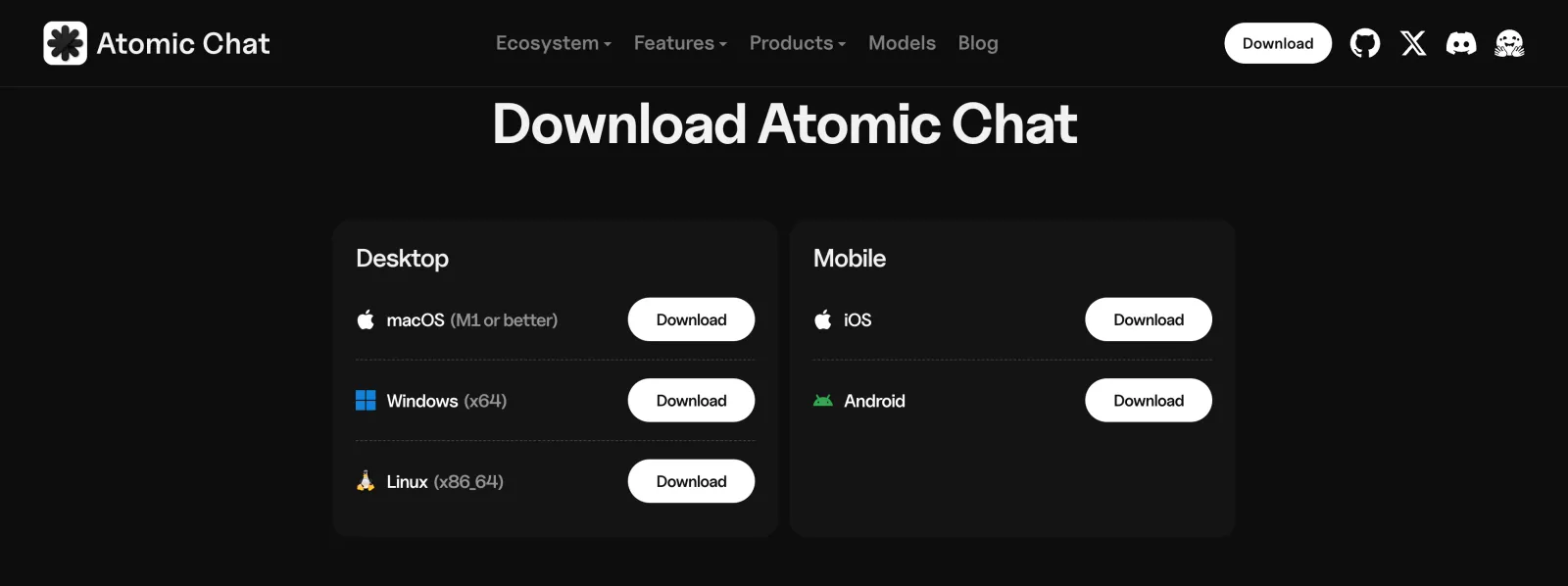
Download Atomic Chat from atomic.chat and install the build for your platform:
- macOS: a universal
.dmg, macOS 13.6 or later - Windows: an
.exeinstaller for x64 - Linux: a self-contained
.AppImagefor x86_64, which needs no root
On Linux, mark the AppImage executable with chmod +x and run it directly. If the app asks about FUSE on first launch, install it with sudo apt install fuse libfuse2 on Debian or Ubuntu, or sudo dnf install fuse fuse-libs on Fedora.
Atomic Chat lets you split the model between the GPU and system RAM. That's what puts a 320B model on ordinary hardware.
Keep all Experts in CPU puts the Mixture-of-Experts weights in system RAM and leaves attention on the GPU. Only 18B of the 320B parameters are active per token, so the expert weights sit idle between tokens and tolerate the slower memory. It costs generation speed.
Number of MoE weights in the CPU does the same thing partially: the experts of the first N layers go to RAM, the rest stay on the GPU. Use it to fill your VRAM exactly instead of choosing all-or-nothing.
Context Size is reserved in memory the moment the model loads. Start at 8,192 tokens for chat or 32,768 for code and documents, and raise it from there.
For sampling, use Z.ai's own evaluation settings: temperature 1.0 and top_p 0.95. Thinking runs at max effort by default, with low and high as the other two levels of reasoning_effort.
Frequently asked questions
Common questions about running GLM-5.3-Flash on your own hardware.
Can I run GLM-5.3-Flash locally right now?
Yes, but only through Unsloth's llama.cpp fork, and only if you have the memory for it. Mainline llama.cpp has three open pull requests for the architecture and none is merged, so apps built on it — Atomic Chat, LM Studio, Ollama's local runner — can't load the model yet.
How much memory does GLM-5.3-Flash need?
The smallest 1-bit build needs roughly 93 GB and the 4-bit build 200 GB, before accounting for context headroom. In practice that means a workstation with 128 GB of RAM or more, a high-memory Mac, or rented GPUs. Below 64 GB there is no path.
Can I run GLM-5.3-Flash on a Mac?
A 128 GB or 256 GB Mac Studio can run a low-bit build in unified memory, keeping in mind that macOS caps GPU-addressable memory at about 75 percent of the total by default. A MacBook is out of range; use GLM-4.7-Flash instead.
What does "Keep all Experts in CPU" do?
It keeps the Mixture-of-Experts weights in system RAM and leaves the attention layers on the GPU. Only 18B of the model's 320B parameters are active per token, so most expert weights sit idle between tokens and tolerate the slower memory. It's the setting that makes a 320B model runnable on a machine with a normal GPU, at the cost of generation speed.
Is GLM-5.3-Flash free for commercial use?
Yes. GLM-5.3-Flash ships under the MIT license, which permits commercial use, modification and redistribution.
What is the GLM-5.3-Flash context window?
1,048,576 tokens.
Does GLM-5.3-Flash support vision locally?
Yes — the model is natively multimodal. Note that the local image input needs the vision projector file alongside the quant.
How does GLM-5.3-Flash compare to GLM-5.2?
GLM-5.3-Flash outperforms GLM-5.2 on all six benchmarks Z.ai published, with the biggest gain being in agentic coding: AutomationBench 48.8 vs 26.2, DeepSWE 63.4 vs 46.2, GDPVal-AA 1773 vs 1504. Z.ai also puts it at roughly one-tenth of GLM-5.2's serving price.
When will Atomic Chat support GLM-5.3-Flash?
As soon as the architecture lands in llama.cpp and our quants finish uploading. We'll update this guide the same day with the full walkthrough, our measured quantization quality, and throughput numbers.
Bottom line
GLM-5.3-Flash is the first GLM-5 model that is possible to run locally on consumer-grade hardware, albeit it requires a high-end PC or Mac configuration and a lower-bit quant. Still, this is very impressive for a model whose base build achieves Claude Opus 4.8-level performance. This is possible thanks to the sparsity mechanism where, of the total 320B parameters, only 18B are activated on any given token, allowing expert weights to be offloaded to system RAM.
The catch, three days after release, is tooling rather than hardware. The weights are out under MIT, the quants exist, and the memory math works — but mainline llama.cpp hasn't merged the architecture, so a fork is the only local path for now.
Key takeaways:
- GLM-5.3-Flash is a 320B MoE with 18B active parameters, released August 25, 2026 under the MIT license.
- It uses a hybrid architecture in which 34 of 45 layers use linear attention with a fixed-size state, making the memory cost of the 1M context window far lower than for a traditional transformer of equal size.
- It beats GLM-5.2 on all six published benchmarks and leads Claude Opus 4.8 on three of them.
- Even the smallest builds run past 90 GB, so this model requires a workstation, a high-end Mac or a rented GPU to run. It won't run on most laptops.
- Mainline llama.cpp support is not merged yet; today the only local GGUF route is Unsloth's fork.
- Our own imatrix quants and the full Atomic Chat walkthrough land in this guide as soon as support ships.