

Ollama and LM Studio are two of the most popular local AI apps. If you're wondering which one is right for you, this article will answer that question and help you decide.
Ollama vs LM Studio comparison
Both LM Studio and Ollama are local AI inference apps. However, Ollama is built around running models as a service and primarily targets developers. In contrast, LM Studio emphasizes the interface and is geared toward model browsing, testing, and configuration in one place.
| Ollama | LM Studio | |
|---|---|---|
| Best for | Development, automation, local APIs | Finding models, testing them, desktop chat |
| Main experience | CLI, background service, desktop app | Desktop app, CLI, local server |
| Model discovery | Ollama’s model library | Visual catalog with Hugging Face search |
| Formats | GGUF and supported imported models; MLX support depends on the release | GGUF and MLX on Apple Silicon |
| Model configuration | Modelfiles, CLI flags, environment settings | Presets and on-screen model loading controls |
| Files and documents | Desktop app can work with files; more advanced RAG usually requires integrations | Built-in document chat and file workflows |
| API | Native, OpenAI-compatible, and Anthropic-compatible APIs | Native, OpenAI-compatible, and Anthropic-compatible APIs |
| Headless use | Runs as a background service, with systemd and an official Docker setup | Can run through the llmster daemon without the desktop app |
| Platforms | macOS, Windows, Linux | macOS, Windows, Linux |
| GPU controls | Mostly automatic, with CLI tools for checking what is being offloaded | More GPU offload and memory controls exposed in the interface |
| Local price | Free | Free |
| Source code | Ollama core is MIT-licensed | Desktop app is proprietary; CLI and SDK components use separate licenses |
What is Ollama?
Ollama is a local model runtime that downloads, manages, and serves AI models on your computer. Its main component runs in the background and exposes an API that other applications can use, while the CLI provides a simple way to download models, start them, and interact with them directly.

For example, with Ollama you can download and serve models to other apps with a single command:
ollama run qwen3:8b
This downloads the model if necessary, starts it through Ollama's local service, and opens a terminal chat. The same running model can also be accessed by applications through Ollama's API on port 11434.
Ollama also has a desktop app, which provides another way to interact with locally running AI models on macOS and Windows. It adds a chat interface and supports file attachments and multimodal input. The app isn't available on Linux as of this writing.
One of Ollama's core features is Modelfiles. Modelfiles are text configuration files that contain the base model version, system prompt, parameters, prompt template, and adapters. They make a model easy to share when, for example, you want your team to use a local AI model that behaves identically everywhere it's installed.
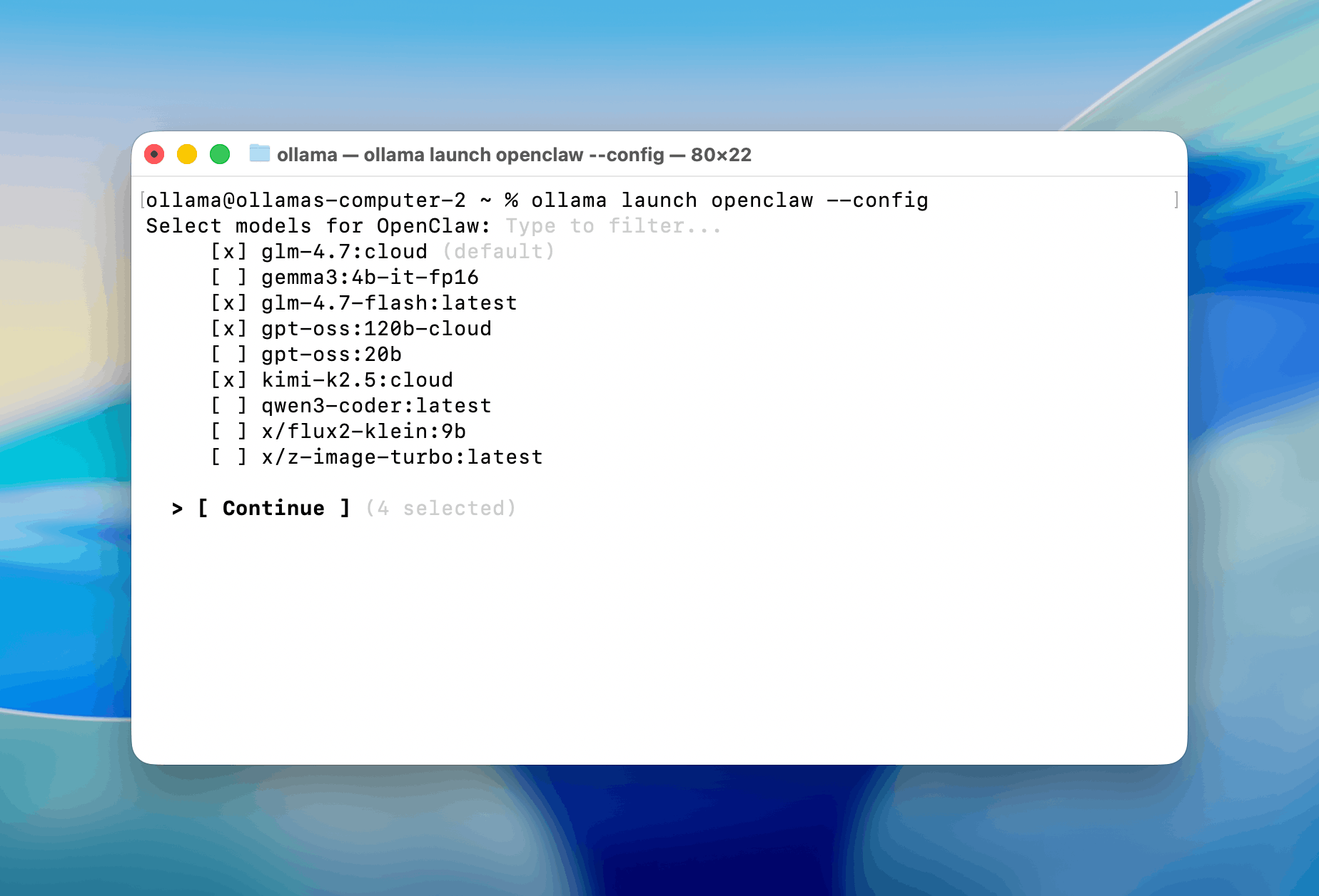
In addition to local inference, Ollama offers cloud-hosted model tags that use the same commands and API as local models, but inference happens on remote infrastructure. This is useful for running models larger than your hardware can handle.
What is LM Studio?
LM Studio is a desktop application for finding, downloading, configuring, and running AI models locally.

Its built-in catalog searches supported models on Hugging Face and lets you choose specific quantizations in a visual browser. The app makes it easy to control settings such as context length and GPU offload, estimate a model's memory requirements, and save defaults for that model. On Apple Silicon, LM Studio can also present GGUF and MLX variants through the same model-management workflow.
LM Studio also provides the lms CLI, Python and JavaScript SDKs, local APIs, and llmster, a headless runtime that can run without the GUI on workstations, Linux servers, and CI systems.
For example:
lms get qwen/qwen3-8b
lms daemon up
lms server start
These commands download a model, start LM Studio's daemon, and expose its API without opening the desktop application.
LM Link lets one LM Studio or llmster instance be used from another device over an end-to-end encrypted Tailscale network. For example, a model running on a Mac or Linux server can be accessed from another computer or from an iPhone or iPad through a compatible client such as Locally.
Ollama does not have an equivalent built-in remote-access layer. Accessing an Ollama server from another device instead requires making its API reachable over the local network, a VPN such as Tailscale, or another client.
Available models
Both apps can run models with supported architectures and file formats, but they handle discovery, downloads, and sharing differently.
Ollama uses its own registry of curated, prepackaged, ready-to-run local models, available primarily as quantized GGUF variants. As of this writing, it contains roughly 200 model families.
LM Studio searches compatible GGUF and MLX models across the much larger, community-driven Hugging Face catalog, which contains millions of model repositories.
| Ollama | LM Studio | |
|---|---|---|
| Model discovery | Ollama registry | Mainly Hugging Face |
| Variant selection | Mostly through packaged model variants | Individual builds and quantizations are exposed |
| Custom definition | Modelfile | model.yaml |
| Weight hosting | Distributed through Ollama | Can remain in the original repository |
Performance
With the same model file, inference backend, context length, and GPU offload, Ollama and LM Studio should perform similarly. Large differences usually mean the apps are using different backends or that one has moved part of the model to the CPU. Both can use llama.cpp, while LM Studio currently offers a broader selection of MLX models on Apple Silicon.
We tested Qwen3-Coder-30B on a Mac mini M4 Pro with 64 GB of unified memory through asiai 1.4.0. LM Studio's MLX backend delivered about 46% higher throughput than the llama.cpp backend used by Ollama:
| Metric | LM Studio (MLX) | Ollama (llama.cpp) |
|---|---|---|
| Throughput | 102.2 tok/s | 69.8 tok/s |
| Time to first token | 291 ms | 175 ms |
| Power draw | 12.4 W | 15.4 W |
| Process memory (RSS) | 21.4 GB | 41.6 GB |
LM Studio generated tokens faster, while Ollama returned the first token sooner. Because this test also compares MLX with llama.cpp, it does not prove that LM Studio is always faster.
Hardware requirements
Here are the current minimum requirements for each app.
Ollama
- macOS: macOS Sonoma 14 or newer. Apple M-series Macs use Metal acceleration; Intel Macs are supported for CPU inference only.
- Windows: Windows 10 22H2 or newer. NVIDIA acceleration requires a compatible GPU and driver; AMD acceleration requires ROCm 7/HIP 7 or a Vulkan-capable driver.
- Linux: x86-64 and ARM64 builds are available. NVIDIA, AMD ROCm, and Vulkan acceleration are supported with the appropriate drivers.
- NVIDIA GPUs:compute capability 5.0 or newer and driver version 550 or newer. GPUs with compute capability 5.0–6.2 require driver version 570 or newer.
- AMD and Intel GPUs: Ollama supports a defined list of AMD cards through ROCm 7. Vulkan provides broader AMD and Intel GPU support on Windows and Linux.
- Storage: the Windows installation requires at least 4 GB. Downloaded models need additional space and can occupy tens or hundreds of gigabytes in total.
LM Studio
- macOS: Apple Silicon only, with macOS 14 or newer. LM Studio recommends 16 GB or more of unified memory; 8 GB Macs can run smaller models with modest context lengths. Intel Macs are not supported.
- Windows: x64 and ARM systems are supported. x64 processors require AVX2; 16 GB of RAM and at least 4 GB of dedicated VRAM are recommended.
- Linux: x64 and ARM64 systems are supported through an AppImage. Ubuntu 20.04 or newer is required, and x64 builds use AVX2.
- GPU support: CPU-only, CUDA, Vulkan, ROCm, and Metal runtimes are available, along with MLX on Apple Silicon.
- Storage: LM Studio does not publish a fixed disk-space minimum. Allow additional space for every downloaded model and quantization.
API and integrations
Both tools expose local REST APIs and support OpenAI and Anthropic clients, streaming, tool calling, embeddings, structured output, and vision. For most integrations, switching between them only requires changing the base URL and model name.
Ollama offers an always-on service and one-command setup for popular coding agents. LM Studio adds optional local API tokens, stateful chats, and MCP execution through its API.
| Feature | Ollama | LM Studio |
|---|---|---|
| Default local address | http://localhost:11434 | http://localhost:1234 |
| Native REST API | ✅ | ✅ |
| OpenAI Chat Completions | ✅ | ✅ |
| OpenAI Responses API | ✅ (stateless) | ✅ (stateful) |
| Anthropic Messages API | ✅ | ✅ |
| Streaming | ✅ | ✅ |
| Tool and function calling | ✅ | ✅ |
| Structured JSON output | ✅ | ✅ |
| Embeddings for RAG | ✅ | ✅ |
| Vision and image input | ✅ | ✅ |
| Official Python and JavaScript SDKs | ✅ | ✅ |
| Download, load, and remove models through the API | ✅ | ✅ |
| Headless operation | ✅ | ✅ |
| MCP execution through the API | ❌ | ✅ |
| Authentication for the local API | ❌ | ✅ |
| One-command coding-agent setup | ✅ | ❌ |
Pricing
Both apps are free to download and use with local models. Their paid options cover cloud inference: Ollama sells monthly plans with included usage, while LM Studio charges by the token.
| Pricing | Ollama | LM Studio |
|---|---|---|
| Local models | Free and unlimited | Free and unlimited |
| Free plan | Local models plus light cloud-model usage; one concurrent cloud model | Local models, Bionic Agent, voice transcription, limited web search, and LM Link for up to five devices |
| Individual cloud pricing | Pro: $20/month or $200/year; Max: $100/month, with new subscriptions currently paused | Pay as you go; Bionic Pass pricing has not been announced |
| How cloud usage is measured | Model-weighted usage limits that reset every five hours and seven days; Pro includes 50× more usage than Free | Per 1 million input, cached-input, and output tokens |
| Published cloud rates | Plans do not promise a fixed token allowance | Depending on the model: $0.13–$3.00 input, $0.028–$0.30 cached input, and $0.26–$15.00 output per 1 million tokens |
| Team plan | $25 per seat/month, five-seat minimum; currently waitlisted | No public team price |
| Enterprise | Custom pricing | Custom pricing through sales |
These are cloud prices as of August 2026. Check the live Ollama pricing and LM Studio pricing pages before purchasing.
Privacy and offline use
When you use a local model, both apps keep prompts, responses, and inference on your computer.
Cloud models and web search require a connection and send requests to the provider's servers. In Ollama, you can disable these features with local-only mode.
Ollama's core is MIT-licensed, so organizations can inspect the source code and audit how it handles data. The LM Studio desktop app is proprietary.
Which one should you choose?
It depends on how you plan to use local models. Here are recommendations for the most common situations.
If you're new to local AI
Either app will get you started, but LM Studio is easier to learn. You can find a model, choose a quantization, check whether it fits in memory, and change its settings without using the terminal.
If you want to test models and adjust their settings
Choose LM Studio. Its interface exposes context length, GPU offload, presets, memory estimates, and performance statistics.
If you're a developer
Both apps provide local APIs, OpenAI and Anthropic compatibility, and Python and JavaScript SDKs. Ollama has a slight edge as a permanent backend service because it was built for that purpose. LM Studio is more useful when you want stateful API sessions, local API tokens, or MCP support built into the server.
If you're building agents or automations
Ollama is usually the better fit. It starts in the background, works well with Docker and systemd, and can configure coding agents such as Codex and Claude Code with ollama launch.
If you want to share a model with your team
Choose Ollama when everyone needs the same model configuration. A Modelfile records the base model, prompt template, parameters, and adapters, so the configured model can be recreated and served under one name. LM Studio can share presets, but Ollama makes the configured model itself the unit you create and distribute.
If you want to run models on a server
Ollama has the more established path for Linux servers, Docker containers, and unattended services. LM Studio can also run without the desktop interface through llmster, especially if you need its model-loading controls or stateful API.
If you want to connect from another device
LM Studio's LM Link is the simpler option. It connects another computer, iPhone, or iPad to the machine running the model over an encrypted Tailscale network. Ollama requires you to expose its API over your network or configure a VPN separately.
If you're running models on Apple hardware
On Apple Silicon, start with LM Studio if you want to browse both GGUF and MLX builds and compare their memory use and speed in a visual interface. Choose Ollama if the Mac will act as an always-on API or agent backend. LM Studio does not support Intel Macs; Ollama can run on them using the CPU.
FAQ
Quick answers to the most common questions about Ollama and LM Studio.
Which is better, Ollama or LM Studio?
LM Studio is easier for finding, comparing, and chatting with models. Ollama is better suited to background services, coding agents, automation, and repeatable model configurations.
Is LM Studio faster than Ollama?
Not necessarily. With the same model file, backend, context length, and GPU offload, their performance should be close. LM Studio can be faster on Apple Silicon when it uses an MLX build and Ollama uses llama.cpp, but that compares two inference backends as well as two apps.
What are the disadvantages of Ollama?
Model discovery and runtime settings are less visible than in LM Studio. Ollama also lacks built-in authentication for its local API, stateful OpenAI Responses sessions, and MCP execution through the API.
Which is better for coding?
Ollama is usually the easier backend for Codex, Claude Code, and other coding agents because it runs continuously and supports ollama launch. LM Studio is useful when you are testing several coding models or need to watch memory use and loading settings.
Is there anything better than Ollama?
It depends on the job. LM Studio is easier for desktop use, llama.cpp offers more low-level control, and servers such as vLLM or SGLang are designed for high-throughput production inference.
What is the best LLM to use with Ollama?
Choose the largest model suited to your task that fits comfortably in memory. A smaller model running fully on the GPU will often respond faster than a larger model split between the GPU and CPU.
Can Ollama use a model downloaded by LM Studio?
Ollama can import a compatible GGUF file through a Modelfile. It does not treat LM Studio's model library as its own registry, so the imported model must be registered with Ollama and may consume additional disk space.
Can Ollama and LM Studio run at the same time?
Yes. Ollama uses port 11434; LM Studio uses 1234. Loading large models in both tools at once can exhaust memory, and the same weights may be stored twice on disk.